



Music Program Flow System Slide Template – Business Execution Strategy
RJ0500020_23
- Last Update 08/27/2025
- File Size 0.6MB
- # of Slides 2
- File Format PPTX
- Slide Ratio 16:9
- Color
Keywords
- #Content-Based Slides
- #Design-Based Slides
- #Business Strategy
- #Diagram
- #Roadmap
- #Cluster
- #Chain Diagram
- #Project Progress
- #16:9
- #circular flow diagram PowerPoint
- #6-step process flowchart slide
- #business execution process template
- #cycle diagram PowerPoint slide
- #how to create process flow in PowerPoint
About the Product
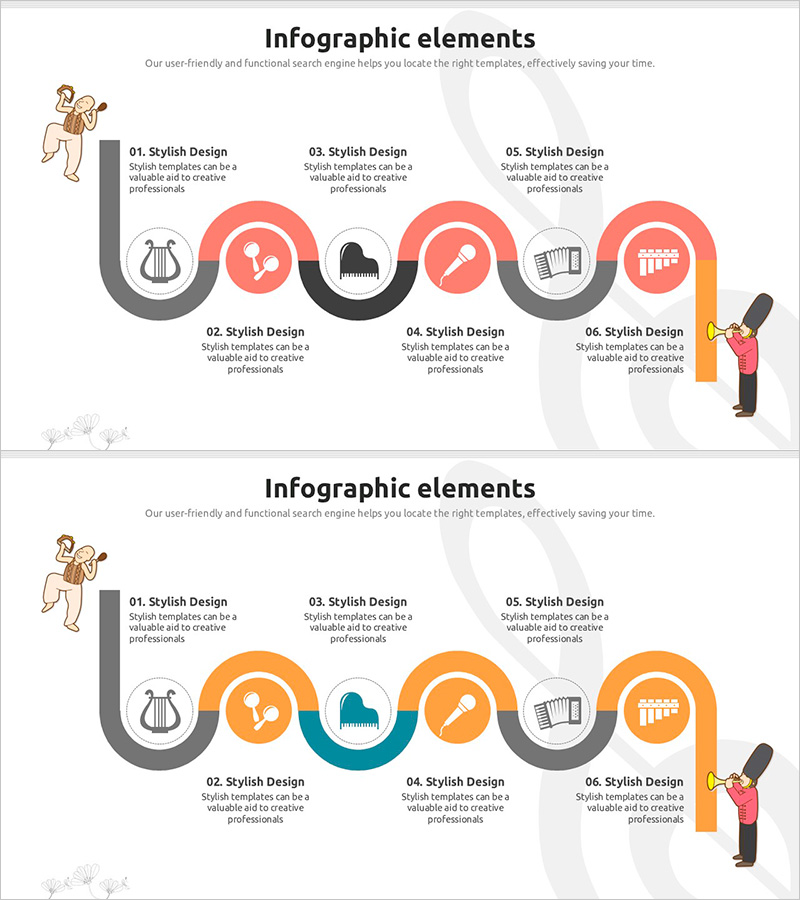
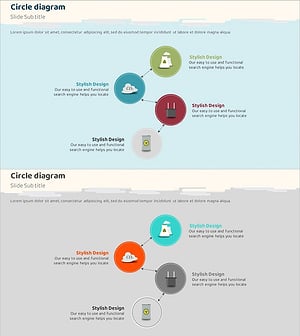
A 6-step circular flow diagram PowerPoint slide that visualizes business execution strategy and process progression. The design features a gray curved pathway with red, black, and orange circular nodes positioned sequentially, each containing icon placeholders and text areas. This slide template is ready to use for presentations on marketing campaigns, project management, program operations, and any cyclical process. The 2-slide set includes color variations (red and orange tones) and is optimized for 16:9 widescreen format.
Usage Points
-
Main Usage
Clearly visualizes cyclical processes, project workflows, marketing campaigns, and operational procedures through a 6-step progression. The circular arrangement emphasizes continuous improvement and interconnected stages, making complex processes easy for audiences to understand and follow.
-
How to Use
Enter stage titles and descriptions in the six node areas. Replace icons with relevant symbols or adjust colors to match your presentation theme. Use in business reports, strategy presentations, project kickoff meetings, and operational process explanations.
-
Recommended For
Business managers, project managers, marketing planners, and educators who need to explain cyclical or sequential processes. Ideal for business progress reports, strategic planning presentations, and operational workflow demonstrations.
-
Slide Structure
Six circular nodes arranged along a gray curved pathway in a continuous cycle. Each node includes an icon placeholder and text input area, with directional arrows connecting the stages. The 2-slide set provides color variations (red-black-orange and orange-teal-gray combinations).
Related Products
-
Category Map by Learning – Effective Business Strategy Development
#Business Strategy #Diagram #Roadmap
-
Renewable Energy Future Plan Roadmap Diagram
#Business Strategy #Diagram #Roadmap
-
Blue Pink Business Goals Connection Diagram
#Business Vision and Strategy #Business Strategy #Diagram
-
Eco-friendly Business Future Plan Diagram – Strategies for a Sustainable Future
#Business Strategy #Diagram #Business Direction
