



Eco-friendly Furniture Product Overview – Diagram Emphasizing Sustainability
RJ0900026_13
- Last Update 08/23/2025
- File Size 0.5MB
- # of Slides 2
- File Format PPTX
- Slide Ratio 16:9
- Color
Keywords
- #Content-Based Slides
- #Design-Based Slides
- #Product/Service Introduction
- #Business Introduction
- #Diagram
- #Composition
- #Business Areas
- #Spread
- #Centralized Diagram
- #16:9
- #radial diagram PowerPoint
- #central hub slide template
- #8-item diagram
- #radial chart PPT
- #how to create radial diagram in PowerPoint
About the Product
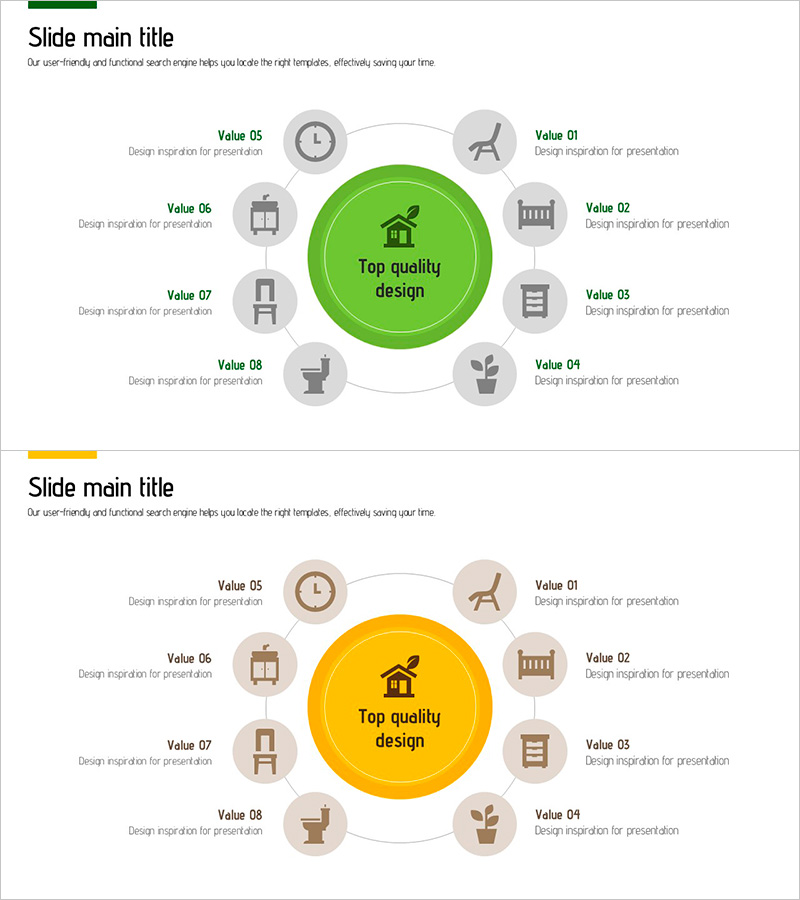
A radial diagram PowerPoint slide featuring a central concept surrounded by eight related items arranged in a circular pattern. Available in two color versions—vibrant green and bright yellow—with each item represented by a circular icon and text label. This diagram effectively visualizes relationships between a core concept and peripheral elements, making it ideal for product overviews, business value propositions, organizational roles, and strategic positioning. The PPTX file is in 16:9 widescreen format and fully editable, ready for immediate use in presentations.
Usage Points
-
Main Usage
Visualizes a core concept or central idea with eight surrounding elements—such as product features, business benefits, organizational functions, or market positioning factors—in a radial layout. Enables audiences to instantly grasp the relationship between the central theme and supporting components across diverse presentation contexts.
-
How to Use
Place your core concept (product name, brand, or strategy) in the central circular area. Add corresponding features, benefits, or functions to each of the eight surrounding circular icon areas using text and icons. Select either the green version (conveying trust and growth) or yellow version (conveying energy and attention) to match your presentation tone.
-
Recommended For
Ideal for product managers presenting product overviews, marketing teams explaining positioning strategies, executives introducing business models, HR teams describing organizational roles, and sales teams presenting customer value propositions. Particularly effective when emphasizing the relationship between a central concept and multiple supporting elements.
-
Slide Structure
Two-slide layout: Slide 1 features a green central circle (core concept) surrounded by eight gray circular icons (peripheral items) with connecting lines. Slide 2 uses a yellow central circle with the same eight-item radial arrangement. Each item consists of a circular icon plus text label, optimized for 16:9 widescreen presentation format.
Related Products
-
Subject Learning Elements Diagram – Visualizing Business Regions and Structure
#Product/Service Introduction #Business Introduction #Diagram
-
Technical Configuration Diagram – Information Spreading Visually Centered
#Product/Service Introduction #Business Introduction #Diagram
-
Structuring Data Across 6 Folders – Effective Data Visualization
#Product/Service Introduction #Business Introduction #Diagram
-
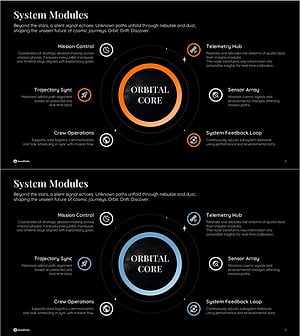
System Architecture Diagram Slide with Core Modules
#Product/Service Introduction #Business Introduction #Diagram
