



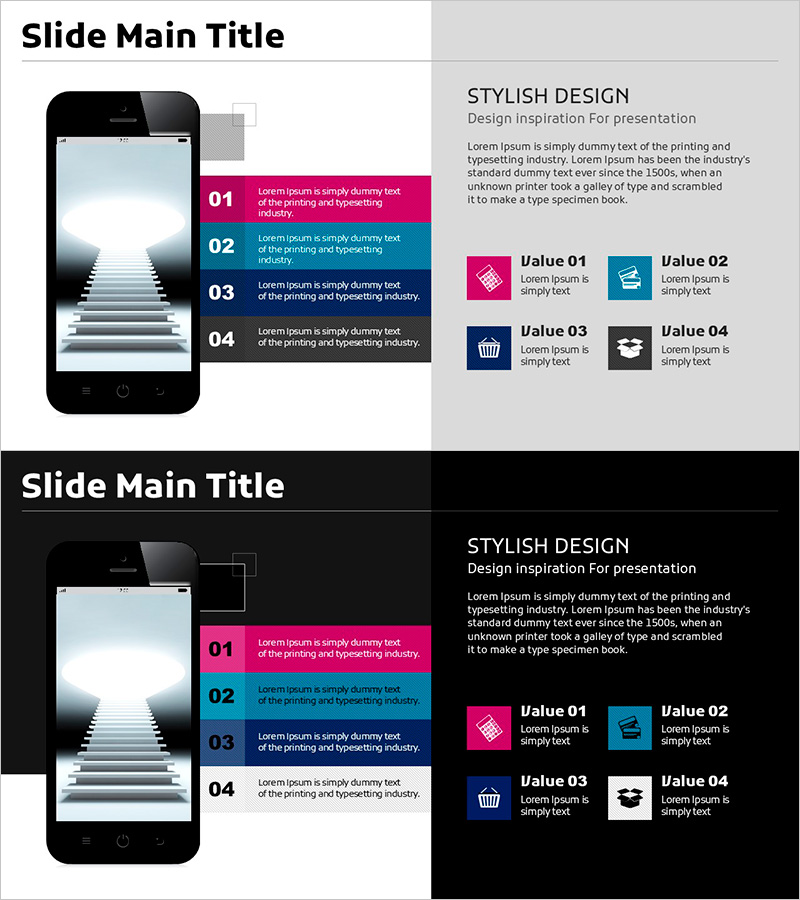
Mobile Mockup and 4 Steps – Stylish Design
RJ0900022_24
- Last Update 08/22/2025
- File Size 0.5MB
- # of Slides 2
- File Format PPTX
- Slide Ratio 16:9
- Color
Keywords
- #Content-Based Slides
- #Design-Based Slides
- #Product/Service Introduction
- #Operational Plan
- #Other
- #Development Plan
- #Production and Technology Development Strategy
- #16:9
- #mobile mockup PowerPoint slide
- #4-step process presentation
- #mobile app introduction slide
- #step-by-step explanation PPT
- #how to create mobile mockup in PowerPoint
About the Product
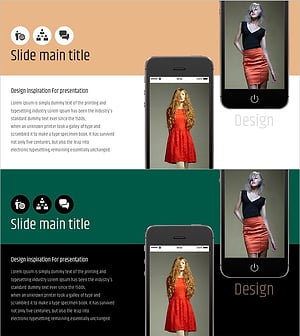
A PowerPoint slide that combines a mobile device mockup with a 4-step process visualization on a single layout. The left side features a smartphone image, while the right side displays four color-coded boxes (magenta, teal, navy, black) for entering step-by-step information. Two background versions are provided—light and dark—allowing you to match your presentation's tone. This slide is ready to use for app introductions, service workflows, technology development phases, and other professional presentations.
Usage Points
-
Main Usage
Illustrate mobile app features or development processes across four sequential steps. The smartphone mockup on the left visualizes the actual user interface, while the four color-coded boxes on the right allow you to input descriptions, features, and outcomes for each stage, enhancing audience comprehension.
-
How to Use
Insert app screenshots or UI images into the mobile mockup area on the left. Add step titles, descriptions, and icons to the four boxes on the right. Use the light background version for standard presentations and the dark version for outdoor or large-screen displays to ensure optimal readability.
-
Recommended For
Ideal for mobile app developers presenting product features, startups pitching to investors, technology teams explaining development workflows, and marketing teams launching new services. Particularly effective when describing user journeys or technical implementation phases.
-
Slide Structure
Two-slide set: light background version (light gray and white) and dark background version (black and dark gray). Each slide divides into a fixed mobile mockup area on the left and four input boxes on the right (color-coded: magenta, teal, navy, black), with each box containing fields for number, title, and descriptive text.
Related Products
-
Diagram for Medical Product Development Plan
#Product/Service Introduction #Operational Plan #Diagram
-
Tablet Workout Mockup and Text – Optimized Design for Business Management
#Business Management #Operational Plan #Other
-
Facility Utilization Analysis on Site – A Tool for Operational Optimization
#Product/Service Introduction #Operational Plan #Diagram
-
Simple & Modern Wide PPT Mockup – Optimized for Operations and Marketing Plans
#Operational Plan #Marketing Plan and Strategy #Other
