



Interior Preferences Research – Operational Planning and Customer Success Cases
RJ0900010_28
- Last Update 08/18/2025
- File Size 1.3MB
- # of Slides 2
- File Format PPTX
- Slide Ratio 16:9
- Color
Keywords
- #Content-Based Slides
- #Operational Plan
- #Customer Success Stories
- #Risk Management
- #Customer Testimonials and Feedback
- #16:9
- #customer feedback PowerPoint slide
- #customer satisfaction survey presentation
- #two-column comparison layout PPT
- #customer evaluation slides
- #how to present customer feedback in PowerPoint
About the Product
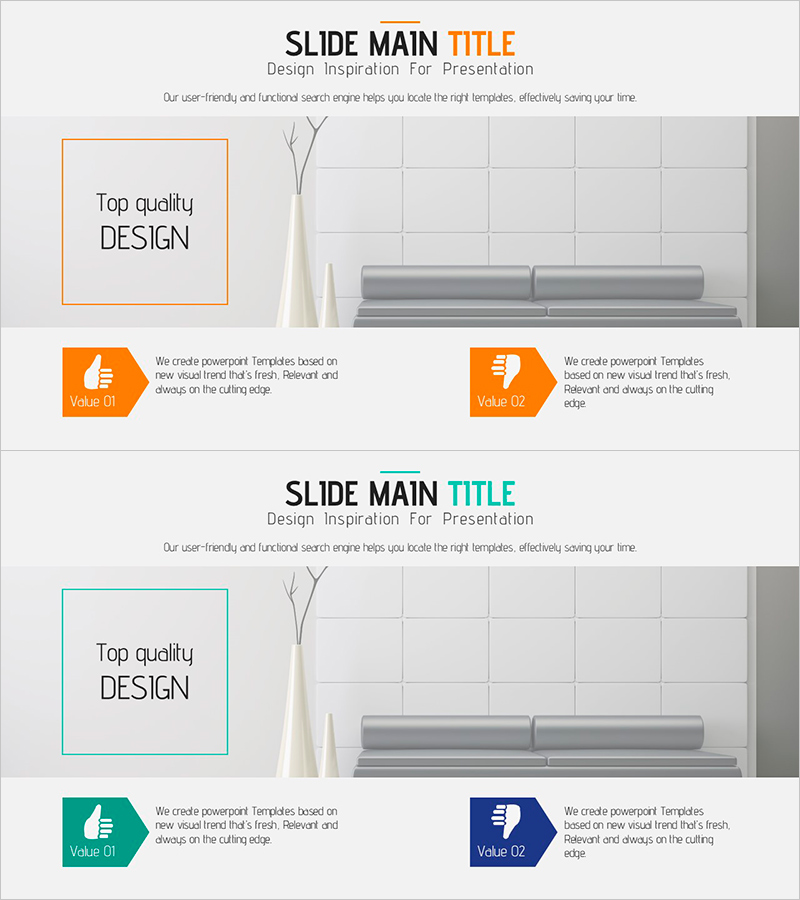
A PowerPoint slide designed to visually present customer satisfaction survey results and feedback. This 2-slide set features orange and teal accent boxes that enable side-by-side comparison of two customer evaluation metrics. Each slide includes a title area, image space with grid background, and two value proposition sections for clear communication of operational planning and customer success cases. The layout effectively conveys customer feedback, satisfaction indicators, and improvement initiatives in presentation format.
Usage Points
-
Main Usage
Present customer satisfaction survey findings, feedback analysis, and customer success cases in operational planning presentations. The two-column comparison layout enables side-by-side evaluation of customer metrics, supporting data-driven decision-making and emphasizing customer-centric operational strategies.
-
How to Use
Enter evaluation metric names in the title area of each slide. Insert relevant photos or charts in the image space. Complete the orange and teal value boxes with specific customer feedback content, satisfaction scores, and improvement actions to demonstrate customer-focused operational performance.
-
Recommended For
Operational planning presentations, customer success case sharing, satisfaction survey result reporting, and customer feedback analysis sessions. Ideal for executives, marketing teams, customer success managers, and operational strategy leaders presenting customer-centric decision-making initiatives.
-
Slide Structure
Two-slide format with each slide containing a top title area, central image space with grid background, and bottom two value proposition sections. Orange and teal hexagonal icons with text boxes distinguish customer evaluation items for easy comparative analysis.
Related Products
-
Business Plan Presentation Template Highlighting Customer Success Case Studies and Feedback
#Customer Success Stories #Introduction of Key Customers #Customer Testimonials and Feedback
-
Infinite Energy Wide PPT Table and Silhouette
#Customer Success Stories #Diagram #Other
-
Blue Green Tone User Evaluation Diagram – Customer Analysis and Feedback
#Market and Competitor Analysis #Customer Success Stories #Graph
-
Simple Design Trend PowerPoint – Business Strategy and Client Success Stories
#Business Strategy #Customer Success Stories #Customer Testimonials and Feedback
