



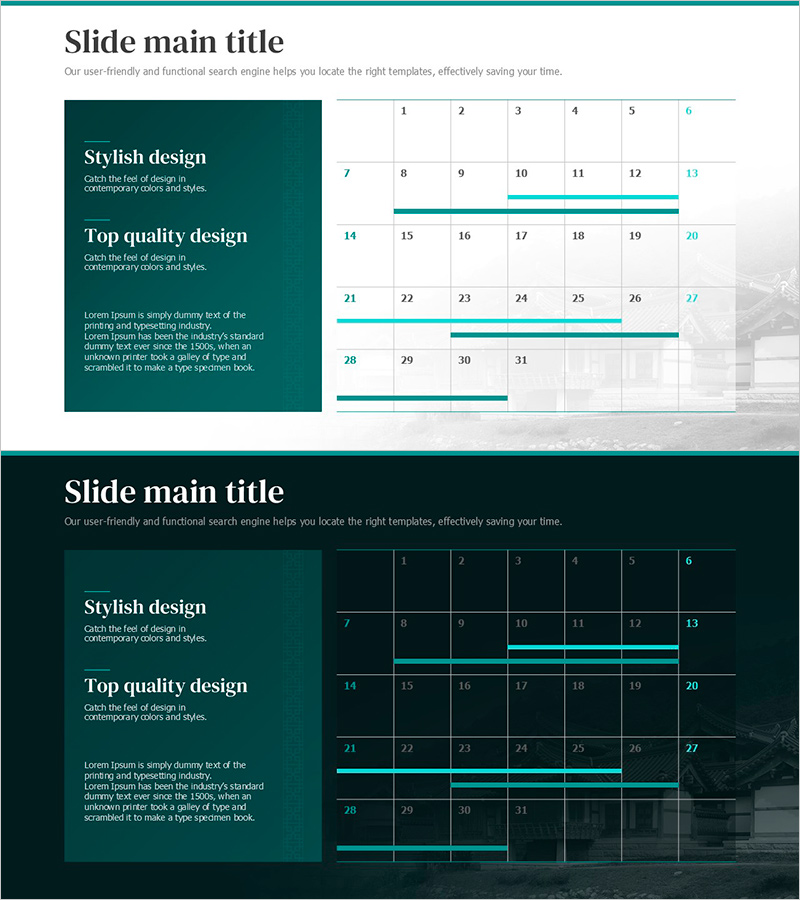
Two Versions of the Green Table – Enhance Business Strategy Efficiency
RJ0800050_19
- Last Update 08/14/2025
- File Size 1.3MB
- # of Slides 2
- File Format PPTX
- Slide Ratio 16:9
- Color
Keywords
- #Content-Based Slides
- #Design-Based Slides
- #Business Strategy
- #Business Management
- #Diagram
- #Roadmap
- #Implementation Schedule
- #Table
- #16:9
- #timeline table PowerPoint slide
- #business schedule presentation
- #project milestone tracker
- #monthly planning template PPT
- #how to create a timeline in PowerPoint
About the Product
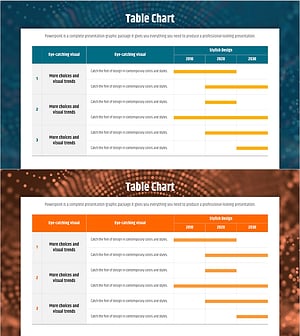
A 2-slide timeline table PowerPoint presentation designed for business strategy execution and milestone tracking. Offered in two professional versions: a dark teal background for executive presentations and a light gray background for internal meetings. Each slide features a horizontal timeline structure with numbered cells (1–31) and customizable highlight bars to mark critical dates and project milestones. The upper text box area allows you to emphasize key strategic messages, while the grid layout enables clear visualization of quarterly and monthly schedules. Ideal for investor pitches, board reports, and strategic planning sessions where timeline clarity drives decision-making.
Usage Points
-
Main Usage
Visualize business execution timelines, project milestones, and goal achievement dates on a monthly or quarterly basis. Communicate project progress clarity and execution confidence to executives, investors, and team members, accelerating decision-making and stakeholder alignment.
-
How to Use
Enter your business initiative or strategic goal in the top text box. Fill in monthly milestones and key dates in the timeline cells. Use the highlight bars to mark critical periods and adjust colors to indicate priority levels. Select the dark version for C-suite presentations and the light version for internal team meetings.
-
Recommended For
Ideal for business plans, investor relations (IR) decks, and strategic reports—specifically the 'execution roadmap' and 'milestone tracking' sections. Recommended for startup fundraising pitches, new business initiative reports, annual business objective planning, and project management reviews.
-
Slide Structure
2-slide set: Slide 1 features dark teal background with upper text box, 31-cell monthly timeline grid, and 3 customizable highlight bars. Slide 2 mirrors the layout with light gray background. Both maintain a 2-column design: left text area for messaging, right timeline area for schedule visualization.
Related Products
-
Dawn City Theme Roadmap – Business Strategy
#Business Strategy #Business Management #Diagram
-
Construction Promotion Schedule – Efficient Management and Strategy
#Business Strategy #Business Management #Diagram
-
Business Operation Plan and Implementation Timeline – Strategic Roadmap Design
#Business Strategy #Business Management #Diagram
-
Data Analysis Schedule – Table for Business Strategy
#Business Strategy #Business Management #Diagram
