



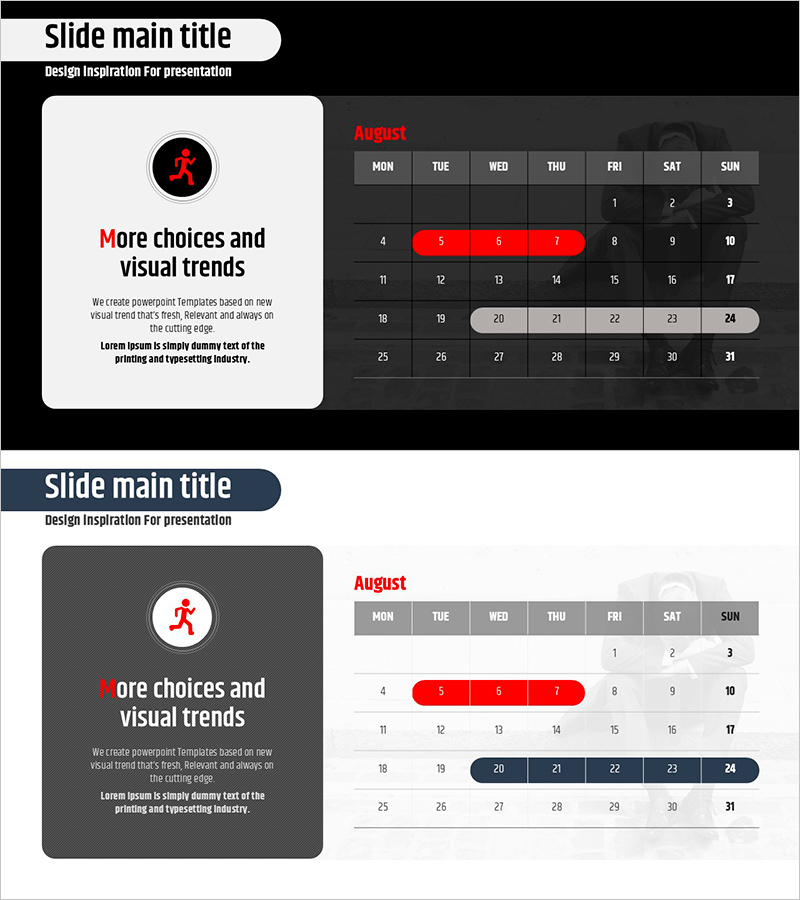
Performance Schedule Slide – Business Management and Operational Planning
RJ0800025_8
- Last Update 08/06/2025
- File Size 1MB
- # of Slides 2
- File Format PPTX
- Slide Ratio 16:9
- Color
Keywords
- #Content-Based Slides
- #Design-Based Slides
- #Business Management
- #Operational Plan
- #Diagram
- #Implementation Schedule
- #Project Implementation Schedule
- #Table
- #Standard Table
- #16:9
- #monthly schedule table PowerPoint
- #business management schedule slide
- #PowerPoint schedule template download
- #table format presentation slide
- #project timeline management PPT
About the Product
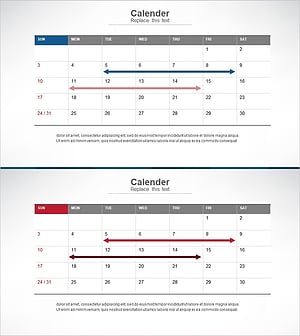
A monthly schedule table PowerPoint slide designed for business management and operational planning. This 2-slide presentation features a dark background with red accent colors, enabling quick visualization of daily and weekly schedules. The table format is ideal for project timelines, team task scheduling, and milestone tracking in various business presentations. Provided in 16:9 widescreen PPTX format with fully editable text and date input fields for immediate customization and deployment.
Usage Points
-
Main Usage
Visualize monthly project timelines, team task schedules, and milestone management through a structured table format. The day-by-day and week-by-week organization enhances schedule clarity, while red accent areas highlight critical dates and deadlines.
-
How to Use
Insert the monthly schedule table into presentation slides to communicate project progress, team planning, and operational timelines to audiences. Populate each cell with specific task names, assigned team members, and status updates to share real-time schedule management information.
-
Recommended For
Project managers, operations coordinators, team leaders, and executives preparing management reports. Ideal for business plans, operational planning presentations, quarterly performance reviews, and team meeting materials where schedule management sections require visual emphasis.
-
Slide Structure
8-column (MON–SUN) by 7-row (weekly) monthly calendar table. Header row displays day labels in gray background with white text. Data cells feature black background with white date numbers. Important dates are highlighted with red background for visual distinction and emphasis.
Related Products
-
Displays the Schedule Step by Step – Clear Communication of Project Timeline
#Business Management #Operational Plan #Diagram
-
Summer Template Planning Table Chart – Optimizing Business Management and Operations
#Business Management #Operational Plan #Diagram
-
Medical Product Differentiation Strategy Diagram
#Business Management #Operational Plan #Diagram
-
Schedule for Systematic Business Progress – Efficiency in Management
#Business Management #Operational Plan #Diagram
