



How to Use the Donation Website – Presentation Using Yellow and Navy Colors
RJ0800016_17
- Last Update 08/04/2025
- File Size 0.3MB
- # of Slides 2
- File Format PPTX
- Slide Ratio 16:9
- Color
Keywords
- #Content-Based Slides
- #Design-Based Slides
- #Product/Service Introduction
- #Other
- #Product/Service Introduction
- #Program Introduction
- #16:9
- #donation service introduction PowerPoint
- #fundraising platform slide
- #how to use donation website presentation
- #service explanation slide
- #nonprofit fundraising deck
About the Product
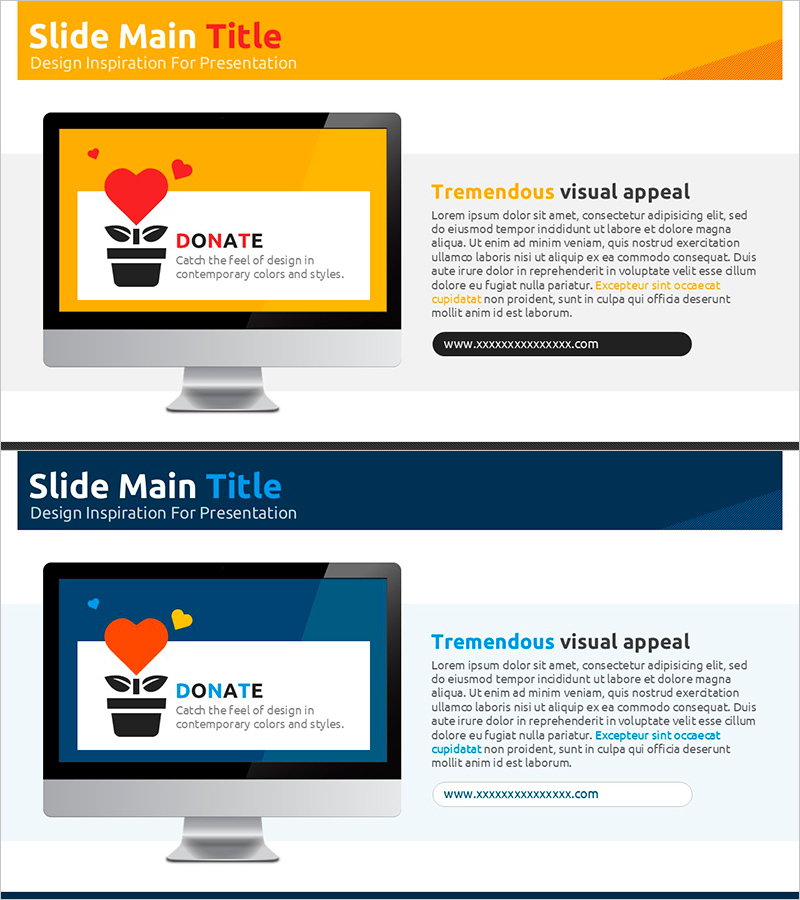
A PowerPoint slide designed to explain how to use a donation website or fundraising platform. This 2-slide presentation features a yellow header and navy background with a visual icon (heart-shaped plant pot) on the left and a text description area on the right. Perfect for nonprofits, fundraising organizations, and corporate social responsibility departments to introduce their donation services to donors and stakeholders. The slides guide users through service overview and usage steps in a clear, visually engaging format. Delivered in 16:9 widescreen PPTX format, fully editable and ready to customize with your own content and branding.
Usage Points
-
Main Usage
This slide set explains the features and usage process of a donation platform, fundraising website, or social contribution service. Ideal for donor recruitment presentations, partner organization briefings, and internal training materials. Effectively communicates service reliability and accessibility to build trust with potential donors.
-
How to Use
Replace the left-side icon with your service logo or key imagery. Fill the right-side text area with your service name, description, and step-by-step usage instructions. Use the yellow header for titles and the navy background for detailed explanations, leveraging the color contrast for maximum readability in your presentation.
-
Recommended For
Nonprofit organizations, fundraising agencies, corporate social responsibility departments, donation platform operators, fundraising professionals, donor briefing presenters, and social welfare institutions introducing services to donors, partners, and stakeholders.
-
Slide Structure
Two-slide layout with each slide containing one icon input area on the left and one title plus one body text area on the right. The yellow and navy two-color background clearly separates information sections, while the balanced icon-text layout is optimized for service explanations and donor engagement.
Related Products
-
Korean Traditional Experience Presentation Template
#Product/Service Introduction #Other #Product/Service Introduction
-
App-Based Personal Workout Booking System – Intuitive Diagram
#Product/Service Introduction #Diagram #Other
-
Video Presentation Template – Incorporating Professionalism and Trust
#Product/Service Introduction #Other #Product/Service Introduction
-
Introducing the Mobile App Service – Innovation and Utilization
#Product/Service Introduction #Diagram #Other
