



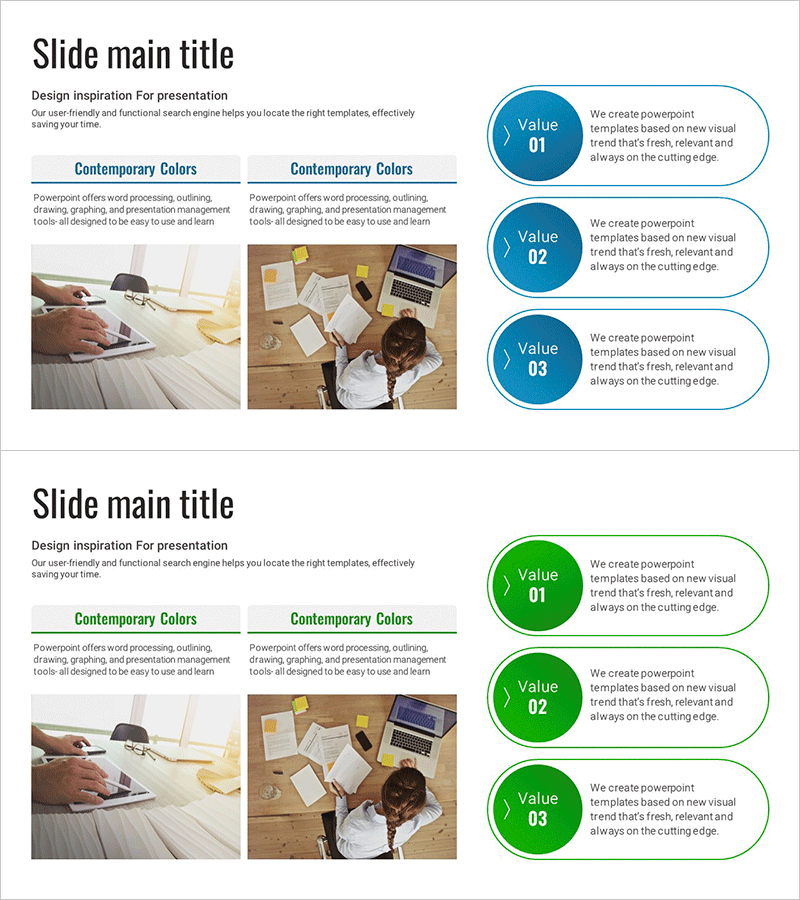
Summary Diagram of Analysis Results – Cluster for Product/Service Introduction
RJ0700028_28
- Last Update 07/30/2025
- File Size 2.3MB
- # of Slides 2
- File Format PPTX
- Slide Ratio 16:9
- Color
Keywords
- #Content-Based Slides
- #Design-Based Slides
- #Product/Service Introduction
- #Diagram
- #Program Introduction
- #Product and Service Overview
- #Cluster
- #Closed Cluster Diagram
- #16:9
- #closed cluster diagram PowerPoint
- #circular diagram slide template
- #3-item connection diagram
- #product introduction presentation
- #cluster diagram template download
- #value proposition PowerPoint slide
About the Product
A closed-form cluster diagram PowerPoint slide optimized for product and service introduction presentations. The design features a central value node surrounded by three circular nodes arranged in a connected pattern, each with a speech bubble text area for detailed descriptions. Two color versions—blue and green—are included to match your presentation theme and tone. The 16:9 widescreen format contains 2 slides ready for immediate use, with fully editable nodes and text boxes that adapt to various business scenarios and messaging needs.
Usage Points
-
Main Usage
Visually represents a product or service's core value and three key features or benefits. The central circular node holds the main message, while the three surrounding items connect to show relationships and integration, emphasizing how each component supports the central concept.
-
How to Use
Double-click each circular node and speech bubble text area to edit with your content. Enter the core value or main topic in the central node, then add specific descriptions or benefits in the three surrounding items. Colors can be modified through the slide master or shape formatting options.
-
Recommended For
Ideal for product introduction decks, service planning presentations, marketing pitches, business proposals, and executive reports where you need to explain the relationship between a core value and three supporting elements. Particularly effective when emphasizing three key differentiators or benefits.
-
Slide Structure
Two-slide layout featuring a closed-form cluster structure with one central circular node (Value center) and three surrounding circular nodes connected via speech bubbles on the right. Slide 1 uses a blue color palette while Slide 2 uses green, allowing visual variety across your presentation.
Related Products
-
Sleek Diagrams and Charts – Optimized Design for Business Presentations
#Product/Service Introduction #Diagram #Program Introduction
-
Social Network Program Overview – Key Messages Delivered with Stylish Design
#Product/Service Introduction #Diagram #Program Introduction
-
Introducing the Picture Work Tool – Creative Approach
#Product/Service Introduction #Diagram #Program Introduction
-
Communication and Empathy Business Program Slide Template
#Product/Service Introduction #Diagram #Program Introduction
