



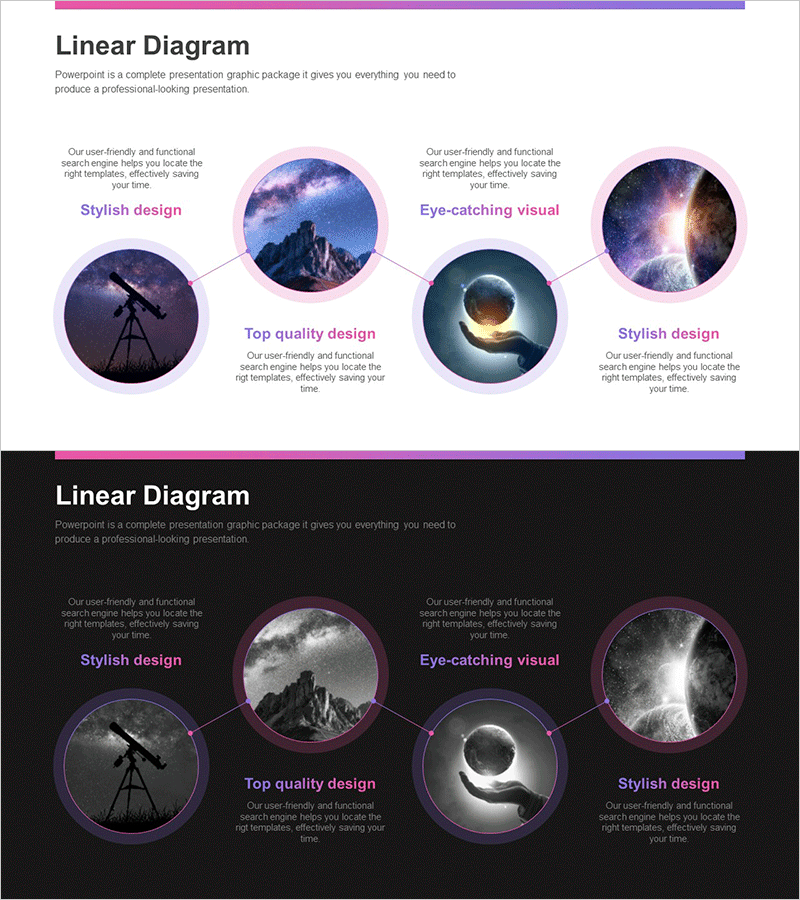
Diagram for Effectively Presenting Astronomy Programs
RJ0700027_13
- Last Update 07/29/2025
- File Size 0.6MB
- # of Slides 2
- File Format PPTX
- Slide Ratio 16:9
- Color
Keywords
- #Content-Based Slides
- #Design-Based Slides
- #Product/Service Introduction
- #Marketing Plan and Strategy
- #Diagram
- #Program Introduction
- #Key Marketing Activities
- #Cluster
- #Chain Diagram
- #16:9
- #connection diagram PowerPoint
- #4-node diagram slide
- #cluster diagram template
- #relationship map PPT
- #astronomy program presentation
- #marketing strategy diagram PowerPoint
About the Product
A connection diagram PowerPoint slide that visualizes relationships between four key elements such as astronomy programs, scientific concepts, marketing strategies, and organizational structures. The design features a central hub node connected to four circular nodes positioned at cardinal directions, each accommodating images and text labels. The pink-to-purple gradient background with circular frames creates visual cohesion, and two versions are provided: light background and dark background. In 16:9 widescreen PPTX format, fully editable and ready for immediate use in program presentations, marketing strategy discussions, organizational structure explanations, and cross-functional relationship mapping.
Usage Points
-
Main Usage
This connection diagram effectively expresses relationships between a central concept and four surrounding elements. It is ideal for visualizing key features of astronomy programs, four core marketing strategy pillars, interdepartmental relationships within organizations, or any scenario requiring clear hub-and-spoke relationship mapping.
-
How to Use
Insert images into each circular node and add text labels customized to your presentation content. Use the light background version for bright presentation venues and the dark version for dark-themed presentations. Colors, text sizes, and node positions are fully adjustable to match your branding and messaging.
-
Recommended For
Science and education instructors, marketing professionals, program planners, executives explaining organizational structures, project managers, and anyone needing to illustrate four-element relationships or integrated systems. Particularly recommended for presentations emphasizing mutual interaction or unified relationships among multiple components.
-
Slide Structure
One central circular node with four outer circular nodes positioned at top, bottom, left, and right. Connection lines radiate from the center node to each outer node. Each node contains an image area and text input field. Two slides provided: one with light background and one with dark background for versatile presentation contexts.
Related Products
-
Exciting Performers and Connection Diagram
#Product/Service Introduction #Marketing Plan and Strategy #Diagram
-

Joy of Learning Slide – Introduction to Marketing Plans and Strategies
#Product/Service Introduction #Marketing Plan and Strategy #Program Introduction
-
Diagram Introducing the Space Business Program – Exploring the Future
#Product/Service Introduction #Diagram #Product/Service Introduction
-
Medical Services Introduction Connection Diagram – Cluster Format
#Product/Service Introduction #Diagram #Program Introduction
