



Aerospace Industry Closure Diagram – Effective Business Explanation
RJ0700020_4
- Last Update 07/27/2025
- File Size 1.1MB
- # of Slides 2
- File Format PPTX
- Slide Ratio 16:9
- Color
Keywords
- #Content-Based Slides
- #Design-Based Slides
- #Company Introduction
- #Product/Service Introduction
- #Diagram
- #Business Areas
- #Features
- #Cluster
- #Closed Cluster Diagram
- #16:9
- #closed cluster diagram PowerPoint
- #4-node diagram template
- #aerospace industry slide
- #business element visualization
- #cluster diagram PowerPoint template
About the Product
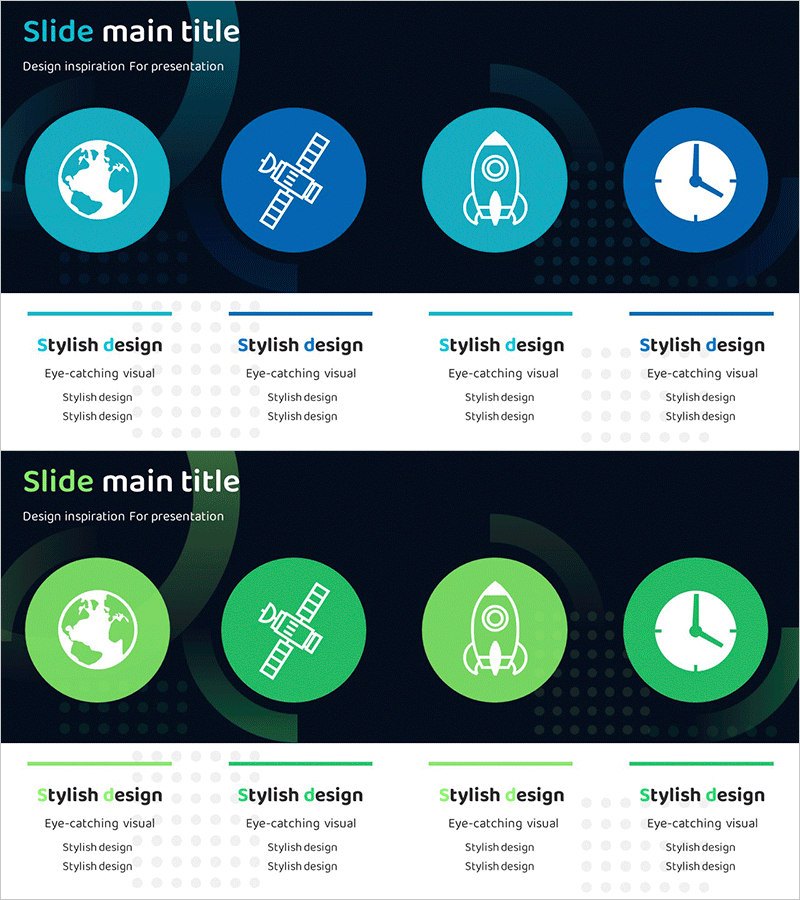
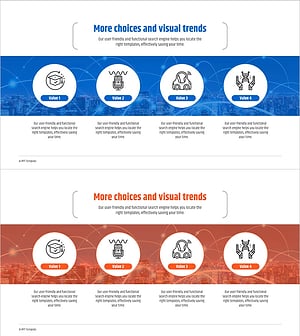
A closed-cluster diagram PowerPoint slide representing four core aerospace industry elements through circular nodes. Designed with a dark navy background and cyan-to-lime green dual-tone circular icons (globe, satellite, rocket, clock) visualizing global network, technology infrastructure, innovation capability, and time management. Each node includes a text description area below for easy content customization. The 16:9 widescreen format with 2-slide layout is ready for immediate use in business presentations, strategy reports, and industry briefings. PPTX format allows full customization of colors, text, and icons, making it ideal for aerospace, defense, and technology companies presenting business strategies and organizational capabilities.
Usage Points
-
Main Usage
Presents four core aerospace business elements (global network, technology, innovation, time management) as integrated closed-cluster nodes to explain business strategy, organizational capabilities, and competitive advantages in a single visual.
-
How to Use
Enter descriptions, metrics, or achievements in the text area below each circular node. Customize icons and colors to match corporate branding. Suitable for business briefings, investor pitch decks, strategy reports, and technology seminars.
-
Recommended For
Aerospace and defense industry executives, business planning teams, and marketing professionals; technology company strategists and presentation specialists; consultants and investment professionals analyzing industry portfolios and creating portfolio overview materials.
-
Slide Structure
2-slide layout. Slide 1: Dark navy background with 4 circular nodes (cyan-to-lime green dual-tone) arranged horizontally, each containing an icon (globe, satellite, rocket, clock). Slide 2: Same layout with green-tone color variation. Text input areas positioned below each node. 16:9 widescreen format, fully editable.
Related Products
-
Diagram Slide for Smart City Mobile Business Sector
#Company Introduction #Product/Service Introduction #Diagram
-
Energy Business Overview Slide – Cluster Diagram for Business Area Analysis
#Company Introduction #Product/Service Introduction #Diagram
-
Renewable Energy Business Sector Characteristics Diagram
#Company Introduction #Product/Service Introduction #Diagram
-
Artificial Intelligence Robot Service Business Sector Slide Template
#Company Introduction #Product/Service Introduction #Diagram
