



Schedule Planning Connection Diagram – Business Strategy
RJ0700009_28
- Last Update 07/24/2025
- File Size 1.5MB
- # of Slides 2
- File Format PPTX
- Slide Ratio 16:9
- Color
Keywords
- #Content-Based Slides
- #Design-Based Slides
- #Business Strategy
- #Marketing Plan and Strategy
- #Diagram
- #Step-by-Step Schedule Plan
- #Marketing Objectives
- #Cluster
- #Chain Diagram
- #16:9
- #connection diagram PowerPoint
- #3-step diagram slide
- #business strategy presentation
- #cluster diagram PPT
- #schedule planning slide template
About the Product
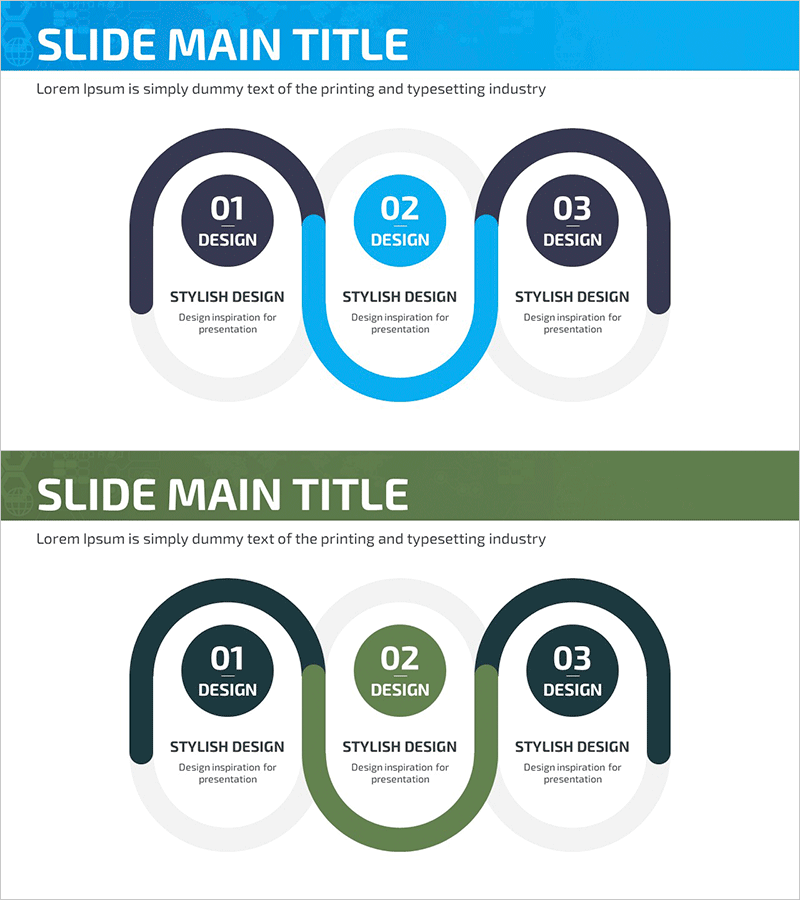
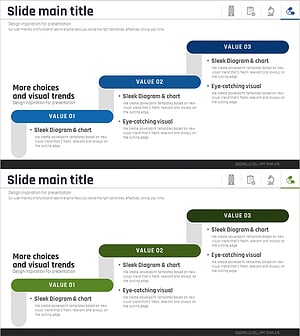
A 3-step connection diagram PowerPoint slide designed to visualize business strategy and project progression. The slide features three oval-shaped nodes connected by blue linking lines on a light gray background, with the center node highlighted in blue or green for emphasis. Each node includes numbered labels, title fields, and description areas for clear sequential communication. This 16:9 ratio, 2-slide template is fully editable and ready for immediate use in presentations.
Usage Points
-
Main Usage
Ideal for expressing 3-step sequential relationships such as business strategy, schedule planning, marketing phases, and project roadmaps. The center node emphasis structure highlights the critical stage in your workflow.
-
How to Use
Edit the node numbers, titles, and description text to match your specific strategy. Customize colors to align with corporate branding, and easily add additional nodes or connection lines as needed for your presentation.
-
Recommended For
Perfect for executive reports, business plans, marketing proposals, strategy presentations, and project kickoff meetings. Suitable across consulting, finance, IT, manufacturing, and other industries for explaining phase-by-phase implementation plans.
-
Slide Structure
2-slide set with Slide 1 featuring a blue-highlighted center node and Slide 2 with a green-highlighted center node. Each slide contains 3 oval nodes (left, center, right) connected by blue or green linking lines, with numbered labels, title fields, and description text areas in each node.
Related Products
-
Business Step-by-Step Schedule Diagram
#Business Strategy #Marketing Plan and Strategy #Diagram
-
Pyramid Structure for Leisure Activities
#Business Strategy #Marketing Plan and Strategy #Diagram
-
Key Elements Organized in Layered Design
#Business Strategy #Marketing Plan and Strategy #Diagram
-
Staircase Schedule Diagram – Business Strategy and Marketing Goals
#Business Strategy #Marketing Plan and Strategy #Diagram
