



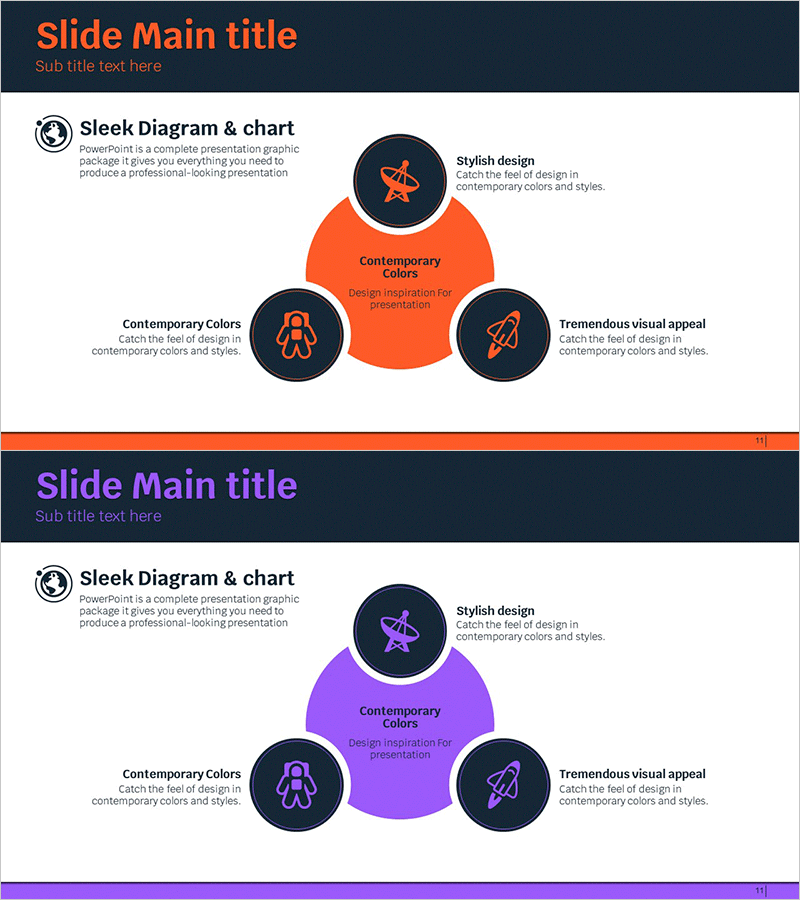
Aerospace Industry Sector Diagram – Visual Freedom for Business Areas
RJ0700002_10
- Last Update 07/21/2025
- File Size 0.3MB
- # of Slides 2
- File Format PPTX
- Slide Ratio 16:9
- Color
Keywords
- #Content-Based Slides
- #Design-Based Slides
- #Company Introduction
- #Business Introduction
- #Diagram
- #Business Areas
- #Business Areas
- #Spread
- #Centralized Diagram
- #16:9
- #radial diagram PowerPoint
- #center expansion diagram slide
- #3-node diagram template
- #business sector diagram
- #PowerPoint diagram slide design
About the Product
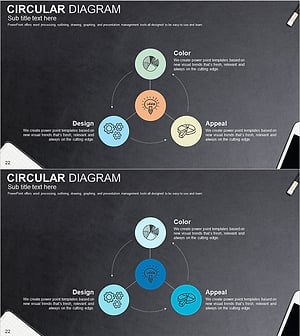
A radial diagram PowerPoint slide that visualizes information expanding from a central concept to three surrounding elements. Designed with orange and purple dual-tone color scheme, this presentation slide features a central hub connected to three peripheral nodes, each with icons and descriptive text areas. Ideal for representing business sectors, product categories, strategic pillars, or organizational functions. The slide deck includes 2 slides optimized for 16:9 widescreen format in PPTX file type.
Usage Points
-
Main Usage
Visualizes hierarchical information structures where a central concept branches into multiple peripheral elements. Perfect for business area analysis, product portfolio presentations, strategic pillar breakdowns, and organizational function mapping in corporate presentations.
-
How to Use
Enter your core concept in the central orange or purple circle. Add specific items to the three dark navy peripheral nodes. Customize the icons to match your industry or topic, and update the text descriptions to create a tailored diagram that communicates your message clearly.
-
Recommended For
Business strategy presentations, product introduction decks, organizational structure explanations, marketing planning documents, and investor pitch materials. Recommended for executives, business strategists, marketing professionals, management consultants, and corporate planners who need to illustrate core-to-periphery relationships.
-
Slide Structure
2-slide set featuring dual color variations: Slide 1 with orange central node and 3 dark navy peripheral nodes; Slide 2 with purple central node and 3 dark navy peripheral nodes. Each node includes dedicated icon area and text input field for easy customization and data integration.
Related Products
-
Business Value Diagram – Visualizing Business Sectors
#Company Introduction #Business Introduction #Diagram
-
Financial Management Services Area Diagram – Visualizing Business Areas
#Company Introduction #Business Introduction #Diagram
-
Travel Business Services Area – Effective Diagram Design
#Company Introduction #Business Introduction #Diagram
-
Sketch Icon Business Area Diagram – Visualizing Business Introduction
#Company Introduction #Business Introduction #Diagram
