



How to Manage Plant Sprouts – A Presentation of Innovation
RJ0600096_8
- Last Update 07/17/2025
- File Size 1.6MB
- # of Slides 2
- File Format PPTX
- Slide Ratio 16:9
- Color
Keywords
About the Product
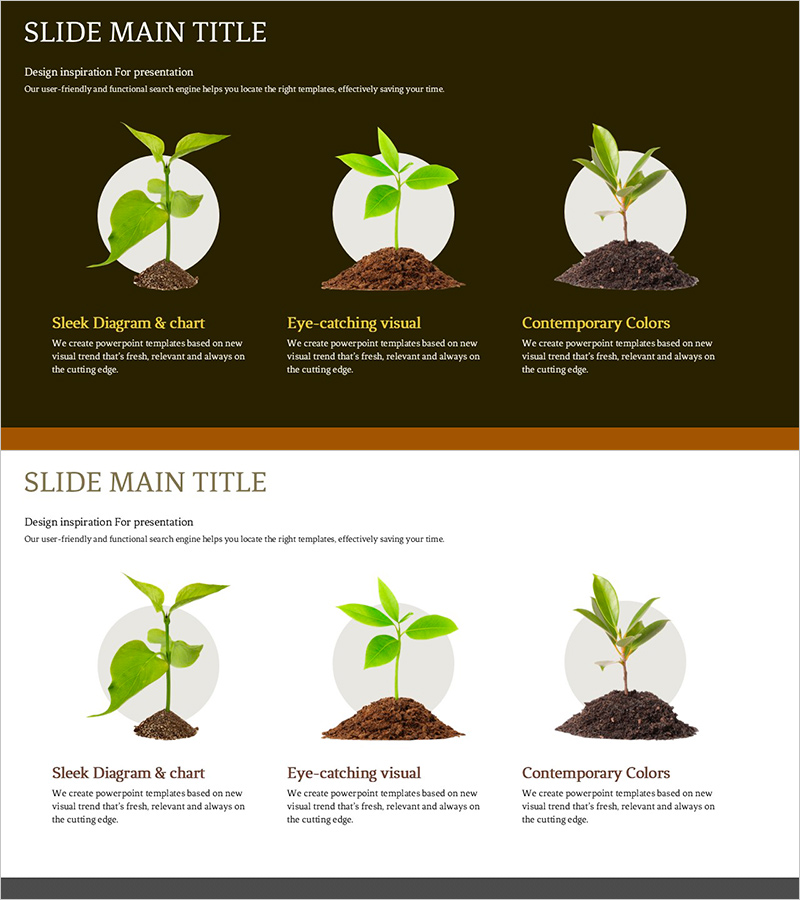
A PowerPoint slide that visually illustrates product development and business growth stages through a three-phase plant growth metaphor. Set against a dark olive background, three circular frames showcase plant growth stages with descriptive text areas below each image, making it ideal for presenting product lifecycle, service expansion phases, and business growth roadmaps. The balanced layout of visual imagery and text explanations is effective for presentations to investors, partners, and internal teams. This 16:9 widescreen PPTX format with 2 slides is ready for immediate editing and customization.
Usage Points
-
Main Usage
Clearly communicate product or business growth across three distinct phases, highlighting the characteristics and objectives of each stage. The visual representation of progression from initial to mature stages enhances understanding and supports strategic decision-making.
-
How to Use
Use in business strategy presentations, investor pitch meetings, product roadmap sharing sessions, and internal team meetings to explain growth phases and objectives. Customize the text areas beneath each stage with specific metrics, timelines, and key activities to create tailored presentation materials.
-
Recommended For
Startup founders, business planning teams, marketing managers, investment professionals, and product managers explaining business growth strategies. Particularly effective for initial fundraising pitches, partner collaboration proposals, and internal strategic planning sessions where phased growth objectives need clear communication.
-
Slide Structure
Dark olive background with title area at top, three circular frames containing plant images in the center, and descriptive text input areas below each image. An orange bar design at the bottom provides visual closure and maintains presentation consistency throughout the deck.
Related Products
-
Use of Transportation by Cargo Volume Presentation Slide
#Product/Service Introduction #Business Strategy #Diagram
-
Communicating Marketing Goals with Linear Arrows
#Product/Service Introduction #Business Strategy #Features
-
Four-Leaf Clover Diagram – Product Introduction and Business Strategy
#Product/Service Introduction #Business Strategy #Diagram
-
Introduction to Architectural Services – Efficient Operational Plans and Strategies
#Product/Service Introduction #Business Strategy #Operational Plan
