



Water Leisure Activities Mockup – Stylish Presentation
RJ0600092_15
- Last Update 07/15/2025
- File Size 1.9MB
- # of Slides 2
- File Format PPTX
- Slide Ratio 16:9
- Color
Keywords
- #Content-Based Slides
- #Design-Based Slides
- #Product/Service Introduction
- #Marketing Plan and Strategy
- #Other
- #Benefits and Advantages
- #Key Marketing Activities
- #Mockup
- #16:9
- #water leisure activities mockup PPT
- #smartphone mockup PowerPoint slide
- #product mockup presentation template
- #marketing mockup slide design
- #how to create mockup slides in PowerPoint
About the Product
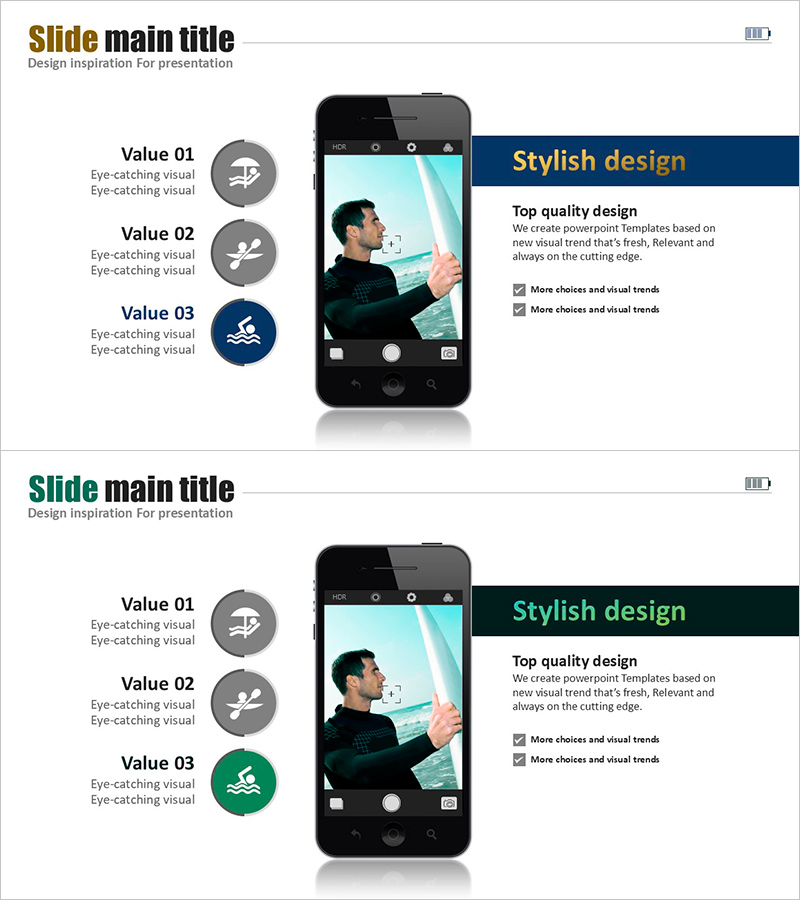
A 2-slide PowerPoint presentation featuring water leisure activities displayed through smartphone mockups. The layout combines three value points (Value 01–03) on the left with a smartphone image in the center and a color-coded information box on the upper right. Available in three color variations—gold, dark blue, and dark green—on a dark background, allowing customization to match your brand identity. Each slide includes three text input areas and an image section with clear information hierarchy, making it ideal for marketing strategy presentations, product introductions, and service value demonstrations. Delivered in editable 16:9 widescreen PPTX format.
Usage Points
-
Main Usage
Visualize real-world product and service usage scenarios through smartphone mockups to communicate customer value intuitively. Ideal for marketing strategy presentations, new service launches, investment pitches, and user experience demonstrations that highlight both functionality and user benefits.
-
How to Use
Replace the three value point texts on the left with your product's core features and benefits. Swap the smartphone image on the right with actual app screenshots or product visuals. Update the color box area in the upper right with your key message or headline. Select the color variation that best matches your brand identity and customize accordingly.
-
Recommended For
Recommended for marketing teams presenting product launches, sales teams preparing client proposals, startups pitching to investors, and product teams explaining user experience. Particularly effective for mobile app introductions, digital service presentations, and water leisure or tourism-related product showcases.
-
Slide Structure
Each slide features a three-part layout: left section with three circular icons and text input areas (Value 01–03), center smartphone mockup image, and upper-right color box for headline and description. Contains six text input areas and one image section with clear visual hierarchy for easy editing and customization.
Related Products
-
Chic Modern Fashion Mockup – Strong Marketing Strategy!
#Marketing Plan and Strategy #Other #Marketing Strategy
-
Introduction to Interior Design and Characteristics - Marketing Strategy
#Product/Service Introduction #Marketing Plan and Strategy #Benefits and Advantages
-
Benefits of Smart Device Learning – Innovative Marketing Strategy
#Technical Approach #Marketing Plan and Strategy #Other
-
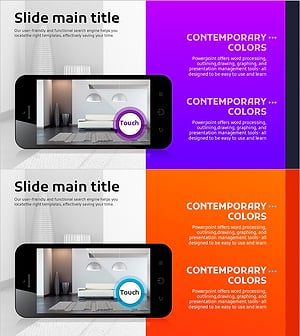
Watch the Interior Design on Mobile – Visual Delight
#Slide Type #Product/Service Introduction #Other
