



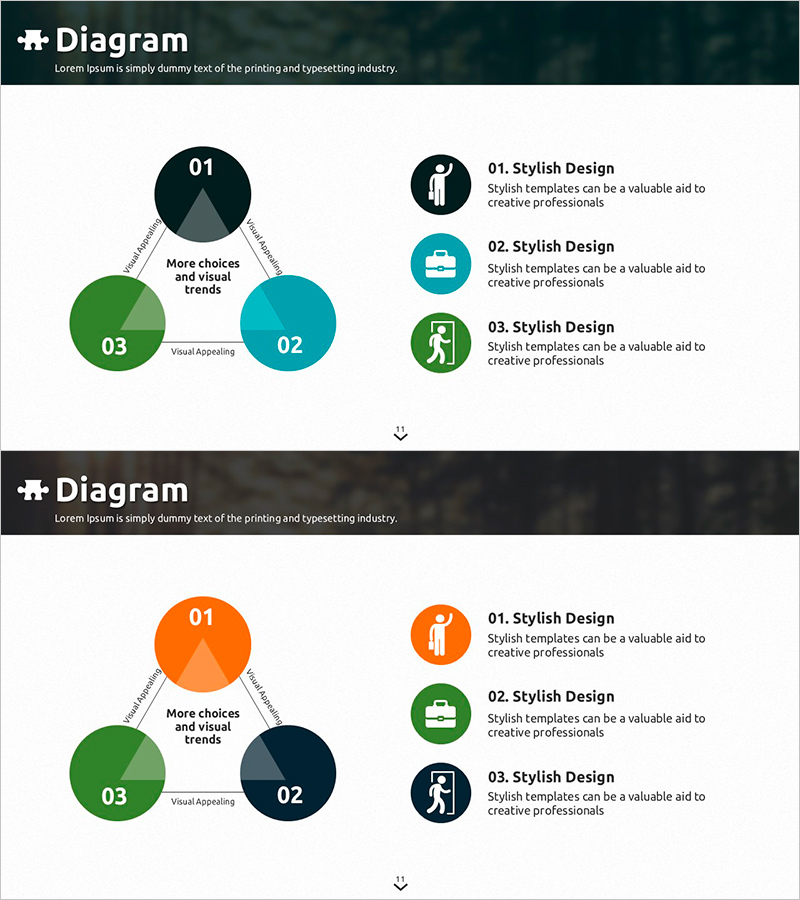
3 Strategy Diagrams – Effective Presentation of Business Vision
RJ0600062_10
- Last Update 07/06/2025
- File Size 3.4MB
- # of Slides 2
- File Format PPTX
- Slide Ratio 16:9
- Color
Keywords
- #Content-Based Slides
- #Design-Based Slides
- #Product/Service Introduction
- #Business Vision and Strategy
- #Diagram
- #Differentiation Strategy for Products/Services
- #Business Strategy
- #Cluster
- #Spread
- #Chain Diagram
- #Centralized Diagram
- #16:9
- #3-step radial diagram PowerPoint
- #business strategy diagram slide
- #vision presentation template
- #radial chart PowerPoint slide
- #how to create strategy diagram in PowerPoint
About the Product
A radial diagram PowerPoint slide with a central node expanding into three directional branches for presenting business strategy and vision. Three circular nodes in dark navy, green, and teal colors are hierarchically arranged with icons and text areas to effectively visualize three core strategies. Connected by arrow lines showing mutual relationships, this 2-slide 16:9 widescreen presentation template allows full customization of colors and text. Ideal for business plans, strategy presentations, and executive briefings that require clear visual communication of strategic direction.
Usage Points
-
Main Usage
Visualizes three core business strategies radiating from a central concept, displaying strategic direction, organizational vision, and business objectives in a hierarchical structure. Effectively communicates strategic relationships and priorities to executives and stakeholders through clear visual hierarchy.
-
How to Use
Apply in business plan strategy sections, executive presentation decks, and organizational vision-sharing meetings. Input core themes in the central node, detailed strategies in the three directional nodes, and customize icons to create tailored presentation materials.
-
Recommended For
Executives, strategic planning teams, business development managers, consultants, and marketing leaders presenting strategy development and vision alignment. Suitable for corporate strategy presentations, business plan explanations, and organizational goal-sharing sessions.
-
Slide Structure
Two-slide format with the first slide featuring three circular nodes in dark navy, green, and teal arranged in triangular radial expansion from center, each with numbered text areas. The second slide maintains the same structure with additional icon and descriptive text areas on the right for detailed information input.
Related Products
-
Compass Diffusion Diagram – Product/Service Introduction and Business Vision
#Product/Service Introduction #Business Vision and Strategy #Diagram
-

Sports Implication Connection Diagram – Business Strategy Presentation
#Product/Service Introduction #Business Vision and Strategy #Diagram
-
Innovative Connection Diffusion Diagram – Business Strategy and Technological Innovation
#Business Vision and Strategy #Technical Approach #Diagram
-

Sports Infographic Strategy Diagram – Vision and Competitiveness
#Business Introduction #Business Vision and Strategy #Diagram
