



Earth Shape Donut Diagram Business Goals
RJ0600053_15
- Last Update 07/04/2025
- File Size 0.5MB
- # of Slides 2
- File Format PPTX
- Slide Ratio 16:9
- Color
Keywords
- #Content-Based Slides
- #Design-Based Slides
- #Business Vision and Strategy
- #Technical Approach
- #Diagram
- #Business Goals
- #Service Implementation Plan
- #Cluster
- #Spread
- #Chain Diagram
- #Centralized Diagram
- #16:9
- #earth-shaped donut diagram PowerPoint
- #4-step cycle diagram presentation
- #business goals visualization slide
- #radial diagram template
- #global strategy PowerPoint slide
About the Product
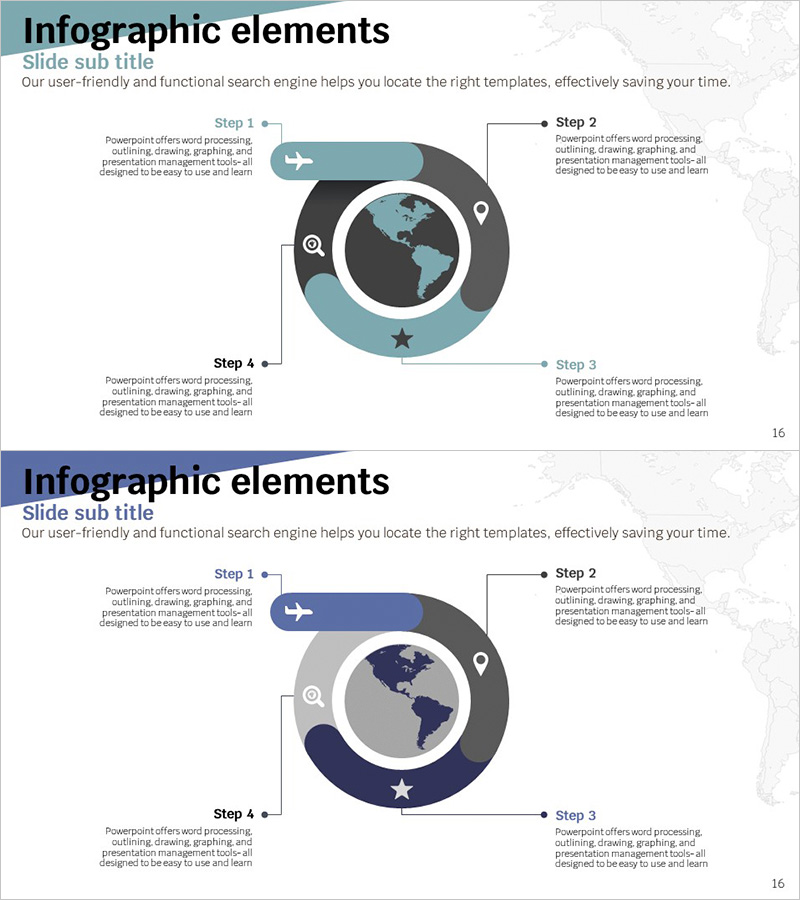
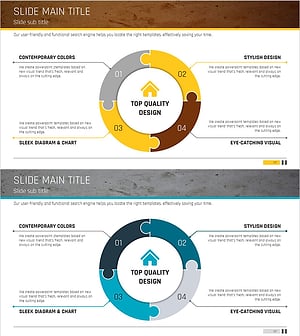
A PowerPoint slide featuring a circular donut diagram with an earth-shaped center, designed to visualize 4-step business goals and strategic initiatives. The teal and gray two-tone color scheme conveys professionalism, while arrows, icons, and text areas at each step enable clear communication of global business strategy. Perfect for presentations, strategic plans, and quarterly reports where you need to illustrate interconnected objectives and execution phases in an intuitive, visually compelling format.
Usage Points
-
Main Usage
Communicate global business strategy, organizational goals, and execution phases through a radial donut diagram that places the earth at its center. This visual metaphor reinforces themes of worldwide market expansion, international collaboration, and global network development while maintaining clarity and professional impact.
-
How to Use
Integrate this slide into business plans, strategic presentations, and quarterly performance reports when explaining 4-phase processes or cyclical initiatives. Customize the text areas in each step with specific objectives, responsible departments, and timelines. Use the arrows and icons to emphasize progression and interdependencies, creating a cohesive narrative around your strategic vision.
-
Recommended For
Ideal for executives, strategy planners, marketing teams, and international business leaders presenting global expansion strategies, new business objectives, or organizational transformation initiatives. Effective in investor presentations, industry conferences, and C-suite briefings where complex strategies must be communicated with clarity and visual impact.
-
Slide Structure
Central earth-shaped circle surrounded by a 4-segment donut layout. Each segment contains Step 1–4 labels, directional arrows, icons (airplane, location pin, search, star), and editable text areas. Color palette uses teal, gray, and black to establish visual hierarchy. Two slide variations provided with different color combinations (teal+gray and navy+gray) for design flexibility.
Related Products
-
5 Diagrams of Eco-friendly Business Strategies
#Business Vision and Strategy #Diagram #Business Strategy
-
Triangular Connection Diffusion Diagram – Clear Presentation of Services
#Technical Approach #Diagram #Service Operation Plan
-
Unlocking Insights Through Connection – Business Strategy and Vision
#Business Vision and Strategy #Diagram #Business Strategy
-
Circle Puzzle Connected Diagram for Operational Planning – Efficient Service Execution
#Operational Plan #Technical Approach #Diagram
