



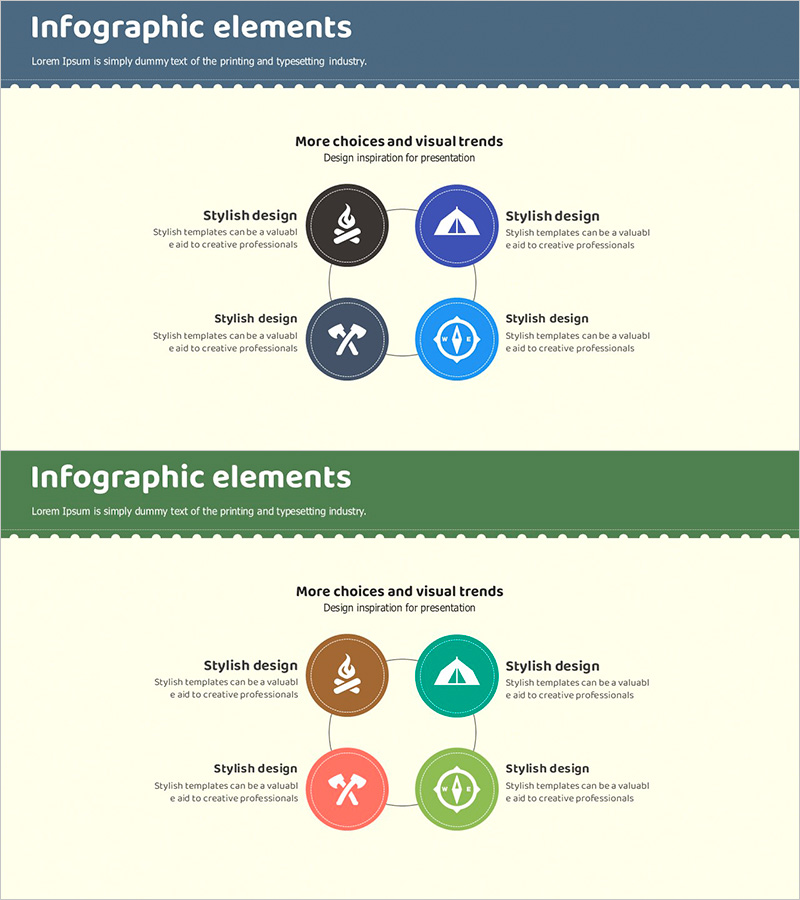
Service Configuration Diagram Camping Icon
RJ0600031_13
- Last Update 06/29/2025
- File Size 1.5MB
- # of Slides 2
- File Format PPTX
- Slide Ratio 16:9
- Color
Keywords
- #Content-Based Slides
- #Design-Based Slides
- #Business Introduction
- #Technical Approach
- #Diagram
- #Business Areas
- #Service Architecture Diagram
- #Cluster
- #Spread
- #Closed Cluster Diagram
- #Decentralized Diagram
- #16:9
- #central connection diagram PowerPoint
- #4-node diagram slide
- #service configuration diagram
- #business process diagram PowerPoint
- #radial diagram template
About the Product
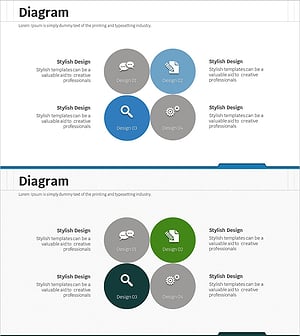
A 4-node central connection diagram PowerPoint slide designed to visualize service configurations and business processes. The structure radiates from a central concept to four directional nodes, each represented with camping and outdoor-themed icons. The 2-slide set features a dark blue or green header area with a cream-colored content section, where each node is placed in a circular background with an icon and editable text description. Ideal for technology presentations, service introductions, organizational structures, and marketing strategy discussions. Fully editable and ready to use in business, IT, and consulting contexts.
Usage Points
-
Main Usage
Illustrates how a central concept radiates to four supporting elements, making it ideal for explaining service components, business process stages, organizational roles, or marketing channels. Each node's icon and text can be customized to fit various presentation contexts and business scenarios.
-
How to Use
Double-click each text box to edit titles and descriptions. Replace icons by using the Insert tab to add custom images. Modify node background colors through the Shape Format menu. Adjust connecting lines and arrows by accessing Line Style options to emphasize relationships and hierarchy.
-
Recommended For
Technology and IT departments explaining system architecture, marketing teams presenting channel strategies, executives introducing organizational structures, consulting firms proposing business models, and startups pitching service configurations.
-
Slide Structure
2-slide set. Slide 1: Dark blue header (title area) + cream content section (4-node diagram). Slide 2: Green header + cream section (same structure, alternate color scheme). Each node features a circular background (blue, green, orange, red), centered icon, and left-right text areas. Central lines and arrows connect the core concept to each surrounding node.
Related Products
-
Clear Goals Setting Diagram – In a Busy Life
#Business Introduction #Business Vision and Strategy #Diagram
-
Integrated Senior Care Service Operation System – Effective Cluster Diagram
#Business Introduction #Operational Plan #Diagram
-
Eco-friendly Protection Service Introduction Closed Diagram
#Product/Service Introduction #Business Introduction #Diagram
-
SNS Business Circular Diagram - A Symbol of Collaboration and Growth
#Company Introduction #Business Introduction #Diagram
