



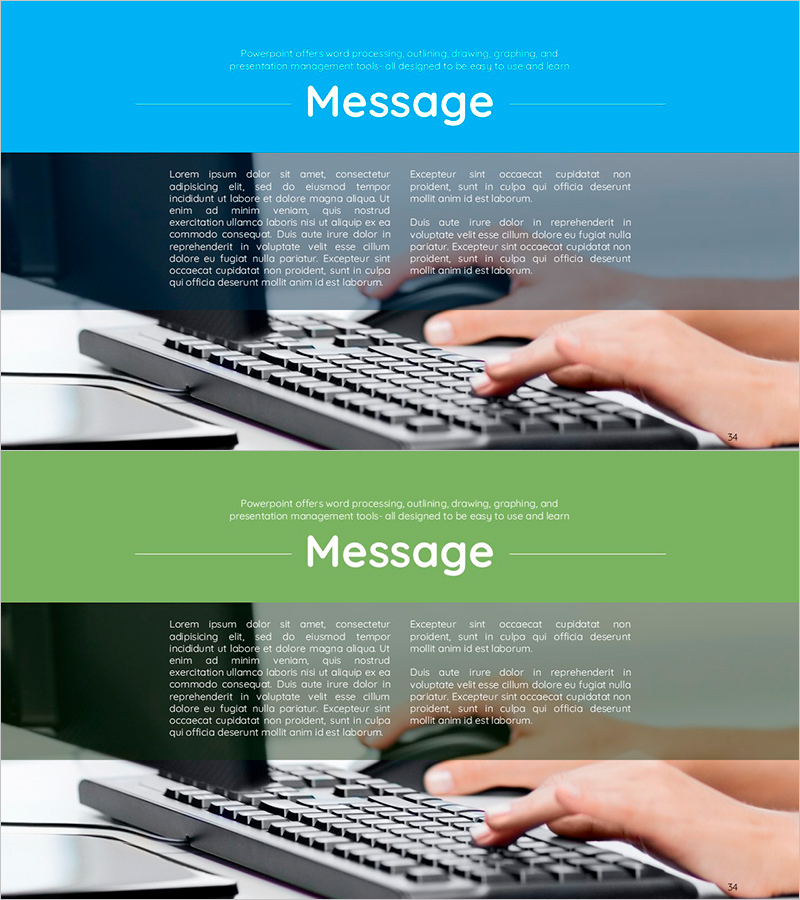
Keyboard Background and Message – Practicality and Accessibility
RJ0600017_33
- Last Update 06/25/2025
- File Size 1MB
- # of Slides 2
- File Format PPTX
- Slide Ratio 16:9
- Color
Keywords
About the Product
A professional 2-slide outro set optimized for presentation closing sections. Features real keyboard imagery as background, combining practical aesthetics with accessibility. Includes two color versions—blue tone and green tone—each with a header area and dual text input zones for effective message placement. The layout allows you to position final conclusions, key takeaways, or contact information while maintaining visual impact. Perfect for ending business presentations with a memorable impression. Delivered as editable 16:9 widescreen PPTX format.
Usage Points
-
Main Usage
Designed to conclude presentations with impact by emphasizing key messages and leaving a lasting impression on your audience. The keyboard imagery conveys professionalism and accessibility while color variations provide visual rhythm to naturally close your presentation flow.
-
How to Use
Enter your closing message or tagline in the top 'Message' header area. Use the left and right text boxes for supporting details, contact information, thank-you statements, or call-to-action. Apply the blue version for corporate and tech presentations, green for growth, sustainability, or positive-messaging contexts.
-
Recommended For
Ideal for closing sections of business plans, proposals, investor pitches, marketing presentations, product introductions, and corporate reports. Particularly effective for technical presentations, consulting proposals, and sales decks where professional credibility and practical tone are essential.
-
Slide Structure
Two-slide set with identical layout: color header bar (blue or green) at top, centered keyboard background image, and two text input zones (left and right) for dual-message positioning. Supports a comparative or complementary text arrangement for balanced information delivery.
Related Products
-
Coffee Time Slide – Outro and Style
#Slide Type #Section Cover #Outro
-
Eucalyptus Message Slide – Emotionally Rich Intro and Outro
#Slide Type #Intro #Outro
-
A Memorable Family Trip – Joy and Bonding
#Slide Type #Intro #Outro
-
Award Template Title Box – Highlighting Best Choice in Presentation
#Slide Type #Intro #Outro
