



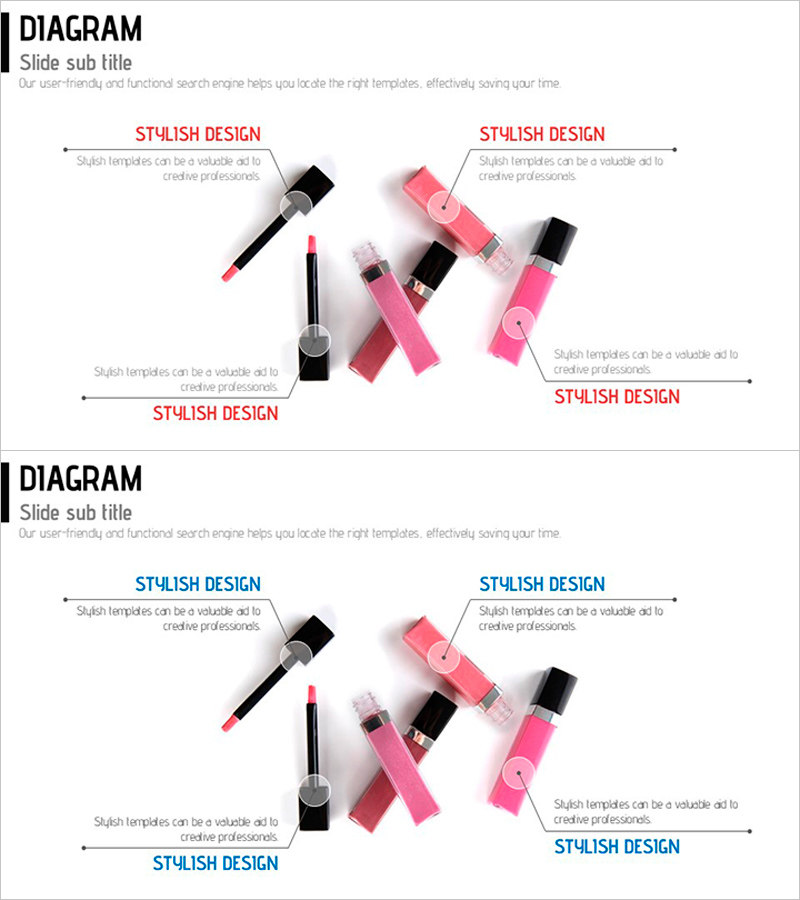
Introducing Cosmetics Components – A Slide Highlighting Visual Appeal
RJ0600010_7
- Last Update 06/23/2025
- File Size 0.3MB
- # of Slides 2
- File Format PPTX
- Slide Ratio 16:9
- Color
Keywords
About the Product
A 2-slide PowerPoint presentation template for introducing cosmetics product components with visual impact. The design features a 4-quadrant layout in pink, black, and gray tones, with product images (brushes, lipsticks, nail polish) centered and text description areas connected to each quadrant. Ideal for product introduction presentations, beauty company profiles, and marketing pitch decks. The 16:9 widescreen PPTX format is fully editable in all PowerPoint versions, allowing you to customize colors, text, and images to match your brand identity.
Usage Points
-
Main Usage
This slide effectively presents cosmetics product components, features, and product lines in a single visual format. The 4-quadrant structure allows simultaneous comparison of up to 4 products or 4 key features, enhancing audience comprehension. Perfect for product introduction presentations, marketing strategy meetings, and investor pitches to communicate product diversity and brand image.
-
How to Use
Enter product names, key ingredients, and usage benefits in each quadrant's text area. Replace the center image with your own product photography. Adjust the pink, black, and gray color scheme to match your brand colors. Use the 2-slide set strategically: first slide for complete product portfolio overview, second slide for detailed feature breakdown of a specific product line.
-
Recommended For
Ideal for cosmetics and beauty companies creating product catalogs, company profiles, and new product launch presentations. Marketing teams, sales departments, and product managers use this template when presenting to customers, partners, and investors. Beauty agencies, cosmetics distributors, and e-commerce retailers can also leverage this for product showcase materials.
-
Slide Structure
Each slide features a central product image area surrounded by 4 text input zones (top, bottom, left, right). Text areas use a 2-level hierarchy: colored titles (red/blue) and gray descriptive text for clear information separation. Connecting arrow lines link images to text areas, creating visual flow and guiding audience attention through the content.
Related Products
-
Four Core Elements of Genetic Research in Biotechnology
#Product/Service Introduction #Diagram #Features
-
Heart Health Status Analysis – Health and Vision
#Product/Service Introduction #Diagram #Features
-
New Drug Ingredient Analysis Diagram – Conveying Trust Through Visuals
#Product/Service Introduction #Diagram #Features
-
Overview of Major Organs and Their Functions – Visualized Infographic
#Product/Service Introduction #Diagram #Other
