



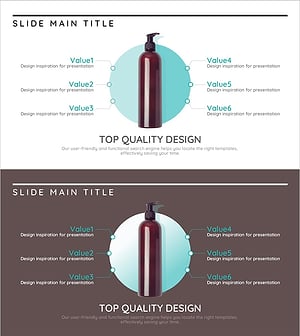
Connection and Diffusion Circular Diagram – Delivering Core Values of Products and Services
RJ0600001_17
- Last Update 06/21/2025
- File Size 0.1MB
- # of Slides 2
- File Format PPTX
- Slide Ratio 16:9
- Color
Keywords
- #Content-Based Slides
- #Design-Based Slides
- #Product/Service Introduction
- #Business Vision and Strategy
- #Diagram
- #Benefits and Advantages
- #Core Competencies
- #Spread
- #Centralized Diagram
- #16:9
- #radial circular diagram PowerPoint
- #5-node radial slide template
- #central diffusion diagram presentation
- #product value proposition slide
- #brand strategy PowerPoint template
About the Product
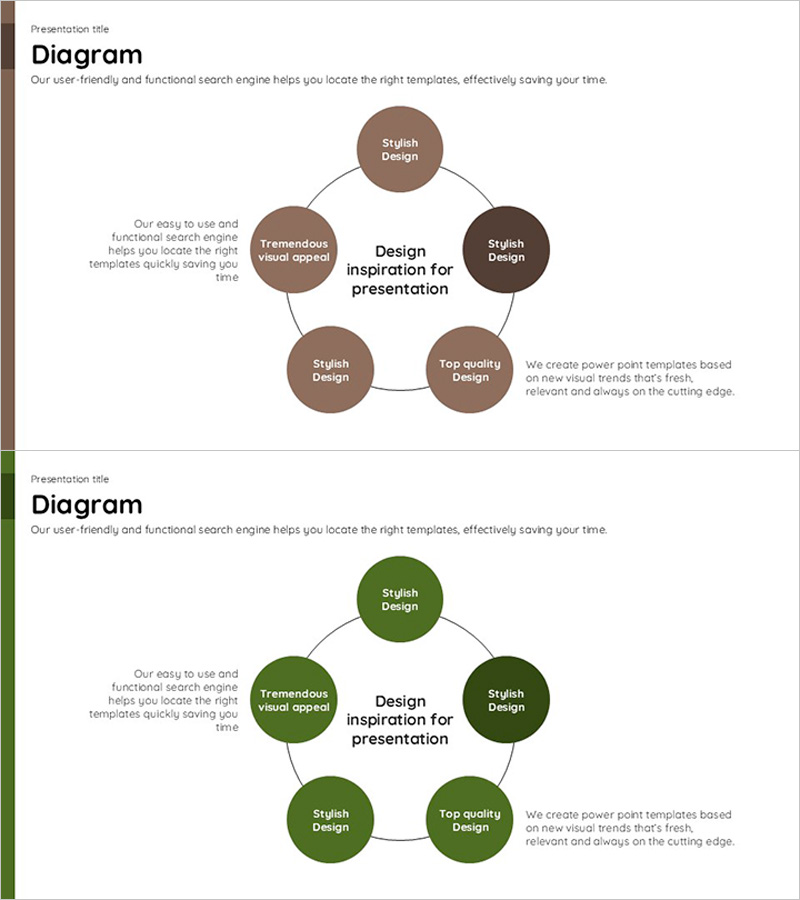
A radial circular diagram PowerPoint slide with five nodes radiating outward from a central concept. The brown and green dual-tone circular nodes surround the core message, with dedicated text areas for detailed descriptions beneath each node. This presentation slide is optimized for communicating core product values, brand philosophy, and five key business strategy elements. The 2-slide set includes color variations (brown and green palettes) and is fully editable in 16:9 widescreen format for immediate use.
Usage Points
-
Main Usage
Structures organizational core values, strategy, and vision as five radiating elements from a central hub, clearly communicating key messages to audiences. Highly effective for product introductions, service positioning, and business strategy presentations where central messaging needs emphasis.
-
How to Use
Enter the core concept (product name, brand name, or strategy theme) in the central circle, then populate the five surrounding nodes with key elements (features, values, goals, characteristics, benefits). Add explanatory text in the designated areas beside each node to enhance audience comprehension.
-
Recommended For
Product planning teams, marketing professionals, executive reports, investor pitch decks, brand repositioning projects, and onboarding training materials. Ideal for any business presentation requiring structured communication of core messages and supporting elements.
-
Slide Structure
One central circular node with five surrounding nodes positioned at top, bottom, left, right, and upper-right, all connected by lines to the center. Each node includes adjacent text input areas for descriptions. Both slides maintain identical structure with color variations (brown and green palettes).
Related Products
-
Advantages of VR Learning Education – Revolutionizing Learning Experiences
#Product/Service Introduction #Business Vision and Strategy #Diagram
-
Rainbow Paper Presentation Template Infographic Elements
#Product/Service Introduction #Business Vision and Strategy #Diagram
-
Paint Art and Diffusion Diagrams – Business and Creative Strategies
#Product/Service Introduction #Business Vision and Strategy #Diagram
-
Branding Product Core Competencies Slide – Differentiated Value Proposition
#Product/Service Introduction #Business Vision and Strategy #Diagram
