



Programming Diffusion Diagram – Delivering Business Vision and Strategy
RJ0500035_27
- Last Update 06/16/2025
- File Size 0.4MB
- # of Slides 2
- File Format PPTX
- Slide Ratio 16:9
- Color
Keywords
- #Content-Based Slides
- #Design-Based Slides
- #Company Introduction
- #Business Vision and Strategy
- #Diagram
- #Business Areas
- #Core Competencies
- #Spread
- #Centralized Diagram
- #16:9
- #radial diagram PowerPoint
- #4-section diagram slide
- #sunburst diagram presentation
- #vision strategy PPT
- #core value diagram
- #business capability slide template
About the Product
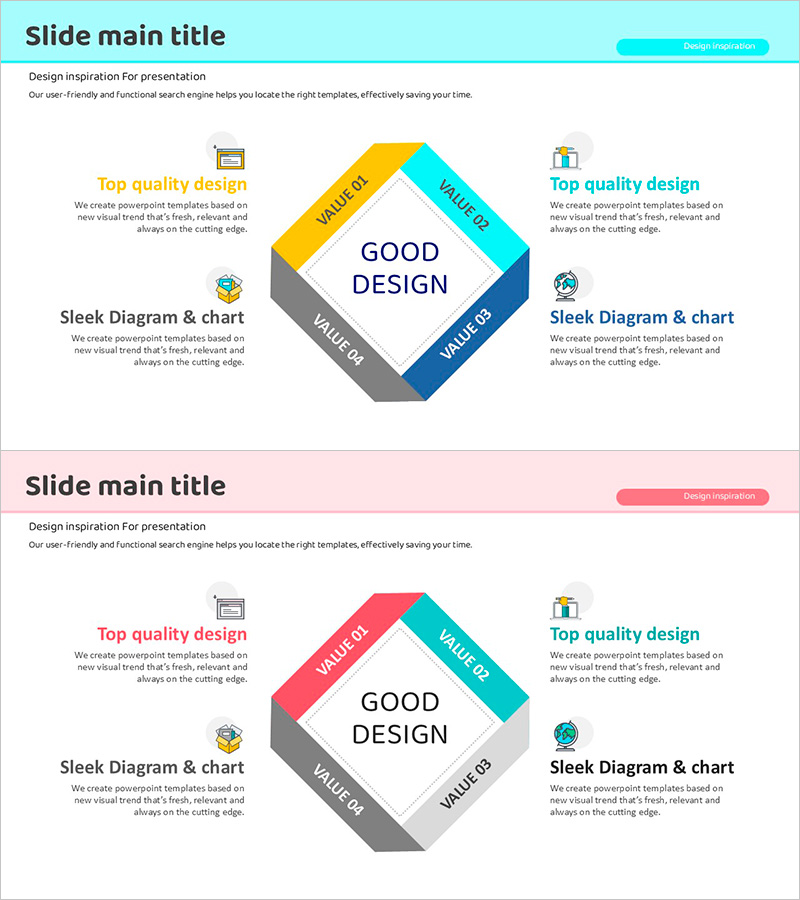
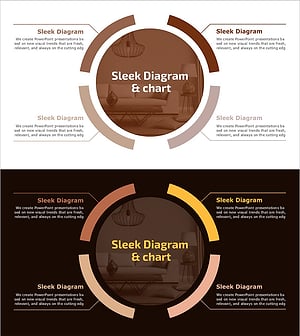
A radial diagram PowerPoint slide where four key concepts extend outward from a central core message. The center features a 'Good Design' hub with four directional bands in cyan, orange, gray, and blue tones, each containing space for icons, labels, and descriptive text. This presentation slide template effectively communicates business vision, strategic pillars, organizational capabilities, and brand values simultaneously. The two-slide deck in 16:9 widescreen PPTX format is fully editable and ready for immediate use in corporate presentations, strategy briefings, and stakeholder communications.
Usage Points
-
Main Usage
Visualize organizational vision, business strategy, core competencies, and brand values in a unified radial structure that radiates from a central concept. Perfect for business plans, company profiles, executive presentations, and strategic planning reports where integrated messaging to employees, investors, and customers is essential.
-
How to Use
Enter your core concept (company name, vision statement, or strategic keyword) in the center circle. Add corresponding details, descriptions, and metrics to each of the four directional bands. Customize icons, colors, and text sizing to emphasize key points. Adjust background colors and fonts to match your presentation theme and corporate branding.
-
Recommended For
Executives, planning teams, and marketing departments presenting organizational strategy, business models, and brand positioning. Ideal for new employee onboarding, company culture presentations, investor pitch meetings, strategic planning sessions, and product launch announcements where structured core messaging is critical.
-
Slide Structure
Two-slide layout. First slide features cyan background header with four rotated squares (top orange, right cyan, bottom gray, left blue) surrounding a central circle—each square contains labeled input areas for icons and descriptive text. Second slide repeats the identical structure with pink background and adjusted color tones (pink, cyan, gray, blue), enabling flexible adaptation across multiple presentation contexts.
Related Products
-
Folder Template Area Diagram
#Company Introduction #Business Vision and Strategy #Diagram
-
Stylish Design Presentation Template Highlighting Visual Appeal
#Company Introduction #Business Vision and Strategy #Diagram
-
Circular Growth: Visualizing Continuous Expansion
#Company Introduction #Business Vision and Strategy #Diagram
-
Operational Quality Management System Presentation Template – Visualizing Business Strategy
#Company Introduction #Business Vision and Strategy #Diagram
