



Kids Drawing and Paint Box Presentation Slide
RJ0500031_23
- Last Update 06/15/2025
- File Size 2.5MB
- # of Slides 2
- File Format PPTX
- Slide Ratio 16:9
- Color
Keywords
- #Content-Based Slides
- #Design-Based Slides
- #Product/Service Introduction
- #Diagram
- #Product/Service Introduction
- #Program Introduction
- #Cluster
- #Closed Cluster Diagram
- #16:9
- #4-item circular icon PowerPoint slide
- #cluster diagram template
- #kids product presentation
- #children's educational slide
- #colorful icon PPT design
About the Product
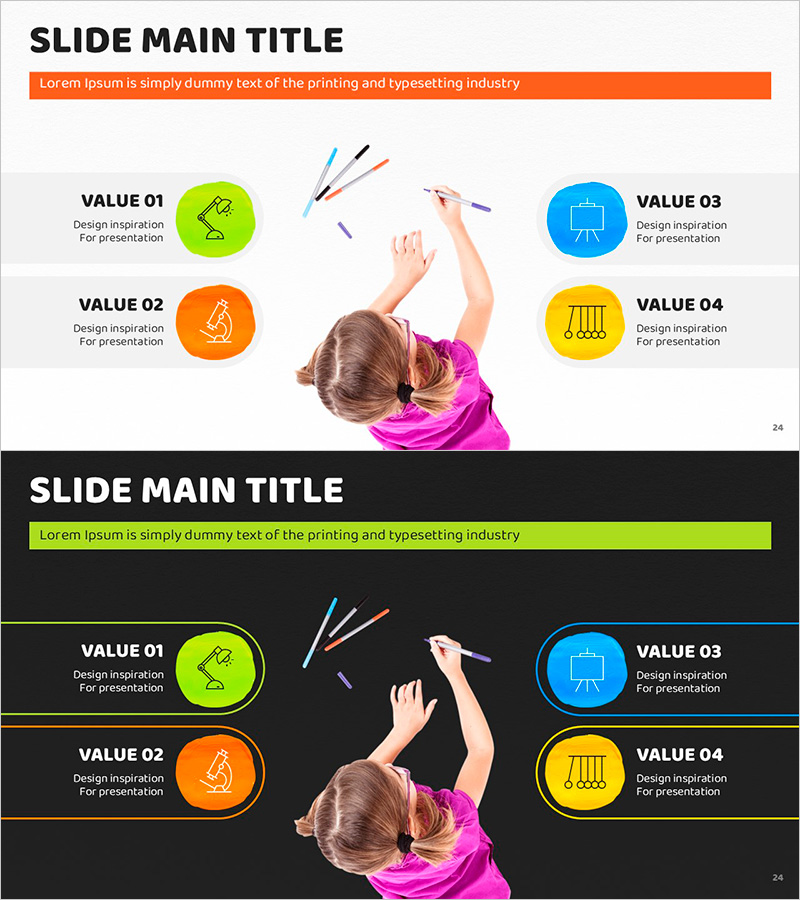
A vibrant 4-item circular icon cluster PowerPoint slide designed for children's product presentations and educational content. Four bright colored icons—lime green, orange, blue, and yellow—are arranged around a central child image, each paired with a text description area. Two background versions are included: a light gray and a black background, allowing flexible integration into any presentation style. Perfect for toy companies, educational programs, and kids' product launches, this slide template is ready to customize and deploy immediately.
Usage Points
-
Main Usage
Highlights four key features, benefits, or values of a children's product or service. The circular icon arrangement with central imagery draws attention and organizes information hierarchically, making it ideal for product launches and educational overviews.
-
How to Use
Enter your product or service name at the top, then fill in the four text areas next to each colored icon with corresponding features or benefits. Replace the center image with your product photo. Choose between the light gray or black background version to match your presentation's overall tone.
-
Recommended For
Kids' product marketing presentations, educational institution program introductions, toy and art supply company product launches, children's service proposals, and family-oriented business pitches. The bright color palette appeals to both children and parents.
-
Slide Structure
2-slide set. Slide 1: light gray background with orange accent bar at top, four circular icons (lime, orange, blue, yellow) on left, central child image, four text areas on right. Slide 2: black background with same layout and colored accent lines. 16:9 widescreen format, PPTX file.
Related Products
-
Architectural Services Program Overview – Systematic and Diverse Information Delivery
#Product/Service Introduction #Diagram #Product/Service Introduction
-
Premium Service Overview PowerPoint Template
#Product/Service Introduction #Diagram #Product/Service Introduction
-
Application Service Introduction Slide – Innovative Visual Template
#Product/Service Introduction #Diagram #Other
-

Introducing Differentiated Product Services – Infographic Slide to Enhance Business Efficiency
#Product/Service Introduction #Diagram #Product/Service Introduction
