



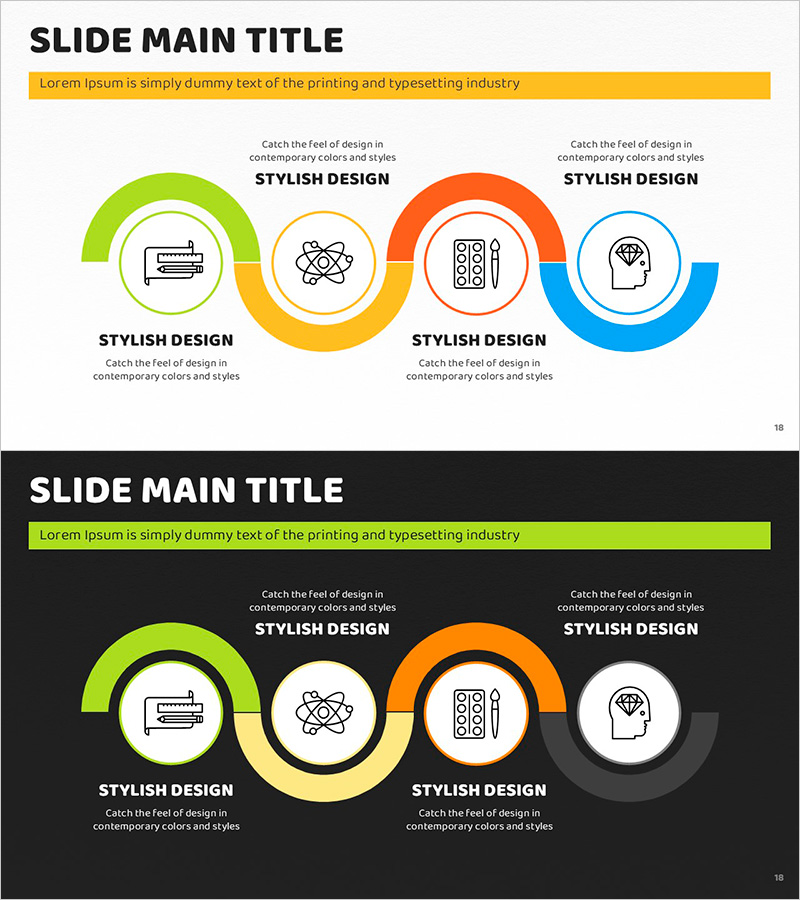
Art System Connection Diagram – Visualization of Business Strategy
RJ0500031_17
- Last Update 06/15/2025
- File Size 1.7MB
- # of Slides 2
- File Format PPTX
- Slide Ratio 16:9
- Color
Keywords
- #Content-Based Slides
- #Design-Based Slides
- #Business Strategy
- #Business Management
- #Diagram
- #Implementation Plan
- #Cluster
- #Chain Diagram
- #Project Progress
- #16:9
- #circular diagram PowerPoint
- #4-stage connection diagram
- #business strategy PowerPoint slide
- #process flow diagram
- #cycle diagram PowerPoint slide template
About the Product
A PowerPoint slide that visualizes business strategy progression through a 4-stage circular connection structure. Four distinct colors—lime green, yellow, orange, and sky blue—differentiate each stage, while central icons and outer arc shapes emphasize process flow and interconnectedness. Provided in two versions: light background and dark background, allowing flexible adaptation to presentation environments. With 2 slides ready for immediate editing, this diagram is ideal for explaining strategic planning, business roadmaps, and project execution phases in presentations.
Usage Points
-
Main Usage
Visually represents the 4-stage circular process of business strategy execution, enhancing audience comprehension. Emphasizes interconnectedness and continuous cycle structure, making it effective for strategy presentations, business planning, and project management discussions.
-
How to Use
Use the light background version for standard conference rooms, seminars, and client presentations. Apply the dark background version for large auditoriums, video recording, and online presentations. Double-click arc shapes and icons to edit text, and customize colors to match corporate branding guidelines.
-
Recommended For
Ideal for executives, strategy managers, project managers, and marketing planners explaining business direction, execution phases, and cyclical processes. Recommended for startup pitch meetings, corporate strategy presentations, and departmental workflow sharing sessions.
-
Slide Structure
Four nodes (arc shapes) arranged clockwise around a central point, each colored distinctly in lime green, yellow, orange, and sky blue. Each node contains an icon with text input area below. Layout provided in two versions: light background (white) and dark background (black).
Related Products
-
Blue Orange Connection Diagram - Business Strategy
#Business Strategy #Business Management #Diagram
-
Asset Management Framework Slide – Business Strategy
#Business Strategy #Business Management #Diagram
-
The Journey from Love to Marriage – Creative Business Strategy
#Business Strategy #Business Management #Diagram
-
Step-by-Step Schedule Diagram – Business Strategy and Management
#Business Strategy #Business Management #Diagram
