



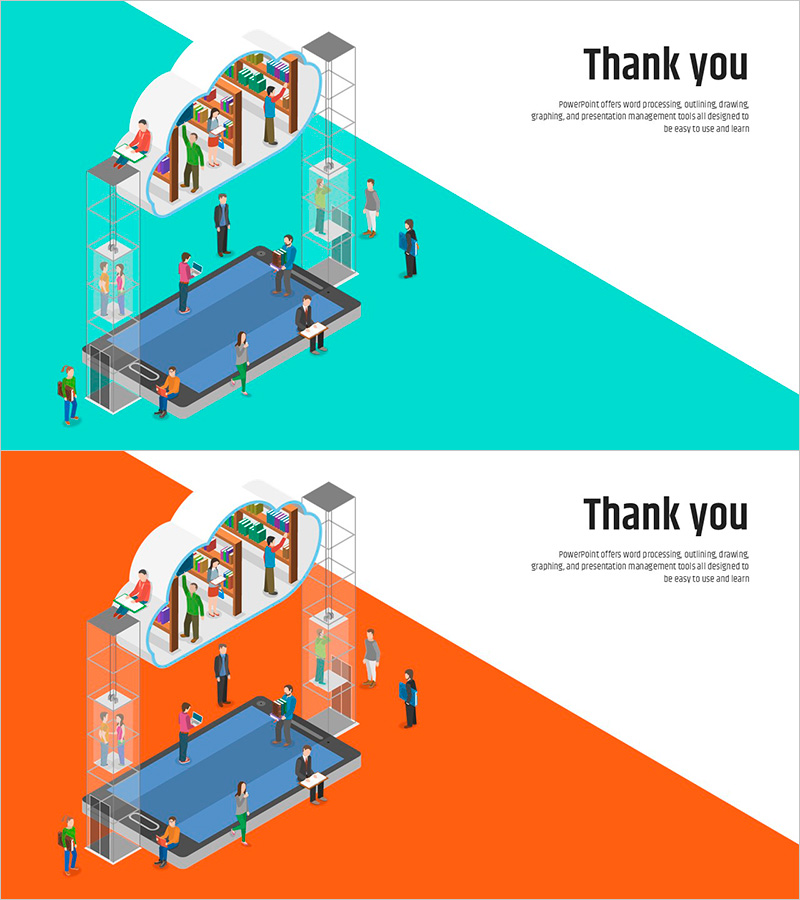
Diagonal Background Cloud Device Template Cover
RJ0500030_21
- Last Update 06/15/2025
- File Size 0.3MB
- # of Slides 2
- File Format PPTX
- Slide Ratio 16:9
- Color
Keywords
About the Product
Create a powerful closing impression with this ending cover PowerPoint slide featuring a dynamic turquoise and orange diagonal background. The cloud device and people illustrations convey a tech-forward, collaborative atmosphere perfect for concluding presentations. This 2-slide set offers both color variations, allowing you to match your corporate branding. Ideal for thank you messages, contact information, or call-to-action statements, this presentation slide design ensures your audience leaves with a memorable final impression.
Usage Points
-
Main Usage
Deliver a strong final message at the conclusion of your presentation. This closing slide effectively displays thank you messages, company contact details, website information, or next steps to guide audience engagement.
-
How to Use
Place this slide at the end of your presentation to refocus audience attention. Add your thank you message, company name, and contact information in the text area. Include your logo or QR code if needed. Choose between turquoise or orange background versions to align with your brand identity.
-
Recommended For
Suitable for corporate presentations, product launches, investor pitches, conference talks, training seminars, and webinars. Particularly effective for technology, IT, and cloud-related topics where the modern design reinforces professional credibility.
-
Slide Structure
Two-slide set with turquoise and orange background variations. Each slide features a diagonal background section on the left and a dedicated text input area on the right, with cloud device and people illustrations centered for visual balance.
Related Products
-
Green Eco-friendly Energy Template – End Page for a Sustainable Future
#Slide Type #Ending Cover
-
Healthy Living Exercise Template Ending
#Slide Type #Ending Cover
-
India Wide Template_Ending Page – Gratitude is the Beginning of Success
#Slide Type #Ending Cover
-

Ending Cover with Blue Green Blurs Background – Wrapping Up the Presentation Effectively
#Slide Type #Ending Cover
