



Circular Circle Diagram - Visualizing Business Strategy
RJ0500024_10
- Last Update 06/13/2025
- File Size 1.8MB
- # of Slides 2
- File Format PPTX
- Slide Ratio 16:9
- Color
Keywords
- #Content-Based Slides
- #Design-Based Slides
- #Business Strategy
- #Operational Plan
- #Diagram
- #Implementation Framework
- #Business Processes
- #Flow
- #Multidirectional Flow
- #16:9
- #radial diagram PowerPoint
- #business strategy visualization slide
- #6-step process diagram
- #circular structure template
- #information flow PPT slide
About the Product
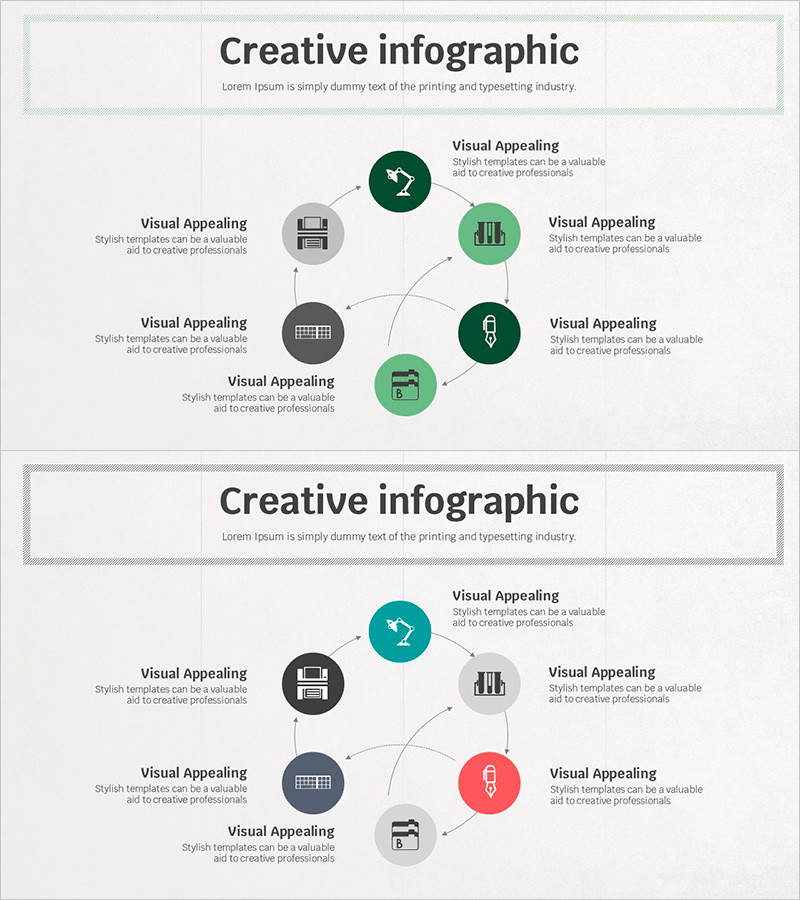
A radial diagram PowerPoint slide with six nodes extending from a central hub, using dark green, gray, and light green circular elements connected by directional lines. This presentation template visualizes business strategy execution, operational planning, and information flow structures with intuitive clarity. Each node accommodates icons and text labels, making it immediately applicable for organizational structures, process flows, strategic element analysis, and cross-functional initiatives. Two-slide set in 16:9 aspect ratio PPTX format.
Usage Points
-
Main Usage
Designed to simultaneously visualize six execution directions, strategic elements, and departmental roles emanating from an organization's core objective. Ideal for business plans, strategy reports, organizational restructuring proposals, and marketing plans where centralized decision-making structures and multiple implementation pathways must be clearly communicated.
-
How to Use
Enter department names, strategic elements, or execution tasks in each circular node, with the core objective in the central circle. Modify colors to distinguish priorities, responsible departments, or project phases. Adjust connector line thickness and arrow directions to represent dependencies and impact levels. Add node-by-node animations to enable step-by-step presentation flow.
-
Recommended For
Executives, strategy planners, project managers, marketing professionals, and organizational development specialists presenting enterprise strategy, departmental objectives, and project execution plans. Particularly effective in multi-stakeholder meetings, executive briefings, and formal organizational presentations where complex structures must be communicated simply and clearly.
-
Slide Structure
Slide 1: Title area with six nodes in radial arrangement (one central node plus six surrounding nodes in cardinal and diagonal directions). Slide 2: Identical structure with dark-tone color variation. Each node is an independently editable shape with designated text input areas and icon insertion spaces.
Related Products
-
Basic Skincare Steps Guide – Visual Process Made Easy
#Business Strategy #Operational Plan #Diagram
-

Completion of Cosmetic Order Slide Template – Business Strategy and Operations Plan
#Business Strategy #Operational Plan #Text Box
-
Dot Patterns Wide PowerPoint Template Flow Diagram
#Business Strategy #Operational Plan #Diagram
-

Camera Aperture Diagram – The Beginning of Entry
#Business Strategy #Operational Plan #Diagram
