


Introducing the AI Service Mobile App – Innovative Service Overview
RJ0400072_10
- Last Update 06/07/2025
- File Size 0.3MB
- # of Slides 2
- File Format PPTX
- Slide Ratio 16:9
- Color
Keywords
- #Content-Based Slides
- #Design-Based Slides
- #Product/Service Introduction
- #Diagram
- #Other
- #Product and Service Overview
- #Cluster
- #Closed Cluster Diagram
- #Mockup
- #16:9
- #mobile app mockup PowerPoint
- #smartphone UI presentation slide
- #app introduction template
- #device mockup slide design
- #how to present mobile app in PowerPoint
About the Product
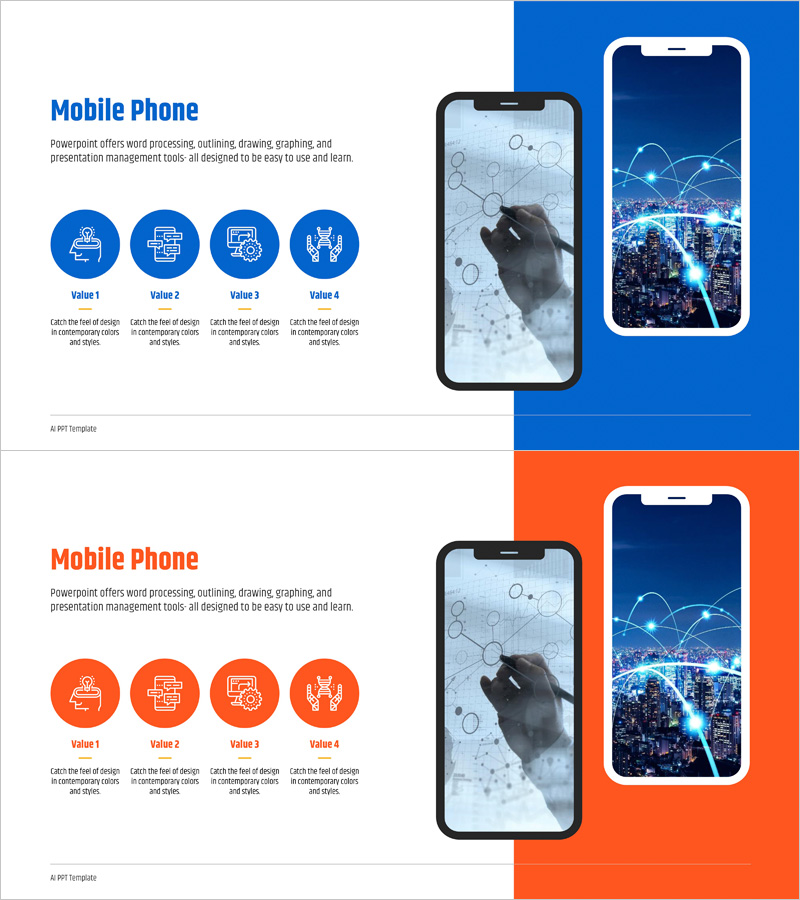
A professional PowerPoint slide template for introducing AI service mobile applications with realistic smartphone mockups. Features two color variations—blue and orange backgrounds—displaying app UI and interactive elements. Each slide incorporates four icon-based value points and includes touch gesture graphics and network connectivity visuals to emphasize app interactivity. The 16:9 widescreen format with 2-slide layout is ready for product launches, investor pitches, and technology seminars without additional editing.
Usage Points
-
Main Usage
Visually communicate mobile app features and value propositions using realistic device mockups. The smartphone screen mockups demonstrate actual UI and user experience, while four icon-based value points emphasize core messaging and app benefits.
-
How to Use
Insert this slide into product launch or investor pitch presentations during the service introduction section. Customize text and icons to match your app's specific features, and adjust background colors to align with brand identity. Choose between blue or orange layouts to create visual variety across multiple slides.
-
Recommended For
Mobile app developers, fintech and AI service startups, IT product managers, technology seminar speakers, and investment pitch teams seeking to effectively communicate app functionality and market value to audiences.
-
Slide Structure
Two-column layout with title and descriptive text on the left, smartphone mockup image on the right. Bottom section displays four circular icons (Value 1–4) with corresponding descriptions. Solid blue or orange background provides strong color contrast and professional appearance.
Related Products
-
Mobile Network Business Overview – Visualized Data Visualization
#Product/Service Introduction #Diagram #Other
-
Overview of Mobile App Service Features
#Product/Service Introduction #Diagram #Other
-
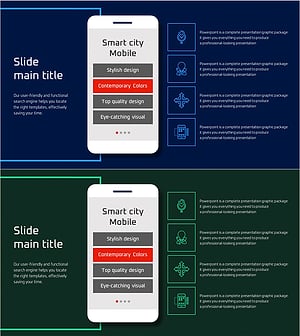
Smart City Mobile Service Overview – Modern Design and Infographic
#Product/Service Introduction #Diagram #Other
-
Global IT Financial Services Overview – Leveraging the Latest Trends
#Product/Service Introduction #Diagram #Other