



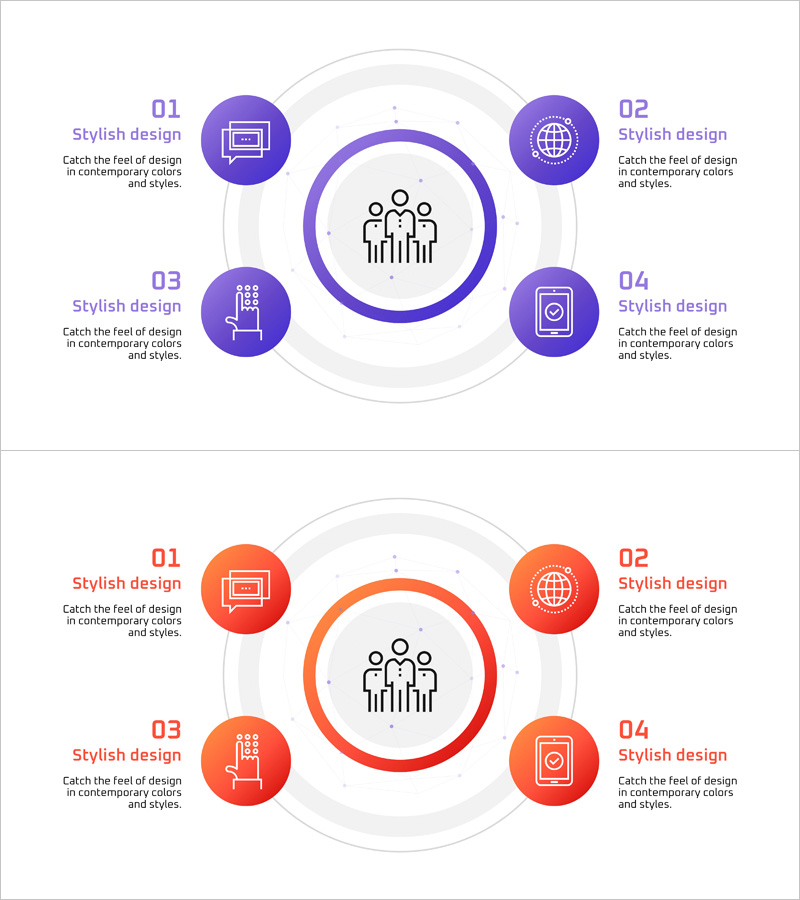
Social Network Area Diagram – Business Introduction and Expansion
RJ0400068_9
- Last Update 06/06/2025
- File Size 0.2MB
- # of Slides 2
- File Format PPTX
- Slide Ratio 16:9
- Color
Keywords
- #Content-Based Slides
- #Design-Based Slides
- #Company Introduction
- #Business Introduction
- #Diagram
- #Business Areas
- #Business Areas
- #Spread
- #Centralized Diagram
- #16:9
- #radial diagram PowerPoint
- #central network diagram
- #social network PowerPoint slide
- #4-node expansion diagram
- #business domain diagram
- #organizational structure PowerPoint template
About the Product
A PowerPoint slide featuring a radial diagram with a central core topic connected to four surrounding elements in a hub-and-spoke layout. Available in two color versions—purple and orange—each node includes an icon and text input area. This design is ideal for presenting business domains, organizational structures, service expansion, network relationships, and strategic initiatives. The slide set consists of 2 slides in 16:9 widescreen format and is fully editable in PPTX format.
Usage Points
-
Main Usage
Positions an organization's core value or primary business at the center, with four key domains, services, or teams radiating outward. Effectively communicates hub-and-spoke relationships for business expansion strategies, organizational hierarchies, network partnerships, and marketing channel distribution.
-
How to Use
Enter the core topic (company name, core value, or main service) in the central node. Add supporting details to the four outer nodes. Customize icons to match your organization's focus, then edit text and colors to fit your presentation theme and content.
-
Recommended For
Business introduction presentations, organizational structure explanations, marketing strategy pitches, new business domain launches, team composition and role descriptions, network partnership introductions, and investor pitch decks. Ideal for executives, marketing teams, and business development professionals.
-
Slide Structure
A large central circular node (for core topic) is surrounded by four equally-sized circular nodes positioned at cardinal directions (top, bottom, left, right). Each node contains an icon area and text input field. Connection lines link the central node to all outer nodes. Two color versions (purple and orange) provided across 2 slides.
Related Products
-

Card Payment Service Area Diagram – Business Sector Introduction
#Company Introduction #Business Introduction #Diagram
-
Astronomy Earth Diagram PowerPoint – Visual Exploration
#Company Introduction #Business Introduction #Diagram
-

Business Value Diagram – Visualizing Business Sectors
#Company Introduction #Business Introduction #Diagram
-
Sketch Icon Business Area Diagram – Visualizing Business Introduction
#Company Introduction #Business Introduction #Diagram
