



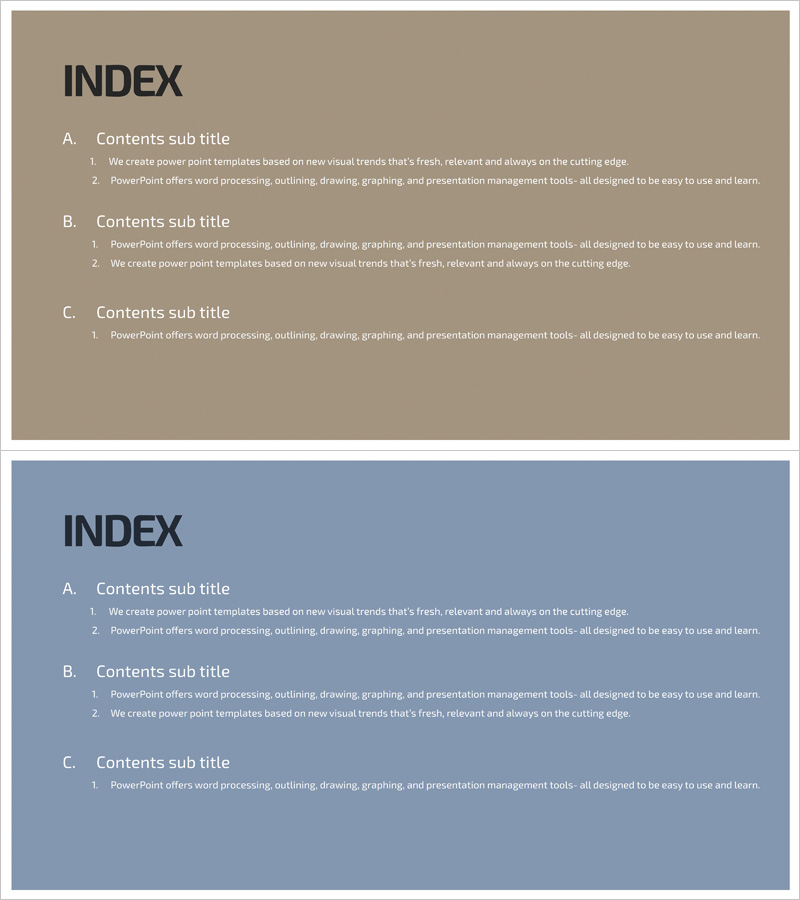
Data Security Template Contents – The First Step in Information Protection
RJ0400056_2
- Last Update 06/02/2025
- File Size 0.2MB
- # of Slides 2
- File Format PPTX
- Slide Ratio 16:9
- Color
Keywords
About the Product
A contents page PowerPoint slide designed for data security and information protection presentations. The slide features a beige background with blue accent elements, organizing content into three main sections (A, B, C) with a two-tier hierarchy structure. Each section includes 2-3 sub-item text areas for detailed content entry, allowing viewers to grasp the entire presentation structure at a glance. This slide is ready to use at the beginning of your presentation and can be easily customized by editing text to fit any topic or industry.
Usage Points
-
Main Usage
This contents slide clearly presents the overall structure of your presentation at the beginning, helping the audience understand the flow and logical connections between sections. It establishes credibility and organization, particularly effective for technical topics like data security, information protection, and IT security.
-
How to Use
Place this slide near the beginning of your presentation (typically slide 2-3) to introduce the overall structure. Customize the section titles and sub-items to match your presentation content. You can adjust the number of sections if needed, and modify only the text while keeping the color scheme consistent throughout your deck.
-
Recommended For
Ideal for data security briefings, information protection policy presentations, cybersecurity seminars, IT department reports, and security training sessions. Recommended for IT professionals, information security officers, IT consultants, security specialists, and compliance managers.
-
Slide Structure
The slide features a beige background with blue accent lines creating a two-tier hierarchy. The title 'INDEX' appears at the top, followed by three main section areas (A, B, C) in the center, each with 2-3 sub-item text input fields below. The set includes 2 slides optimized for 16:9 widescreen format.
Related Products
-
Modern Simple Proposal Template Contents – Professionalism and Clarity
#Slide Type #Table of Contents
-
Concrete Theme Company Profile Contents
#Slide Type #Table of Contents
-
Luxury Hotel Marketing Plan Template Contents
#Slide Type #Table of Contents
-
Modern City Theme Proposal Contents
#Slide Type #Table of Contents
