



Drug Addiction Problem Diagram – Visualizing Systematic Understanding
RJ0400047_6
- Last Update 05/30/2025
- File Size 1.5MB
- # of Slides 2
- File Format PPTX
- Slide Ratio 16:9
- Color
Keywords
About the Product
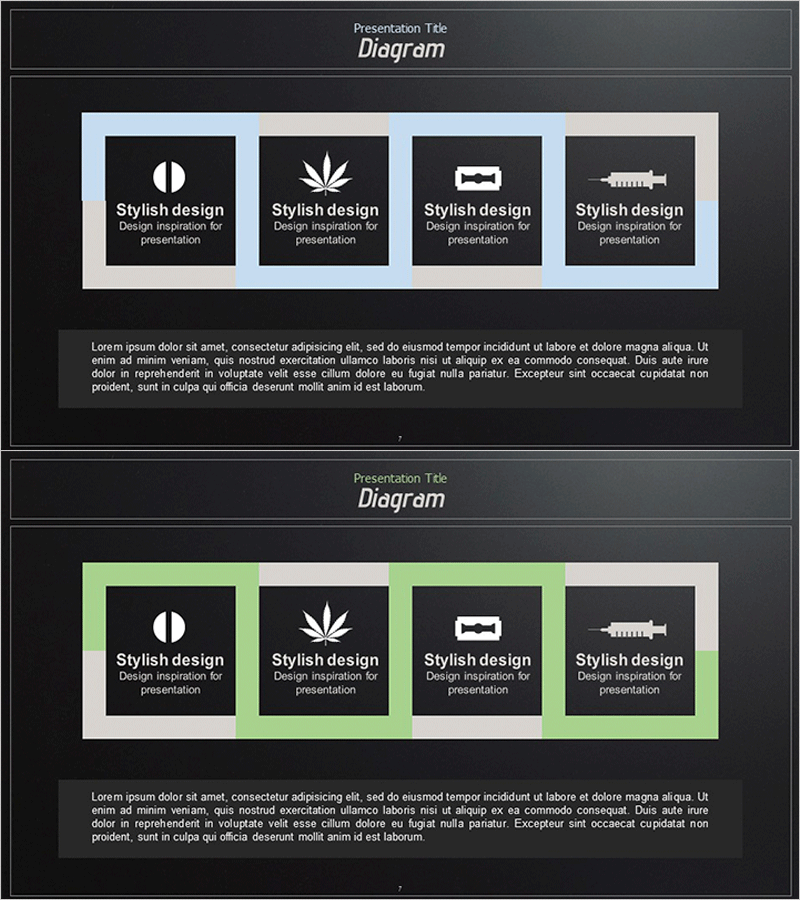
A cluster diagram PowerPoint slide that visually connects four independent items or concepts on a dark background. Each item is presented in a black box with white icons, framed by alternating blue and lime green accent borders for visual emphasis. This 2-slide set features identical layouts that can be duplicated and customized for various presentation scenarios. Simply replace the icons and text with your own content to illustrate product features, problem analysis, strategic pillars, departmental structures, or any four-part classification system. Optimized for 16:9 widescreen format in PPTX, ready for immediate use in professional presentations.
Usage Points
-
Main Usage
Designed to visually connect and compare four independent items, concepts, or categories at equal hierarchical levels. Ideal for presenting product features, root causes of problems, strategic pillars, departmental functions, market segments, or any framework requiring four-part classification and visual clarity.
-
How to Use
Replace the icons and text in each box with your own content. Maintain visual rhythm by alternating between blue and lime green frames, or unify the color scheme as needed. Duplicate the 2-slide set to represent additional item groups. All elements are fully editable in PowerPoint for seamless customization.
-
Recommended For
Perfect for marketing presentations explaining product benefits, executive reports on organizational structure or departmental roles, consulting proposals analyzing root causes, educational materials organizing concepts, and business plans defining strategic frameworks. Effectively communicates complex information to executives, clients, and team members with clarity and visual impact.
-
Slide Structure
Two identical slides featuring a 4-item cluster layout on a dark background. Each slide contains four black boxes with white icons and text labels. The first slide uses blue accent frames, while the second uses lime green frames, providing visual variation while maintaining consistent structure and information hierarchy.
Related Products
-
Introducing the Automatic Parking Assistance Feature – Safety and Innovation
#Company Introduction #Product/Service Introduction #Diagram
-

Company Overview for Best Business – Business Introduction Diagram
#Company Introduction #Diagram #Company Overview
-
Introduction to Business Core Values and Direction – Cluster and Closed Diagram
#Company Introduction #Business Introduction #Diagram
-
Business Core Components Presentation Template
#Company Introduction #Product/Service Introduction #Diagram
