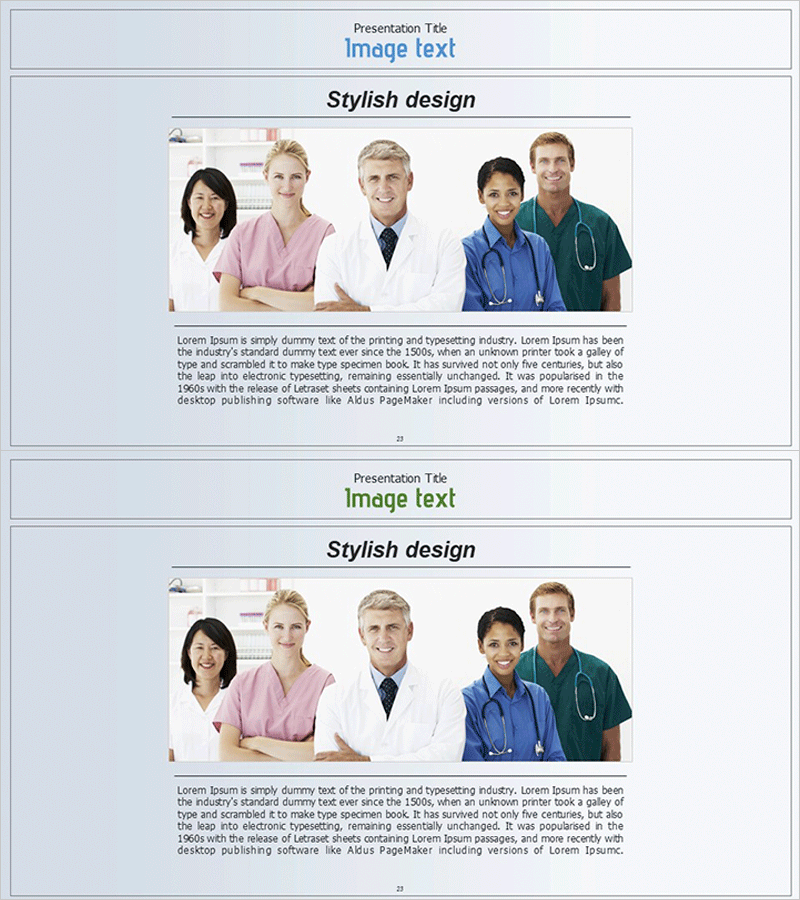
Positive Medical Staff Introduction Slide
RJ0400047_22
- Last Update 05/30/2025
- File Size 2.5MB
- # of Slides 2
- File Format PPTX
- Slide Ratio 16:9
- Color
Keywords
About the Product
A professional medical staff introduction PowerPoint slide designed to build trust and credibility for healthcare institutions. This slide features five healthcare professionals arranged horizontally with a light blue header section and descriptive text area below. The layout effectively communicates both expertise and approachability, making it ideal for hospital presentations, medical center proposals, and healthcare organization introductions. The 2-slide set works seamlessly in 16:9 widescreen format, allowing you to showcase different medical teams or departments with consistent professional branding.
Usage Points
-
Main Usage
Present healthcare professionals and medical teams with credibility and professionalism. This slide effectively showcases doctors, nurses, specialists, and other medical staff, emphasizing your institution's human expertise and organizational strength to investors, partners, and patients.
-
How to Use
Use in company overview sections of hospital presentations, key personnel slides in healthcare investment pitches, and team composition pages in medical facility proposals. Insert staff photos, titles, and credentials to enhance institutional credibility and demonstrate qualified leadership.
-
Recommended For
Hospital administrators, medical center executives, healthcare marketing professionals, and medical institution leaders presenting to investors, partners, or patients. Ideal for new facility launches, staff expansion announcements, and institutional trust-building presentations.
-
Slide Structure
Two-slide set with light blue header area for titles, centered horizontal 5-person photo arrangement, and lower text section for descriptions. Staff credentials and experience information can be added beside photos, while the bottom text area accommodates detailed professional bios and institutional messaging.