



Surgical Gown Theme Plan Schedule – Business Management & Operations Planning
RJ0400045_24
- Last Update 05/29/2025
- File Size 3MB
- # of Slides 2
- File Format PPTX
- Slide Ratio 16:9
- Color
Keywords
- #Content-Based Slides
- #Design-Based Slides
- #Business Management
- #Operational Plan
- #Diagram
- #Execution Plan
- #Project Implementation Schedule
- #Table
- #16:9
- #schedule timeline PPT slide
- #project planning PowerPoint template
- #Gantt chart arrow slide
- #business operations schedule
- #monthly timeline management slide
About the Product
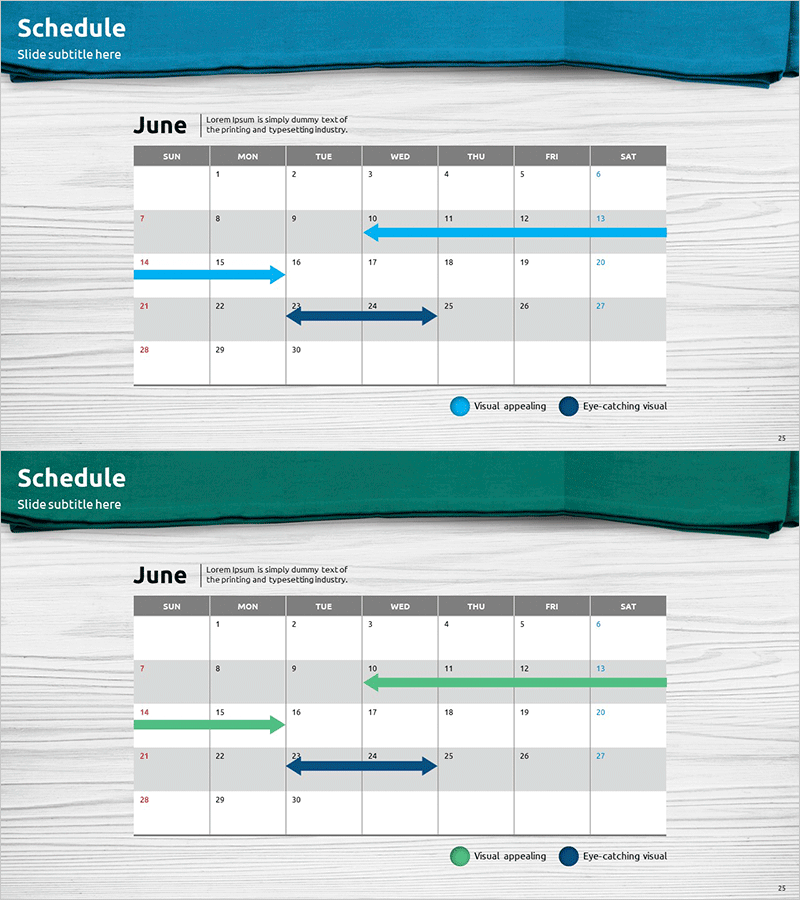
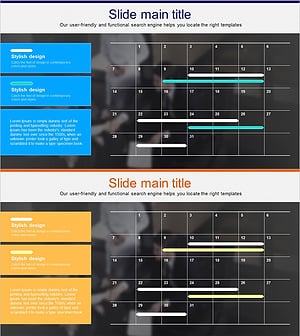
A PowerPoint slide for visualizing June monthly schedules with a calendar-based timeline layout. The slide uses blue, green, and navy arrow bars to display project durations across a 7-column calendar grid, enabling clear business operations planning and schedule management at a glance. Designed in 16:9 aspect ratio with 2 slides, featuring balanced text input areas and data visualization zones. This PPT slide effectively communicates project timelines in presentations, reports, and operational planning documents.
Usage Points
-
Main Usage
Visualize project schedules, milestones, and operational timelines in a monthly calendar format, enabling teams to share schedules and track progress. Ideal for business management reports, operational planning presentations, and project kickoff meetings to clearly communicate timeline information.
-
How to Use
Enter project names in calendar date cells and adjust arrow start/end positions to indicate project duration. Use arrow colors (blue, green, navy) to differentiate project priorities or categories for better visual organization.
-
Recommended For
Project managers, operations teams, and business planning departments use this slide when sharing monthly schedules, milestones, and resource allocation visually. Suitable for the schedule management section of business plans, operational plans, and project reports.
-
Slide Structure
Comprises 2 slides, each featuring a June calendar grid (7 columns × 7 rows) with 3 timeline arrow input areas. Month and description text space at the top, legend (Visual appealing, Eye-catching visual) at the bottom, creating clear information hierarchy.
Related Products
-
Schedule for Quitting Smoking – Business Management and Planning
#Business Management #Operational Plan #Diagram
-
Space Industry Schedule Planning Chart – Future of Space Development
#Business Management #Operational Plan #Diagram
-
Key Step Planning Diagram – Blueprint for Business Operations
#Business Management #Operational Plan #Diagram
-
Work Progress Schedule – Systematic and Stylish Diagram
#Business Strategy #Operational Plan #Diagram
