



Business Process Diagram for 3D Printing
RJ0400036_21
- Last Update 05/27/2025
- File Size 0.5MB
- # of Slides 2
- File Format PPTX
- Slide Ratio 16:9
- Color
Keywords
- #Content-Based Slides
- #Design-Based Slides
- #Operational Plan
- #Technical Approach
- #Diagram
- #Business Processes
- #System Architecture Diagram
- #Cluster
- #Chain Diagram
- #16:9
- #circular diagram PowerPoint
- #connection diagram slide
- #process flow diagram
- #4-node cycle structure
- #business process visualization
- #technical process PPT
About the Product
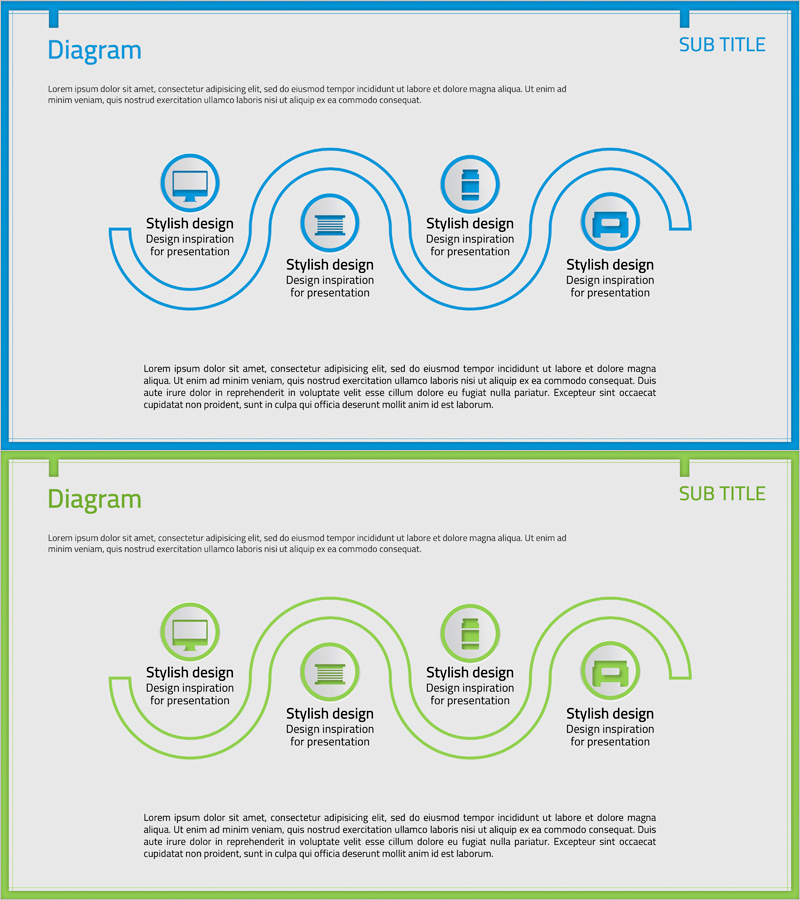
A 4-node circular connection diagram PowerPoint slide that visualizes business processes and cyclical workflows. The structure features a central hub with four directional nodes, each containing icon placeholders and text areas for clear step-by-step process representation. This PowerPoint slide uses a blue linear design optimized for technology sectors, manufacturing processes, system architecture, and complex operational flows. The 2-slide set includes an identical green-colored version, enabling flexible section differentiation in presentations. Delivered in 16:9 widescreen PPTX format, fully editable in all modern PowerPoint versions.
Usage Points
-
Main Usage
Visualizes business processes, technical systems, manufacturing cycles, and service workflows through a central hub radiating to four directional nodes. Icon placeholders and text areas in each node enable clear step-by-step explanations, making complex processes intuitive and easy to understand.
-
How to Use
Ideal for technology presentations, manufacturing and production process explanations, system architecture introductions, and workflow diagrams. Customize each node with department names, process stages, system names, or roles, and replace icons to adapt to organizational structures, decision-making flows, data pipelines, and other contexts.
-
Recommended For
Technology professionals, engineers, manufacturing and production managers, system architects, process improvement specialists, and IT department presenters explaining workflows, technical processes, and system structures.
-
Slide Structure
2-slide set with identical circular connection structure. Each slide features one central circular node connected to four directional nodes via arrows and connecting lines. Blue version on slide 1, green version on slide 2. Each node includes icon placeholder and text input area for customization.
Related Products
-
Drone System Configuration Diagram – Optimized Operations Through Innovative Technology
#Operational Plan #Technical Approach #Diagram
-
AI System Architecture Diagram – Key to Technical Operations
#Operational Plan #Technical Approach #Diagram
-

Business Process Visualization Diagram Slide
#Operational Plan #Technical Approach #Diagram
-
Diagram Slide for Collection of Key Business Services
#Operational Plan #Technical Approach #Diagram
