



How to Use 3D Printing Explained - Visual and Intuitive Guide
RJ0400036_19
- Last Update 05/27/2025
- File Size 1.2MB
- # of Slides 2
- File Format PPTX
- Slide Ratio 16:9
- Color
Keywords
About the Product
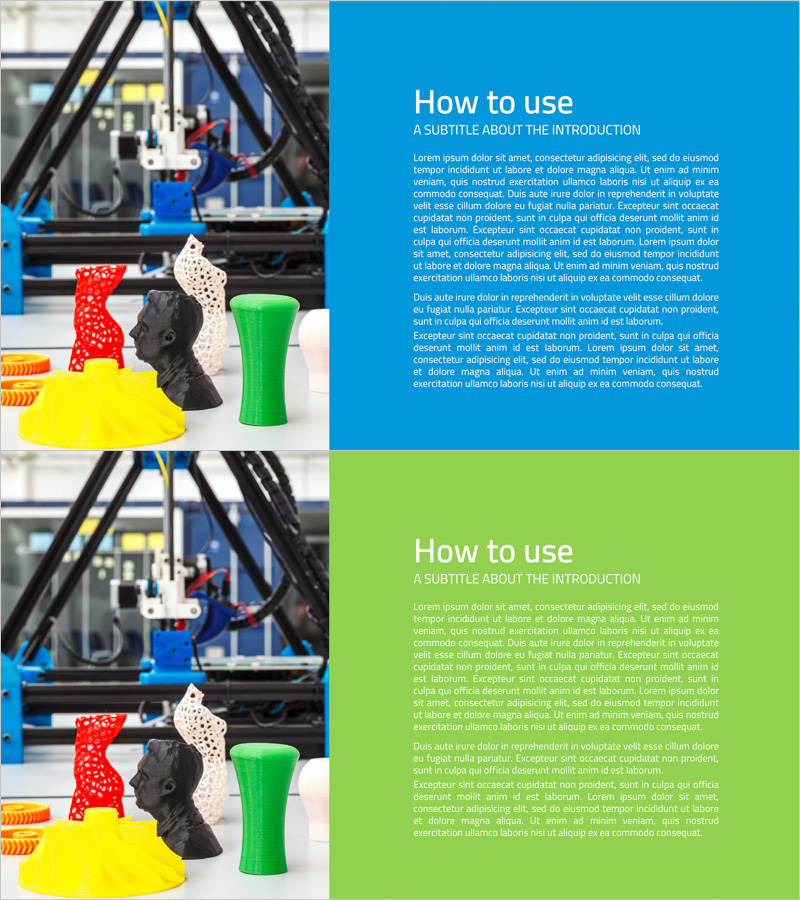
A 2-slide PowerPoint presentation explaining 3D printing usage methods with an intuitive side-by-side comparison layout. The left side features industrial 3D printing equipment imagery, while the right side contains text descriptions, separated by blue and green backgrounds for visual distinction. This slide deck is ideal for product introductions, technical documentation, training seminars, and educational materials. The layout clearly conveys step-by-step processes and safety considerations, making it suitable for manufacturing companies, technology startups, and technical training programs. Immediately applicable for presentations requiring visual process explanation and equipment operation guidance.
Usage Points
-
Main Usage
This slide set is designed to explain 3D printing procedures and safety requirements simultaneously through parallel visual and textual information. The left-side equipment imagery combined with right-side text descriptions enhances technical comprehension and supports industrial equipment training, employee onboarding, and customer technical briefings with credible information delivery.
-
How to Use
Place 3D printing equipment photos, operational processes, or finished products on the left image area, and input step-by-step instructions, precautions, and technical specifications on the right text section. Utilize the blue and green backgrounds to distinguish between different processes or comparison items. This layout effectively maintains audience engagement during technical presentations, product demonstrations, and educational seminars.
-
Recommended For
Recommended for technical specialists, engineers, product marketing teams, and training coordinators explaining 3D printing technology. Suitable for manufacturing companies, technology startups, and industrial equipment vendors conducting technical presentations, university and vocational training institutions delivering technical education, customer technical briefings, and product demonstration presentations.
-
Slide Structure
Two-slide format with each slide featuring a 50% left image area and 50% right text area in a two-column comparison layout. Title area at the top with subtitle and body text input space on the right side. Blue and green backgrounds visually distinguish between two different content sections. Optimized for 16:9 widescreen format compatible with modern presentation environments.
Related Products
-
Geometry PPT Template Wide Image & Text Box
#Business Introduction #Business Vision and Strategy #Text Box
-
Simple & Modern Wide PowerPoint Square Text Box
#Product/Service Introduction #Business Vision and Strategy #Text Box
-
Origami Vision Diagram3 – Business Strategy
#Business Vision and Strategy #Business Strategy #Text Box
-
Infographic Slide for Improvement of Residential Environment – Key Competencies and Vision
#Business Vision and Strategy #Text Box #Core Competencies
