



Analytical Image and Tablet Mockup Slide – R&D and Innovative Technologies
RJ0400002_9
- Last Update 05/17/2025
- File Size 2.6MB
- # of Slides 2
- File Format PPTX
- Slide Ratio 16:9
- Color
Keywords
About the Product
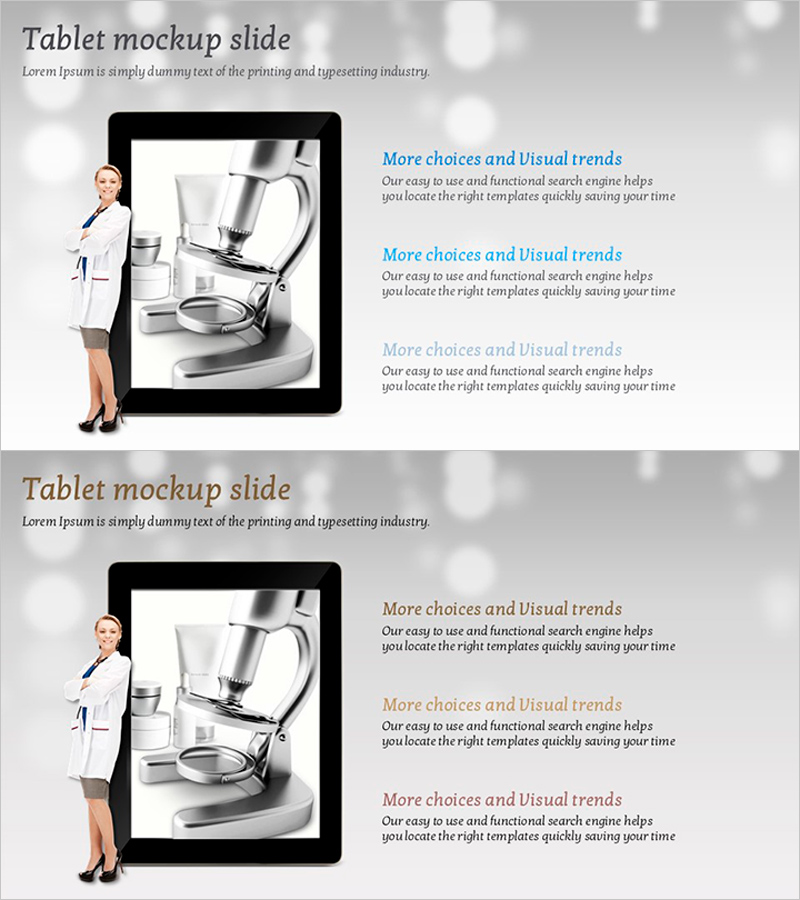
A professional tablet mockup slide designed for product demonstrations and technology presentations. The layout features a business professional on the left, a tablet frame in the center with an editable screen area for displaying product interfaces, app screenshots, or analytical data, and three text sections on the right for describing key features and benefits. The gray background and black tablet frame create a professional appearance suitable for technology companies, startups, and R&D presentations. Both slides use the same layout structure, allowing you to showcase multiple product features or sequential explanations. Fully editable in PowerPoint and compatible with standard presentation software.
Usage Points
-
Main Usage
Present new products, demonstrate app and software functionality, and explain technological innovations by displaying actual product screens within the tablet frame while using the right-side text areas to highlight key features and benefits.
-
How to Use
Insert product screenshots, app interfaces, or analytical charts into the central tablet frame. Fill the three right-side text boxes with feature names, descriptions, and benefits. Replace the left-side professional image with your own product user or expert photo to enhance credibility and relevance.
-
Recommended For
Technology and software companies presenting new products, startups pitching applications, R&D teams showcasing innovation results, IT solution providers creating proposals, and any professional needing to visually communicate product functionality and technical capabilities to investors or stakeholders.
-
Slide Structure
Each slide contains three main sections: a left-side professional image area, a center tablet mockup frame with an editable internal screen area, and three right-side text input boxes for feature descriptions. Both slides maintain identical layouts, enabling consistent presentation of multiple product features or sequential explanations.
Related Products
-
4 Energy Saving Business Visions – Innovative Technology and Future Plans
#Technical Approach #Diagram #Research and Development
-
Business Area Analysis Graph & PC Mockup
#Technical Approach #Market and Competitor Analysis #Graph
-
Two Idea Strategies – Innovative Future Planning
#Technical Approach #Diagram #Research and Development
-
Idea Strategy Silhouette – Innovation Technology and Future Planning
#Technical Approach #Diagram #Other
