



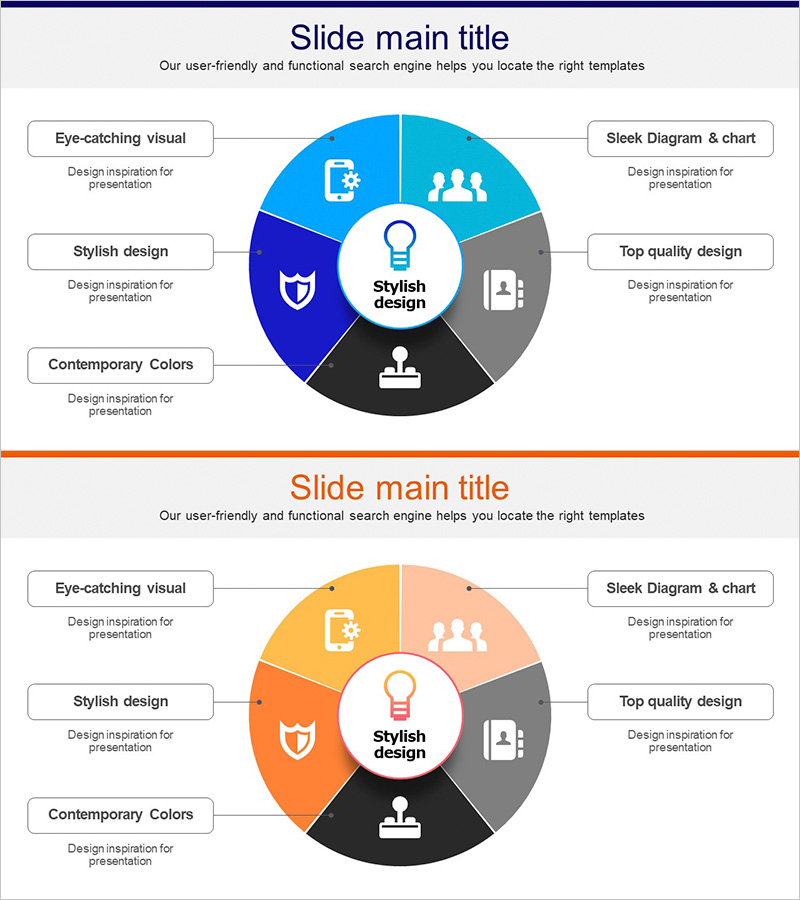
Business Ideas Area Circular Diagram
RJ0300082_8
- Last Update 05/12/2025
- File Size 0.3MB
- # of Slides 2
- File Format PPTX
- Slide Ratio 16:9
- Color
Keywords
- #Content-Based Slides
- #Design-Based Slides
- #Company Introduction
- #Business Introduction
- #Diagram
- #Business Areas
- #Business Areas
- #Spread
- #Centralized Diagram
- #16:9
- #radial circular diagram PowerPoint
- #6-section diagram slide
- #business ideas diagram template
- #circular chart PowerPoint slide
- #how to create circular diagram in PowerPoint
About the Product
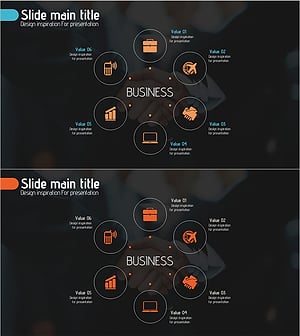
A radial circular diagram PowerPoint slide that classifies business ideas and areas into 6 sections radiating from a central concept. The design uses a multi-color palette of blue, orange, black, and gray tones to visually distinguish each area, with a central icon and text labels emphasizing the core concept. The 2-slide set includes a color variation of the same structure, allowing you to select the version that best fits your presentation context. This PowerPoint slide is ready to use for business area analysis, idea classification, organizational role explanation, and various business presentations.
Usage Points
-
Main Usage
Visualizes business ideas by classifying them into 6 key areas and showing their relationship to a central concept. Ideal for expressing multi-layered structures that radiate from a core idea, such as organizational roles, business divisions, service categories, or customer segments.
-
How to Use
Enter the core concept in the center, then add area names and descriptions to each of the 6 sections. Customize the section colors and icons to match your organization's characteristics. Choose between the 2 color versions to maintain visual variety throughout your presentation.
-
Recommended For
Recommended for business strategy presentations, new business idea explanations, organizational structure introductions, product portfolio classifications, and marketing strategy development. Suitable for executive reports, investor pitch decks, internal meetings, and client proposals.
-
Slide Structure
Consists of 1 central concept icon surrounded by 6 sections arranged in a circular radial pattern. Each section is distinguished by an independent color block containing an icon and text label. The 2-slide set provides the same structure in 2 color variations: blue and orange tones.
Related Products
-
Hexagonal Diffusion Diagram for Business Area Visualization
#Company Introduction #Business Introduction #Diagram
-
Equipment and Marketing Strategy Diagram – Visualizing Business Structure
#Company Introduction #Business Introduction #Diagram
-
Business Area Circular Diagram – Enhancing Corporate Presence
#Company Introduction #Business Introduction #Diagram
-
Travel Business Services Area – Effective Diagram Design
#Company Introduction #Business Introduction #Diagram
