



Effective Business Strategy with Yearly Calendar Schedule
RJ0300081_29
- Last Update 05/11/2025
- File Size 2.6MB
- # of Slides 2
- File Format PPTX
- Slide Ratio 16:9
- Color
Keywords
- #Content-Based Slides
- #Design-Based Slides
- #Business Strategy
- #Operational Plan
- #Diagram
- #Roadmap
- #Project Implementation Schedule
- #Cluster
- #Table
- #Chain Diagram
- #16:9
- #calendar diagram PowerPoint
- #schedule slide template
- #yearly timeline presentation
- #business planning slides
- #operational calendar template download
About the Product
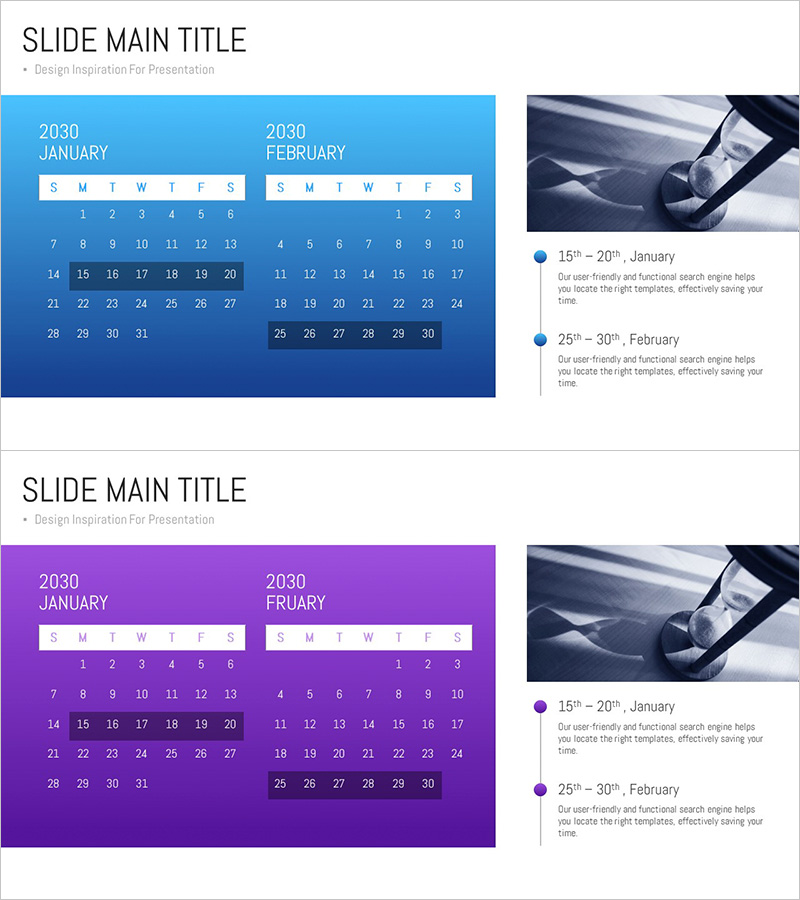
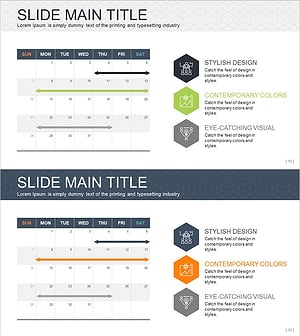
A 2-slide PowerPoint presentation that visually connects yearly calendar and schedule information in a professional layout. Features bright to dark blue gradient backgrounds with January and February calendars arranged in a two-column format on the left, while the right side displays a timeline-style schedule with dot icons linking key dates to event descriptions. Calendar cells are rendered in white table format for clear date visibility, with balanced image and text areas on the right side for immediate use in operational planning and business strategy presentations. Provided in 16:9 widescreen PPTX format.
Usage Points
-
Main Usage
Simultaneously visualize yearly calendars and business schedules to clearly communicate the timing and phases of business initiatives. The connected structure between calendar cells and timeline dot icons emphasizes monthly milestones, while image and text areas allow detailed explanation of key activities for each period.
-
How to Use
Highlight important dates in the left calendar section and input specific schedule names and descriptions in the right timeline area. Insert relevant activity photos or visuals in the image section to enhance presentation impact. Colors and text are fully editable to match your company branding.
-
Recommended For
Ideal for business managers, project leaders, and operations teams presenting quarterly or annual business plans. Suitable for investor pitch decks, business plan documents, operational reports, marketing campaign timelines, and any presentation requiring time-based strategic planning.
-
Slide Structure
2-slide layout: Slide 1 features January and February 2030 calendars (each 7 columns × 5 rows) on the left with image area on the right. Slide 2 uses identical structure with purple tone color scheme. Right-side timeline displays 2 schedule items (15th–20th, 25th–30th) with dot icons and text, each with dedicated description text input area.
Related Products
-
Business Promotion Schedule – Roadmap for Business Strategy
#Business Strategy #Operational Plan #Diagram
-
September Schedule Roadmap – Business Strategy and Planning
#Business Strategy #Operational Plan #Diagram
-
August Roadmap Diagram – Business Strategy
#Business Strategy #Operational Plan #Diagram
-
Business Idea Service Roadmap – Business Strategy
#Business Strategy #Operational Plan #Diagram
