



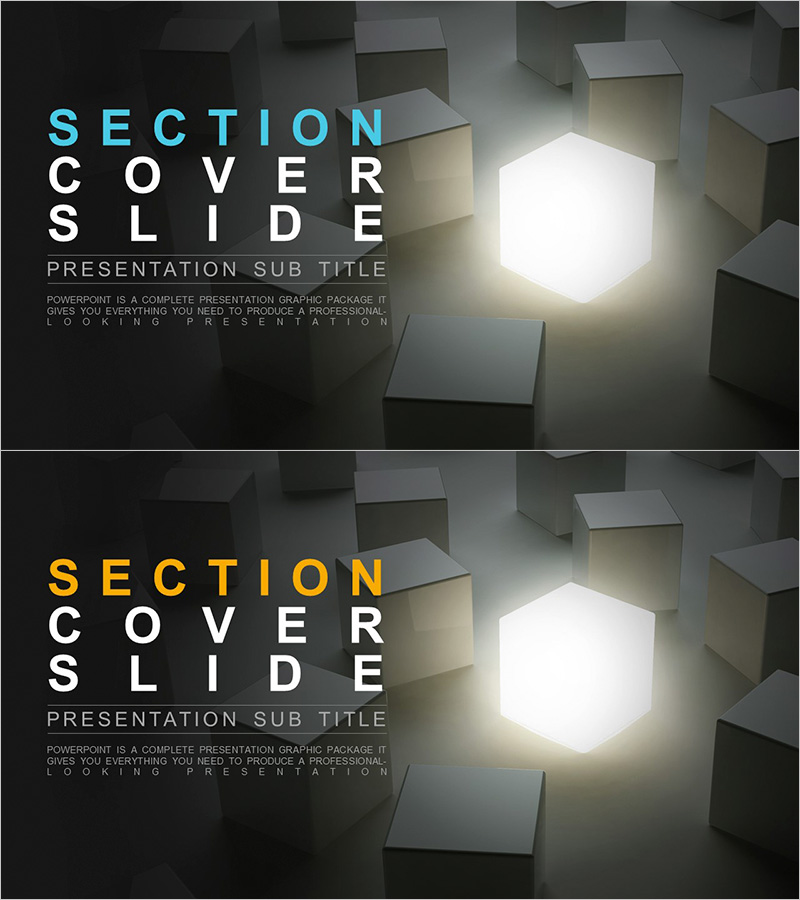
Idea Bulb Light Template – Section Cover Slide
RJ0300066_11
- Last Update 05/06/2025
- File Size 1.1MB
- # of Slides 2
- File Format PPTX
- Slide Ratio 16:9
- Color
Keywords
About the Product
A section cover PowerPoint slide featuring 3D boxes and a glowing light bulb element. The 2-slide set uses a dark gray background with cyan or gold text to emphasize section titles, creating visual impact at the start of each presentation section. In 16:9 widescreen PPTX format, it's ready for immediate editing and works perfectly for corporate presentations, proposals, business plans, and other professional documents. The text input areas are clearly defined, making it easy to modify titles and subtitles while maintaining design consistency throughout your presentation.
Usage Points
-
Main Usage
This section divider slide serves as a visual break between presentation sections, drawing audience attention with its 3D box and glowing bulb elements. It emphasizes section titles and clarifies document structure, making it ideal for corporate presentations, client proposals, business plans, marketing decks, and product introductions where clear section transitions are essential.
-
How to Use
Simply click on the text input areas and enter your section title and subtitle. Choose between cyan or gold text color to match your corporate branding. Since the set includes 2 slides, duplicate them as needed for additional sections. You can adjust background colors and text styling to align with your overall presentation theme and color scheme.
-
Recommended For
Perfect for executive reports, investor pitch decks, client proposals, business plans, marketing presentations, and product launch decks. Ideal for professionals including business strategists, marketing managers, sales executives, and consultants who need to present multi-section content with clear visual structure and professional polish.
-
Slide Structure
The 2-slide set features a dark gray background with 3D box graphics and a centered glowing light bulb element on each slide. Section title text (in cyan or gold) and subtitle input areas are positioned on the left side, while the 3D box and light effects occupy the right side for visual balance. Text areas are clearly defined for easy editing without disrupting the overall design integrity.
Related Products
-
Stylish Slide for Business Model Canvas – Section Cover
#Slide Type #Section Cover
-
High Rise Building Template Section Slide 01
#Slide Type #Section Cover
-
Farm Theme Templates Section - Harmony of Agriculture and Nature
#Slide Type #Section Cover
-
Eco-friendly Recycling Wide Template – A Step Towards Sustainability
#Slide Type #Section Cover
