



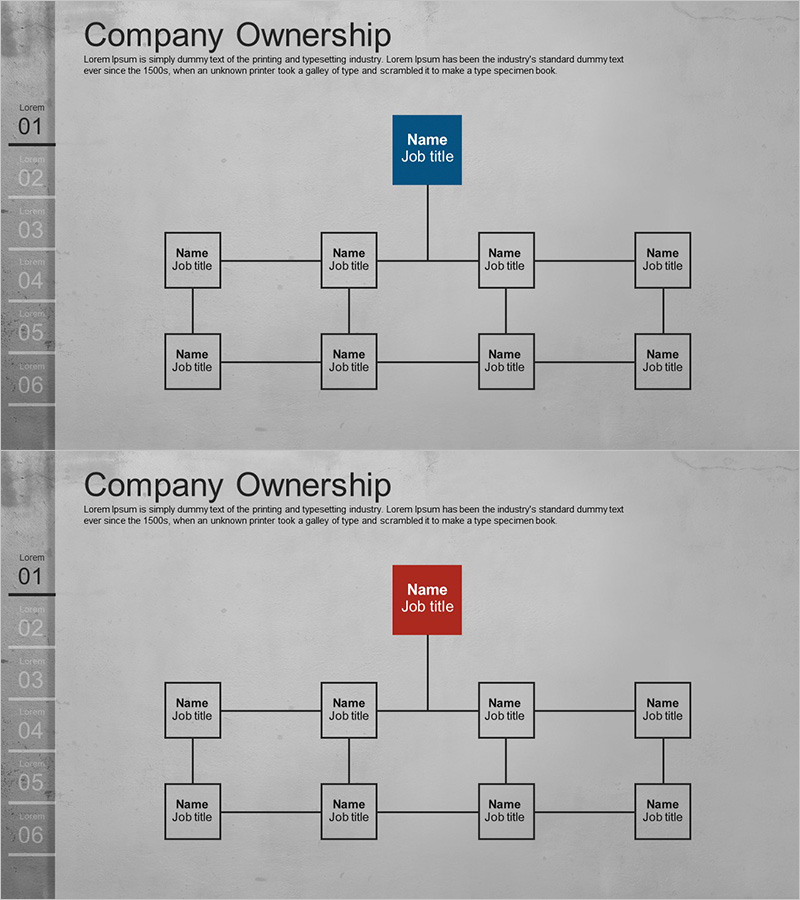
Simple Cement Theme Organization Chart Diagram – Perfect for Company Introduction
RJ0300058_7
- Last Update 05/04/2025
- File Size 3MB
- # of Slides 2
- File Format PPTX
- Slide Ratio 16:9
- Color
Keywords
About the Product
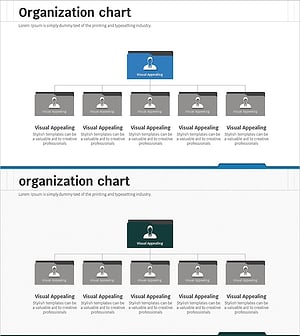
A tree diagram PowerPoint slide that clearly displays your company's organizational structure. This organization chart template features a vertical hierarchy from CEO at the top through four organizational levels, with editable text boxes for employee names and job titles. The design uses a cement-tone gray background with dark blue accent color to distinguish executive positions, connected by black lines showing reporting relationships. Composed of 2 slides optimized for 16:9 widescreen format. Perfect for company introduction presentations, organizational restructuring explanations, and personnel introduction materials.
Usage Points
-
Main Usage
Visually represent your company's organizational structure and reporting relationships using a tree diagram format. Position the CEO or top executive at the apex, then display department heads, team leads, and staff members across four hierarchical levels. Simply input employee names and titles to transform the template into your actual organizational chart.
-
How to Use
Use this slide in the organizational overview section of company introduction presentations to showcase structure and key personnel. Apply it in new employee orientation materials to explain organizational hierarchy, or in organizational restructuring announcements to illustrate changes. Edit the text boxes in each node with job titles and names to instantly create your working organizational chart.
-
Recommended For
HR professionals, executives, and organizational development teams explaining company structure. Ideal for company introduction presentations, employee onboarding materials, organizational change announcements, and executive introductions. Suitable for organizations of all sizes from small businesses to large enterprises.
-
Slide Structure
Slide 1: Single dark blue CEO node positioned at the top, with four department head nodes arranged in the second level below. Slide 2: Identical structure with two additional nodes beneath each department head, creating eight team lead positions in the third level and completing the four-level hierarchy. All nodes are connected by black lines indicating vertical reporting relationships.
Related Products
-
Organizational Chart Diagram – Clear Structure Presentation
#Company Introduction #Diagram #Organizational Chart
-
Business Area Organization Chart Diagram – Systematic Structure
#Company Introduction #Diagram #Business Areas
-
Business Sector Structure Diagram – Effective Organization Visualization
#Company Introduction #Diagram #Business Areas
-
Business Organization Chart Folder Diagram – Structural Information Delivery
#Company Introduction #Diagram #Organizational Chart
