



Business Area Square Frame Diagram – Rich Business Area Presentation
RJ0300049_14
- Last Update 05/01/2025
- File Size 1.7MB
- # of Slides 2
- File Format PPTX
- Slide Ratio 16:9
- Color
Keywords
- #Content-Based Slides
- #Design-Based Slides
- #Company Introduction
- #Business Introduction
- #Diagram
- #Business Areas
- #Business Areas
- #Spread
- #Centralized Diagram
- #16:9
- #central figure diagram PowerPoint
- #square frame slide template
- #4-area radial diagram
- #business division diagram PPT
- #central layout presentation slide
About the Product
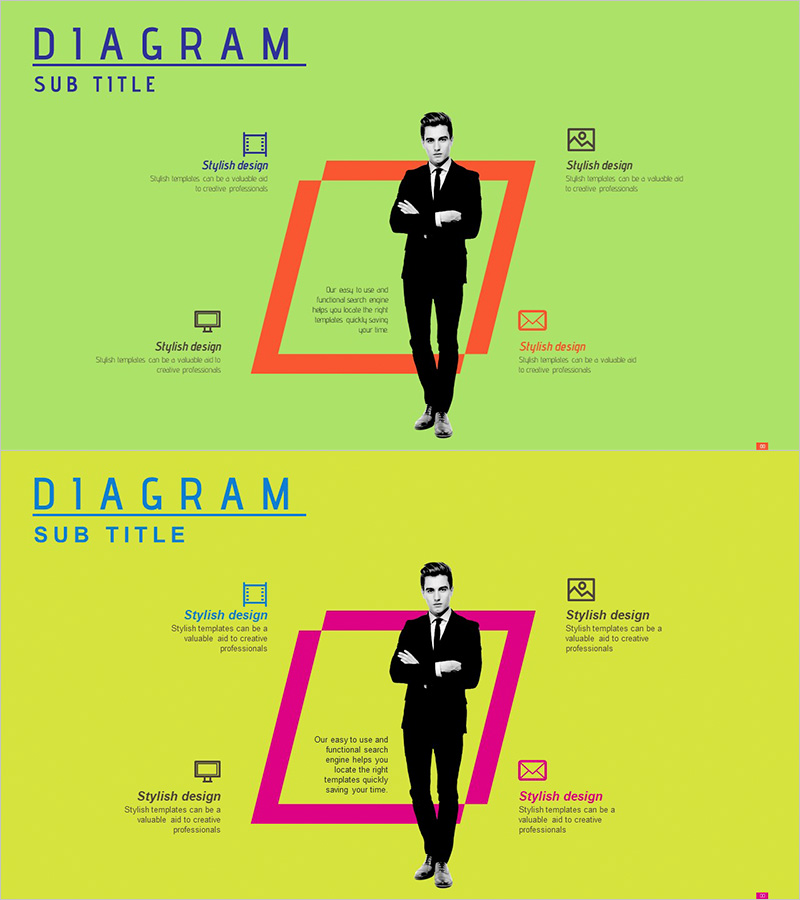
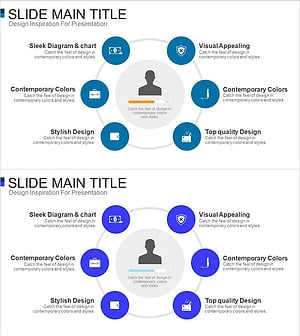
A radial diagram PowerPoint slide that positions four business areas around a central figure, creating a focal-point composition. The lime green background contrasts with red and magenta square frames, amplifying visual emphasis and drawing attention to the core message. Each area accommodates icons and descriptive text, making it ideal for presenting company vision, business portfolios, and organizational roles. This 16:9 two-slide template integrates seamlessly into presentations, business introductions, and product overview materials.
Usage Points
-
Main Usage
Visualizes organizational leadership and four business divisions, departments, or core values simultaneously around a central figure. The radial structure clearly expresses hierarchical relationships and leadership positioning, making it effective for company vision presentations, organizational restructuring explanations, and business portfolio introductions.
-
How to Use
Replace the central figure image and input business area names, department titles, or key messages in the four square frames. Add icons to the four positions (top-left, top-right, bottom-left, bottom-right) to emphasize each area's characteristics. Maintain the lime green background and red/magenta frame color scheme to ensure consistent brand messaging.
-
Recommended For
Executive introductions, organizational structure explanations, business area classifications, departmental role definitions, company vision presentations, business portfolio compositions, and marketing strategy development. Recommended for executives, marketing professionals, and business planners who need to highlight both organizational leadership and business divisions simultaneously.
-
Slide Structure
Two-slide composition with identical central layout. Both slides feature a lime green background with a central figure silhouette and four square frames positioned at cardinal points (Slide 1: red frames, Slide 2: magenta frames). Each frame contains space for one icon and text input, accommodating up to four distinct items per slide.
Related Products
-
Business Area Circular Diagram – Enhancing Corporate Presence
#Company Introduction #Business Introduction #Diagram
-
Sketch Icon Business Area Diagram – Visualizing Business Introduction
#Company Introduction #Business Introduction #Diagram
-
Mobile Security Service Diagram
#Company Introduction #Business Introduction #Diagram
-
Card Payment Service Area Diagram – Business Sector Introduction
#Company Introduction #Business Introduction #Diagram
