



Illustration Theme Circular Diagram – Business Domain and Vision
RJ0300016_5
- Last Update 04/22/2025
- File Size 1.5MB
- # of Slides 2
- File Format PPTX
- Slide Ratio 16:9
- Color
Keywords
- #Content-Based Slides
- #Design-Based Slides
- #Business Introduction
- #Business Vision and Strategy
- #Diagram
- #Business Areas
- #Core Competencies
- #Spread
- #Centralized Diagram
- #16:9
- #radial diagram PowerPoint
- #circular diagram slide template
- #4-section diagram presentation
- #business domain visualization
- #corporate vision diagram
- #core competencies PowerPoint slide
About the Product
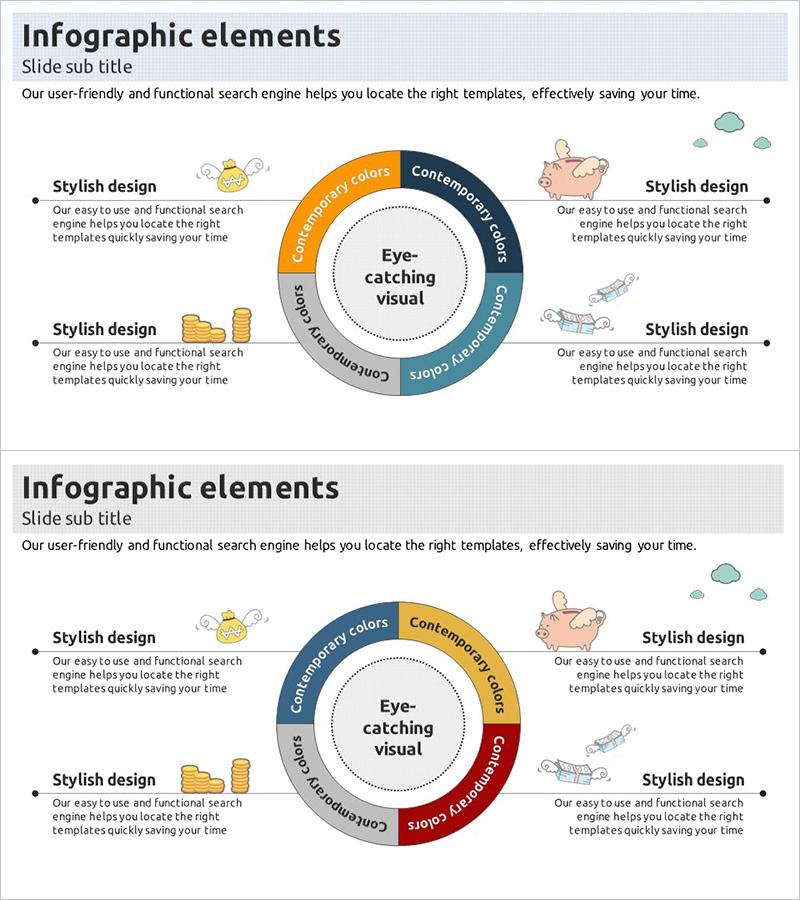
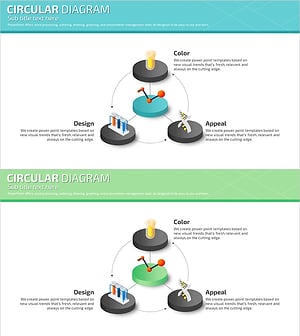
A PowerPoint slide featuring a radial diagram structure with four sections expanding outward from a central circle. Each section is distinguished by distinct colors—orange, navy, gray, and teal—with illustration icons and text areas to showcase business domains, vision, core competencies, and customer value. The central 'eye-catching visual' area emphasizes your core message, while callout text boxes in each section allow you to add detailed descriptions for structured presentations. Designed in 16:9 widescreen format with 2 slides, all elements are fully editable so you can customize colors, text, and icons to match your corporate identity.
Usage Points
-
Main Usage
Presents four key corporate elements—business domains, vision, core competencies, and customer value—arranged radially around a central focal point. Color-coded sections clarify information hierarchy, while the central message and surrounding details establish an intuitive relationship for audience comprehension.
-
How to Use
Ideal for company overview sections in corporate presentations, business explanation pages, and strategy briefings. Customize section colors and icons to match your brand guidelines, then replace placeholder text with specific business information for immediate presentation use.
-
Recommended For
Suitable for executive strategy presentations, new employee orientation materials, investor-focused company introductions, and organizational restructuring explanations. Marketing teams, strategy departments, HR teams, and executive assistants benefit when communicating core corporate values visually.
-
Slide Structure
Comprises 2 slides with a central circle surrounded by four radially-arranged sections. The first slide uses orange, navy, gray, and teal color distinctions; the second offers alternative color combinations for varied presentations. Each section includes an illustration icon, section title, and editable callout text box for detailed descriptions.
Related Products
-
Stylish Design Emphasized PowerPoint Slide Template
#Business Introduction #Business Vision and Strategy #Diagram
-
Medical Diffusion Diagram – Conveying Business Strategy and Vision
#Business Introduction #Business Vision and Strategy #Diagram
-
Antique Diffusion Diagram – Visualizing Business Areas
#Business Introduction #Business Vision and Strategy #Diagram
-
Core Competency Diagram for Innovative Experiments – Business Vision and Strategy
#Business Introduction #Business Vision and Strategy #Diagram
