



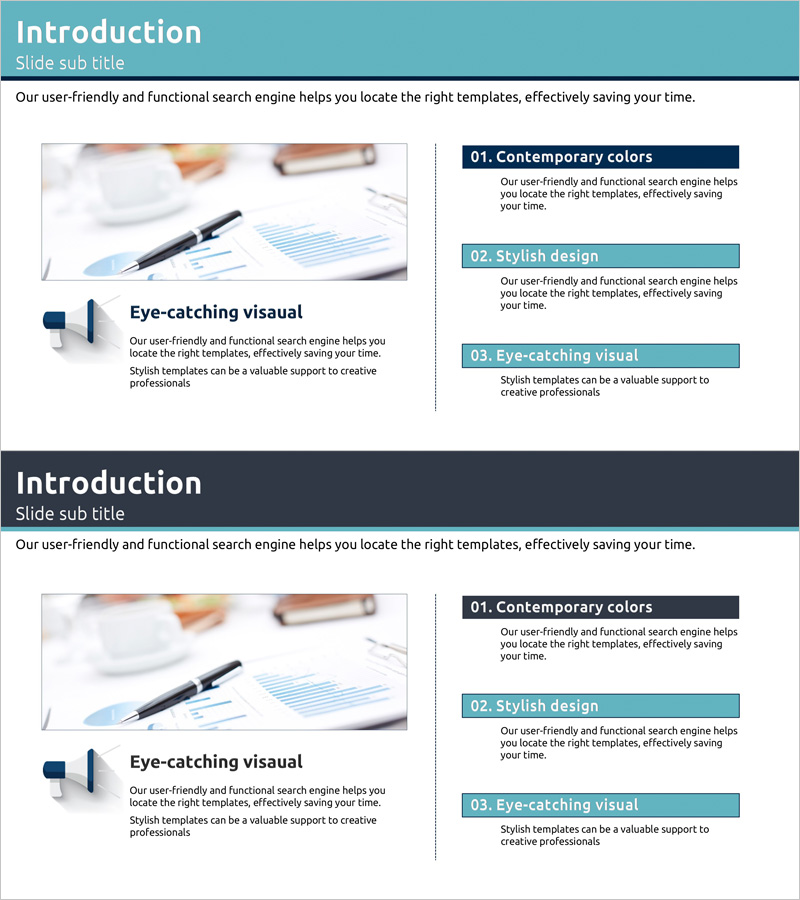
Service Program Introduction and Overview - Intuitive and Attractive Design
RJ0300015_4
- Last Update 04/22/2025
- File Size 0.4MB
- # of Slides 2
- File Format PPTX
- Slide Ratio 16:9
- Color
Keywords
- #Content-Based Slides
- #Design-Based Slides
- #Company Introduction
- #Product/Service Introduction
- #Text Box
- #Business Areas
- #Program Introduction
- #Rectangle Text Box
- #16:9
- #service program introduction PowerPoint slide
- #service overview presentation design
- #3-box layout slide
- #program implementation PPT
- #how to present service programs in PowerPoint
About the Product
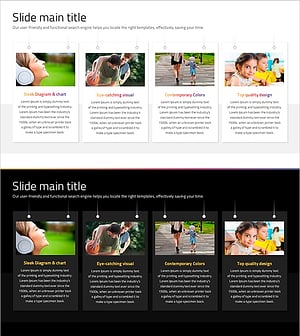
A 2-slide PowerPoint presentation for introducing and outlining service programs. Features a teal header and navy accent boxes arranged in a 3-tier structure, with a left image area and right text boxes for clear information hierarchy. Each box accommodates a title and descriptive text, enabling intuitive communication of program features, benefits, and implementation methods. Ready-to-use for company profiles, product introductions, and business proposals, particularly in program implementation sections.
Usage Points
-
Main Usage
Designed to present service program background, key features, and expected outcomes at a glance. The left image area accommodates service-related photos or icons, while the three right boxes hold program name, description, and implementation details, enhancing audience comprehension.
-
How to Use
Apply in company profile service sections, product proposal program implementation parts, or business briefings for new program announcements. Insert service-related images, logos, or diagrams in the left area, then populate the three right boxes with program features, advantages, and expected outcomes.
-
Recommended For
Service planning teams, sales and marketing professionals, business development managers, consultants, and training coordinators introducing new programs. Particularly effective for B2B proposals and internal reports requiring quick program value communication.
-
Slide Structure
Consists of 2 slides, each divided into a left image area (approximately 40%) and right text area (approximately 60%). The right side features one teal header box and three navy accent boxes arranged vertically, presenting three core program elements in hierarchical order.
Related Products
-
Dot Patterns Wide PowerPoint Template – Product and Service Introduction
#Product/Service Introduction #Text Box #Product/Service Introduction
-
List of Business Projects – Information Delivery and Visualization
#Company Introduction #Product/Service Introduction #Diagram
-
Maximize Product Presentation with Spring Pastel Diagram
#Product/Service Introduction #Business Strategy #Diagram
-
Social Network Wide Template Diagram – Customer Success Case
#Product/Service Introduction #Customer Success Stories #Diagram
