



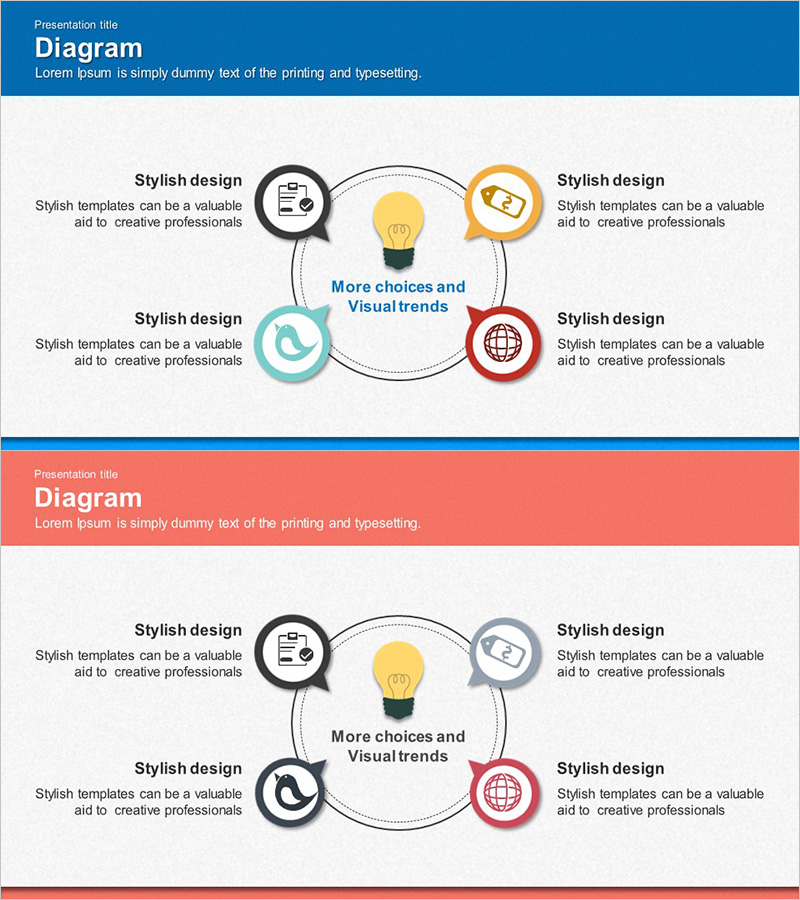
Illustration Theme Solution Diagram – Creative Approach
RJ0300014_13
- Last Update 04/21/2025
- File Size 4.5MB
- # of Slides 2
- File Format PPTX
- Slide Ratio 16:9
- Color
Keywords
- #Content-Based Slides
- #Design-Based Slides
- #Company Introduction
- #Operational Plan
- #Diagram
- #Business Areas
- #Mitigation Measures
- #Spread
- #Centralized Diagram
- #16:9
- #central diagram PowerPoint
- #4-direction radial slide template
- #icon diagram presentation
- #process flow PPT
- #how to create radial diagram in PowerPoint
About the Product
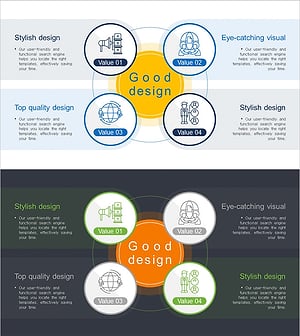
A radial diagram PowerPoint slide with a central core message connected to four directional icon nodes via dotted circular lines. The design features file management, idea, finance, and global network icons positioned at cardinal points around the center message 'More choices and Visual trends.' Each section includes dedicated text areas for descriptions, making it ideal for company overview, operational planning, and business domain presentations. The 2-slide set includes blue header on the first slide and coral header on the second, both with white content areas for maximum readability.
Usage Points
-
Main Usage
Visualize organizational core values, strategic pillars, or vision statements by placing the central concept with four supporting themes (business domains, operational areas, key competencies, global reach) radiating outward. Ideal for company introductions, strategic overviews, and organizational structure presentations.
-
How to Use
Enter your core message or company name in the central circular node. Add topic-specific descriptions in the four directional text areas. Replace icons with images matching your business domains. Customize colors to match corporate branding. During presentation, emphasize the logical flow from center outward to highlight strategic connections.
-
Recommended For
Corporate strategy and vision presentations / Company overview and introduction / Business domain and portfolio explanation / Operational planning reports / Marketing strategy core messaging / Employee onboarding and orientation / Investor pitch decks and business overview presentations.
-
Slide Structure
2-slide set with header-content layout. Each slide features one central circular node connected via dotted lines to four cardinal-direction icon nodes. Four text input areas positioned at top, bottom, left, and right. Blue header on slide 1, coral header on slide 2, both with white content background.
Related Products
-
Diffusion Circular Area Diagram – Highlighting Business Performance
#Company Introduction #Business Introduction #Diagram
-
Circular Diagram for Company Overview – Visualizing Information through Decentralized Spread
#Company Introduction #Business Introduction #Diagram
-
Science Business Area Diffusion Diagram – Connecting the Future of Business
#Company Introduction #Business Introduction #Diagram
-
Cooperative Partner Business Areas Diagram
#Company Introduction #Business Introduction #Diagram
