



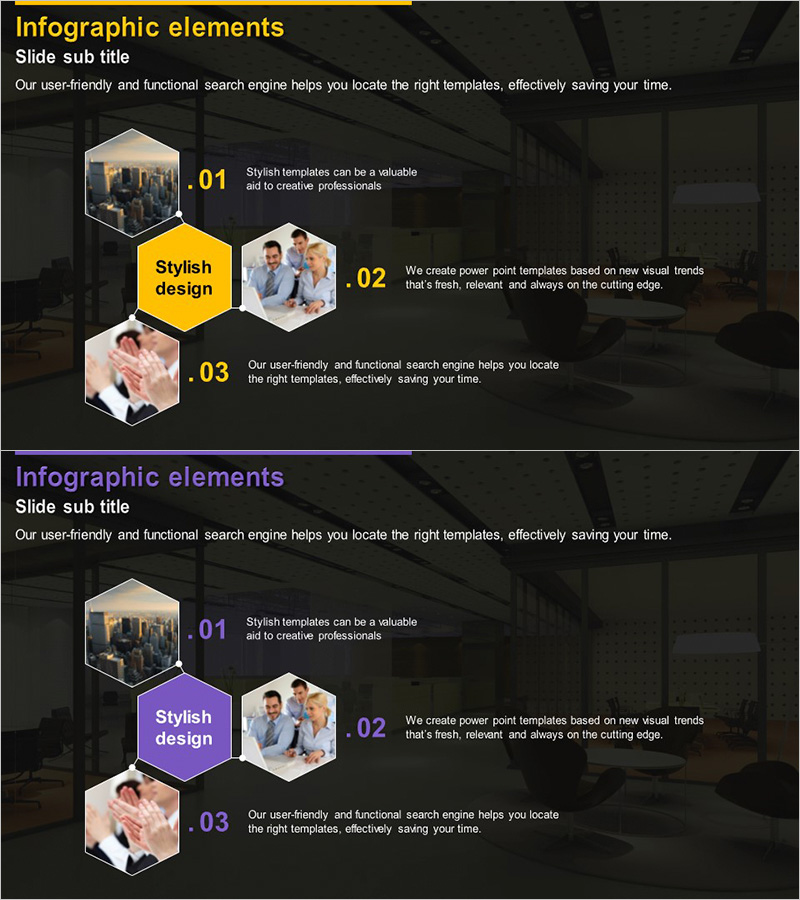
Hexagonal Structure Diagram – Visualizing Business Vision and Strategy
RJ0300013_13
- Last Update 04/21/2025
- File Size 2.7MB
- # of Slides 2
- File Format PPTX
- Slide Ratio 16:9
- Color
Keywords
- #Content-Based Slides
- #Design-Based Slides
- #Business Introduction
- #Business Vision and Strategy
- #Technical Approach
- #Diagram
- #Business Overview
- #Service Implementation Plan
- #Spread
- #Centralized Diagram
- #16:9
- #hexagonal diagram PowerPoint
- #radial structure slide
- #vision strategy presentation
- #center diagram template
- #business structure visualization
About the Product
A radial diagram PowerPoint slide featuring a central yellow hexagon surrounded by three hexagonal image frames. This design effectively visualizes business vision, strategy, and execution roadmap in a hierarchical structure. Set against a dark background with yellow and purple accent colors for maximum visual contrast, the slide deck includes two variations: the first with a yellow center and the second with a purple center, allowing flexible color selection based on presentation context. Each hexagonal area accommodates both images and text, making it immediately applicable to company introductions, business strategy presentations, organizational structures, and strategic roadmaps.
Usage Points
-
Main Usage
Expresses organizational core values or strategic priorities through a center-to-periphery radiating structure. Ideal for business vision presentations, strategic planning reports, organizational structure explanations, and product development roadmaps where hierarchical relationships must be clearly communicated.
-
How to Use
Place your core message or image in the central hexagon, then populate the three surrounding hexagons with supporting details. Edit text and images in each area to customize for company vision, three strategic pillars, business objectives, or other hierarchical content. Choose between yellow or purple color schemes to match your presentation theme.
-
Recommended For
Recommended for executive presentations, strategic planning meetings, business plan pitches, organizational restructuring explanations, and product development strategy sharing. Particularly effective for C-suite executives, planning teams, and marketing departments who need to emphasize a central message while clearly differentiating supporting elements.
-
Slide Structure
Two-slide deck. Each slide contains one central hexagon (yellow or purple) with three surrounding hexagons (white-bordered frames). The central hexagon serves as an image insertion area, while the three surrounding hexagons function as image-plus-text input zones, providing four distinct information entry points per slide.
Related Products
-
Weight Training Diagram – Successful Fitness Strategy
#Business Vision and Strategy #Technical Approach #Diagram
-
Key Drivers for Spreading Ideas – Centered Design
#Business Vision and Strategy #Technical Approach #Diagram
-
Mobile Business Overview – Vision and Strategy
#Business Introduction #Business Vision and Strategy #Diagram
-
Subject Diffusion Diagram – A Key Tool for Establishing Business Vision
#Company Introduction #Business Introduction #Business Vision and Strategy
