



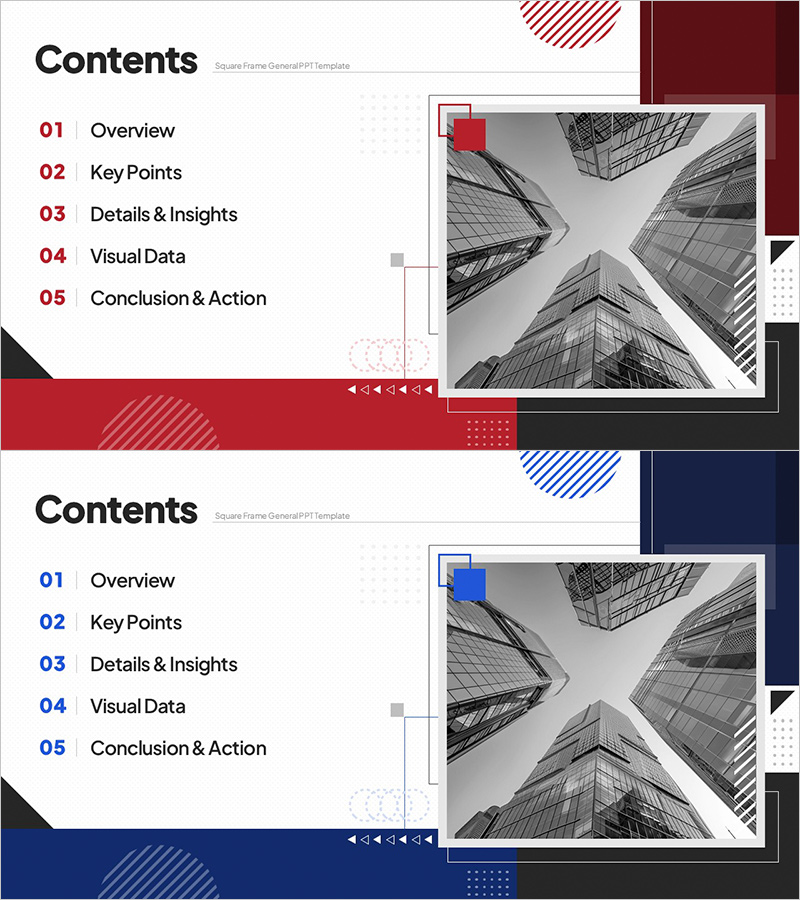
Square Frame Structured Table of Contents – Clear Structure and Communication
RJ0200070_2
- Last Update 09/09/2025
- File Size 1.8MB
- # of Slides 2
- File Format PPTX
- Slide Ratio 16:9
- Color
Keywords
About the Product
A professional table of contents PowerPoint slide that clearly communicates your presentation structure. This 2-slide set features a square frame design with two color options: red and blue. The left side displays five numbered items in a clean text layout, while the right side showcases an architectural image in an asymmetrical composition. Geometric patterns and dotted line elements create a contemporary aesthetic that enhances visual hierarchy. The slide is fully editable in PPTX format, making it ideal for corporate presentations, project proposals, investment pitches, and educational seminars where structured information delivery is essential.
Usage Points
-
Main Usage
Introduce your presentation structure clearly and set audience expectations at the beginning of your talk. The five numbered sections guide viewers through your presentation flow while the square frame and geometric patterns convey professionalism and organization.
-
How to Use
Place this slide at the start of your presentation to outline the agenda. Replace each text item with your actual section titles, and insert your company logo or relevant imagery in the right-side image area. Choose either the red or blue version to match your corporate brand colors and design guidelines.
-
Recommended For
Ideal for corporate business presentations, project proposals, investment pitches, marketing strategy presentations, educational seminars, consulting reports, and any structured presentation requiring clear agenda communication. Works best for presentations with five or more main sections.
-
Slide Structure
Two-slide set with each slide divided into left and right sections. The left side contains five numbered text input areas for agenda items, while the right side provides an image insertion zone. The top displays 'Contents' heading, and the bottom features geometric pattern bars and dotted elements in red or blue theme.
Related Products
-
Global Investment Attraction Template Contents – Professionalism and Innovation
#Slide Type #Table of Contents
-
Luxury Hotel Marketing Plan Template Contents
#Slide Type #Table of Contents
-
Table of Contents Slide – Rounded Edge Business PowerPoint
#Slide Type #Table of Contents
-

AI Technology IR Template Contents – Innovation and Vision
#Slide Type #Table of Contents
