



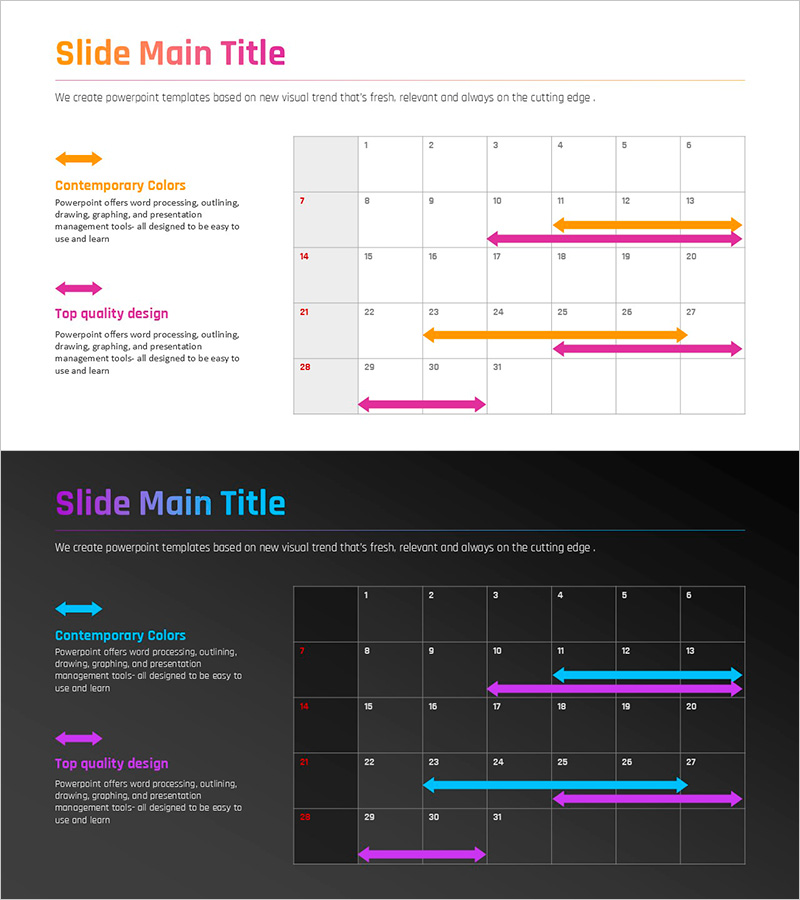
Gradient PowerPoint Wide Template Schedule – Business Promotion Strategy
RJ0200060_11
- Last Update 04/16/2025
- File Size 0.1MB
- # of Slides 2
- File Format PPTX
- Slide Ratio 16:9
- Color
Keywords
About the Product
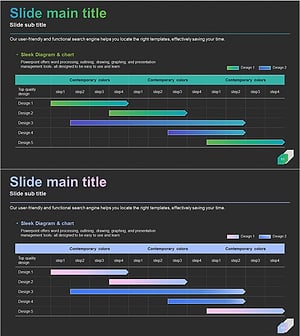
A PowerPoint slide template designed to visualize business project timelines and milestones. Features orange and pink gradient arrows representing six implementation stages on a grid-based table background, optimized for 16:9 widescreen format across two slides. The template includes pre-formatted text and numeric input areas for quick data entry, making it ideal for project schedules, milestone tracking, and business strategy presentations. Simply replace the placeholder data to create professional timeline visuals for team communication and progress monitoring.
Usage Points
-
Main Usage
Visualizes project phases, milestones, and business implementation stages in chronological order. Arrow-based design enables clear communication of project progression and timeline tracking across team members.
-
How to Use
Enter project phases, start dates, end dates, and responsible parties into the grid-based table. Adjust arrow lengths and positions to match your actual schedule, then use as presentation material for stakeholder updates.
-
Recommended For
Project managers, business planning teams, marketing departments, and executive presentations. Suitable for business plans, quarterly strategy reports, product launch timelines, organizational restructuring plans, and operational roadmaps.
-
Slide Structure
Two-slide set with light background featuring six orange-pink gradient arrows and dark background with six cyan-pink arrows. Each slide contains a grid table (7 columns × 4 rows) with dedicated arrow input zones for timeline data entry.
Related Products
-
Dawn City Theme Roadmap – Business Strategy
#Business Strategy #Business Management #Diagram
-
Simple Business Roadmap – Business Strategy
#Business Strategy #Business Management #Diagram
-
Office Supplies Theme Schedule - Effective Business Strategy
#Business Strategy #Business Management #Diagram
-
Gradient Theme Schedule Planner – Business Strategy Tool
#Business Strategy #Business Management #Diagram
