Newspaper Wide PowerPoint Template Main Cover Slide
RJ0200046
- Last Update 04/11/2025
- File Size 7.3MB
- # of Slides 2
- File Format PPTX
- Slide Ratio 16:9
- Color
Keywords
About the Product
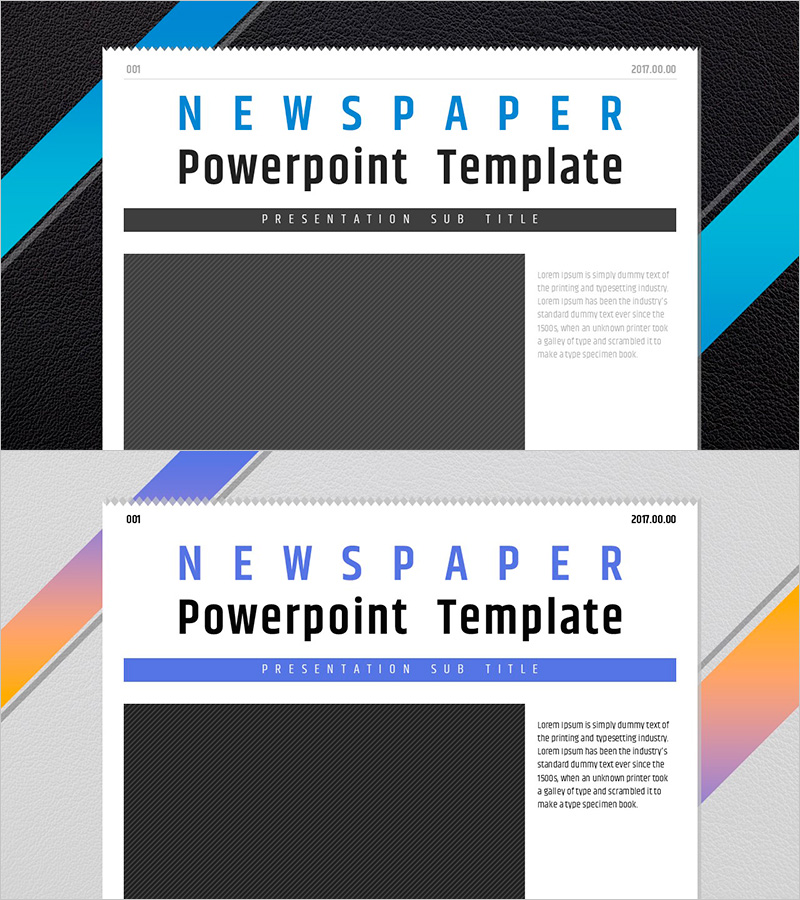
A 2-slide newspaper-themed cover slide set for PowerPoint presentations. Features two color variations: blue with black accents and orange-pink gradient with geometric diagonal elements. The asymmetrical layout divides the slide into a large image area on the left (approximately 50%) and a text description space on the right (approximately 50%), ensuring clear information hierarchy. The minimalist typography and structured layout make it ideal for newsletters, reports, and presentation covers. All text and image areas are fully editable for immediate use in business documents.
Usage Points
-
Main Usage
Serves as the opening cover slide for newsletters, reports, and business presentations. The newspaper design concept enhances credibility and information authority, making it ideal for corporate reports, marketing materials, news briefings, and any document requiring a professional first impression.
-
How to Use
Use as the opening slide of your presentation. Insert your company logo, product image, or relevant visual in the left image area, and add your title, subtitle, and date in the right text section. Choose the color variation that best matches your document's tone and brand identity.
-
Recommended For
Newsletter editors, marketing professionals, corporate report writers, research institutions, media companies, consulting firms, and anyone needing a credible, news-style cover slide. Recommended for all presentations requiring a trustworthy, information-focused opening.
-
Slide Structure
2-slide set with each slide divided into left image area (approximately 50%) and right text area (approximately 50%). Top section displays 'NEWSPAPER' title, center features 'Powerpoint Template' main text, and bottom shows 'PRESENTATION SUB TITLE' subtitle, creating a clear visual hierarchy.