



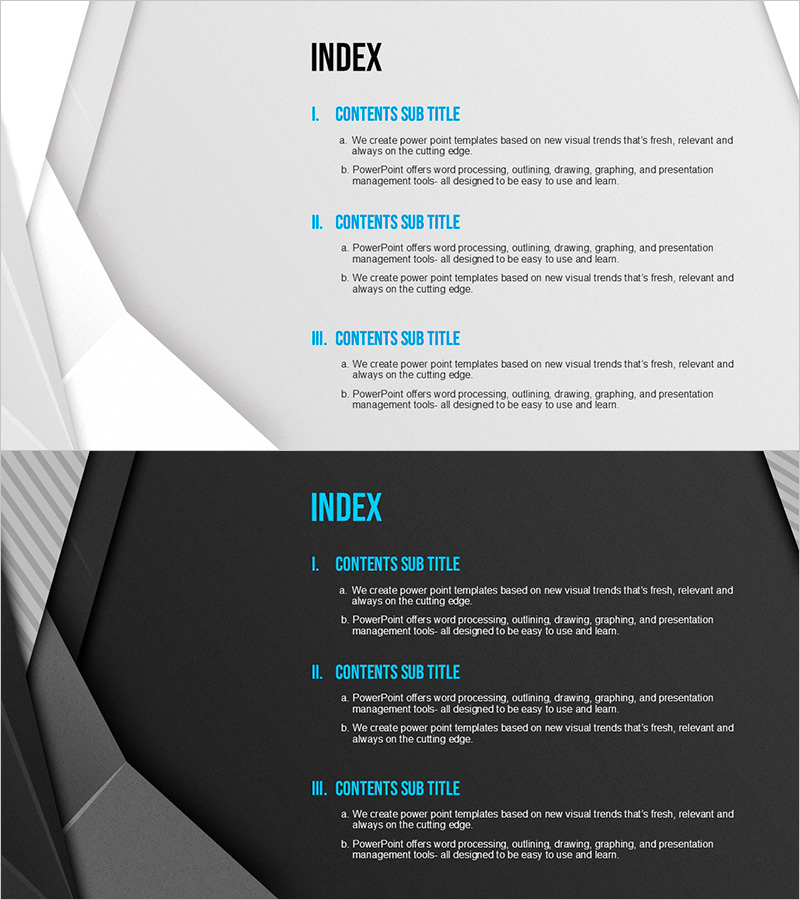
Modern Blue Presentation Template Table of Contents - Clear Navigation for Slides
RJ0200035_2
- Last Update 04/07/2025
- File Size 2.4MB
- # of Slides 2
- File Format PPTX
- Slide Ratio 16:9
- Color
Keywords
About the Product
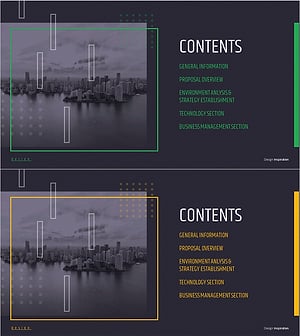
A 2-slide table of contents set that clearly guides the structure of your presentation. Featuring a dark blue background with cyan titles and black body text in a hierarchical layout, this design allows your audience to grasp the main sections at a glance. The first slide presents a three-level table of contents using Roman numerals, while the second slide details subsections using alphabetical markers, making it adaptable to various presentation scenarios. All text is fully editable in PowerPoint, and the slides integrate seamlessly into business documents such as company profiles, business plans, and proposals.
Usage Points
-
Main Usage
This table of contents slide introduces the overall structure and key sections of your presentation to the audience. It helps viewers anticipate the flow of your talk and increases engagement. It is an essential element in all business presentations including company overviews, business plans, proposals, and investor pitches.
-
How to Use
Slide 1 uses a three-level hierarchical structure organized by main topics, while Slide 2 lists detailed items under each section. Simply click on the text areas in PowerPoint and edit the section names to match your presentation content. You can modify the text while preserving the color scheme and layout to maintain a consistent brand image.
-
Recommended For
Ideal for executive presentations, investor and partner meetings, internal reports, and new employee training sessions where structured information delivery is critical. Particularly effective when explaining multi-level organizational structures or complex project frameworks to enhance audience comprehension.
-
Slide Structure
Slide 1: Title area (top) + three main topic items using Roman numerals (center) + descriptive text area (bottom). Slide 2: Title area (top) + three to four detailed items using alphabetical markers (center) + additional explanation area (bottom). All text areas are fully editable and colors can be customized.
Related Products
-
Stylish Company Profile Template Contents
#Slide Type #Table of Contents
-
Interior Product Introduction Template Contents – Essential Structure Provided
#Slide Type #Table of Contents
-
Luxury Hotel Marketing Plan Template Contents
#Slide Type #Table of Contents
-
Modern City Theme Proposal Contents
#Slide Type #Table of Contents
