



Business Plan Circular Diagram – Product and Service Differentiation Strategy
RJ0200027_21
- Last Update 04/05/2025
- File Size 1.5MB
- # of Slides 2
- File Format PPTX
- Slide Ratio 16:9
- Color
Keywords
- #Content-Based Slides
- #Design-Based Slides
- #Product/Service Introduction
- #Diagram
- #Differentiation Strategy for Products/Services
- #Benefits and Advantages
- #Cluster
- #Chain Diagram
- #16:9
- #circular diagram PowerPoint
- #4-stage cycle slide
- #business strategy PowerPoint template
- #process flow diagram slide
- #how to create circular diagram in PowerPoint
About the Product
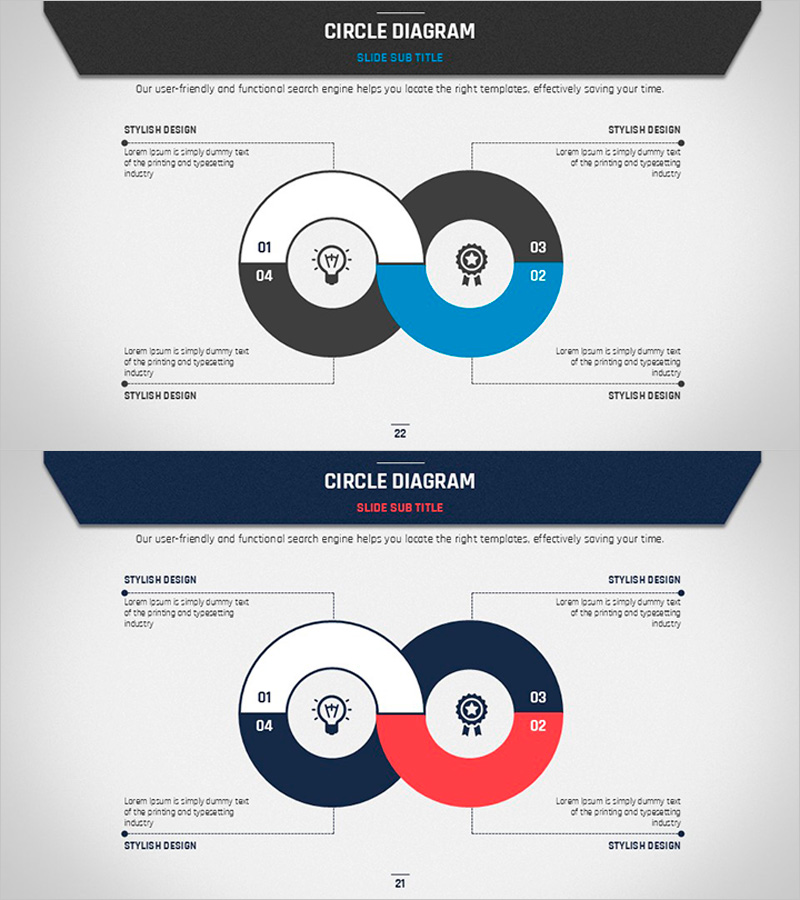
A 4-stage circular diagram PowerPoint slide designed to visualize business strategy development and product differentiation approaches. Four circular nodes connect around a central icon to represent a continuous cycle process. The design uses a dark gray, blue, and red color combination to distinguish each stage, with left and right text areas for detailed explanations of each phase. This 2-slide set is ready to use immediately for various business presentations, reports, and strategic planning documents.
Usage Points
-
Main Usage
Visualizes cyclical business processes, product development cycles, marketing strategy phases, and organizational workflows in four distinct stages. The central concept anchors four surrounding stages in a circular arrangement, emphasizing interdependence and continuous improvement cycles.
-
How to Use
Enter stage names and numbers in each circular node, and add detailed descriptions in the left and right text boxes. Maintain the existing three-color scheme or customize with your brand colors. Add animations to emphasize each stage sequentially during presentations.
-
Recommended For
Ideal for strategy planning teams, marketing departments, and product development teams presenting business plans, executive reports, consulting proposals, organizational improvement projects, and training materials. Suitable for any business presentation requiring circular process visualization.
-
Slide Structure
2-slide set. Each slide features a central icon (lightbulb or gear) with four circular nodes (01–04) arranged clockwise in a cycle diagram. Layout includes title area at top, four text boxes on left and right (labeled STYLISH DESIGN), and slide number at bottom.
Related Products
-
The Strength of the Media – Diagram Template for Presentation
#Product/Service Introduction #Diagram #Differentiation Strategy for Products/Services
-
Football Pass Strategy Diagram – Cluster and Connection
#Product/Service Introduction #Diagram #Differentiation Strategy for Products/Services
-
Carbon Neutral Service Differentiation Strategy Infographic Slide – Style and Benefits
#Product/Service Introduction #Diagram #Differentiation Strategy for Products/Services
-
Industry-Specific Slide Template – Minimal Style Focused on Information and Design
#Product/Service Introduction #Diagram #Differentiation Strategy for Products/Services
