



Business Plan Template – Operations Plan and Maintenance
RJ0200027_13
- Last Update 04/05/2025
- File Size 1.8MB
- # of Slides 2
- File Format PPTX
- Slide Ratio 16:9
- Color
Keywords
About the Product
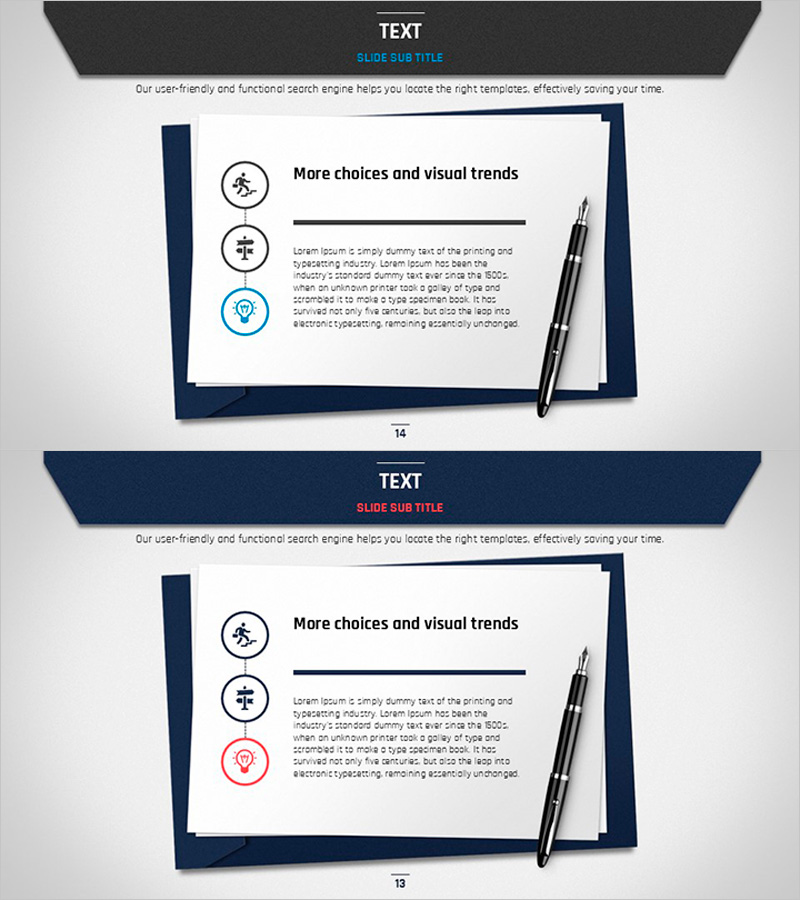
A 2-slide PowerPoint presentation designed to communicate business operations planning and post-implementation maintenance strategies. The design features a dark navy frame with white background, creating strong visual contrast for improved readability. Three circular icons (people, organization, and innovation) represent key operational elements in a structured format. Each slide includes a title section, icon area with accompanying text fields, and body text space, making it immediately applicable to company profiles, business plans, and operational proposals. The 16:9 widescreen PPTX format is compatible with all presentation software for easy customization.
Usage Points
-
Main Usage
Optimized for the operations section of business plans, operational proposals, and company presentations. The three-icon structure visually breaks down core operational elements into digestible components, enhancing audience comprehension of maintenance and operational workflows.
-
How to Use
Enter your operations topic in the title area and fill in specific operational details in the text fields next to each icon. Icon colors and text sizes are fully customizable, and you can replace existing icons with your own images to create branded versions tailored to your organization.
-
Recommended For
Ideal for executives, operations managers, and project leads presenting organizational operations and maintenance plans. Particularly effective for investor presentations, partner meetings, and internal briefings where operational reliability and systematic planning need to be emphasized.
-
Slide Structure
Both slides follow an identical structure: dark header section at top (title and subtitle), three circular icons in center with adjacent text input areas, and additional explanation text space at bottom. This layout enables parallel comparison and detailed explanation of three operational elements.
Related Products
-
Mockup of Travel Routes – Intuitive Journey Representation
#Slide Type #Other #Mockup
-
Fire News Mockup Slide – Customer Success Stories and Social Responsibility
#Customer Success Stories #Corporate Social Responsibility #Other
-
Smart Travel App Business Overview Page – Optimal Market Strategy
#Marketing Plan and Strategy #Other #Target Market Strategy
-
Desktop Keyboard Design Presentation Slide
#Business Strategy #Other #Mockup
