



Online Presentation Template Diagram – Stylish Design and Service Composition
RJ0200025_20
- Last Update 04/04/2025
- File Size 3.2MB
- # of Slides 2
- File Format PPTX
- Slide Ratio 16:9
- Color
Keywords
About the Product
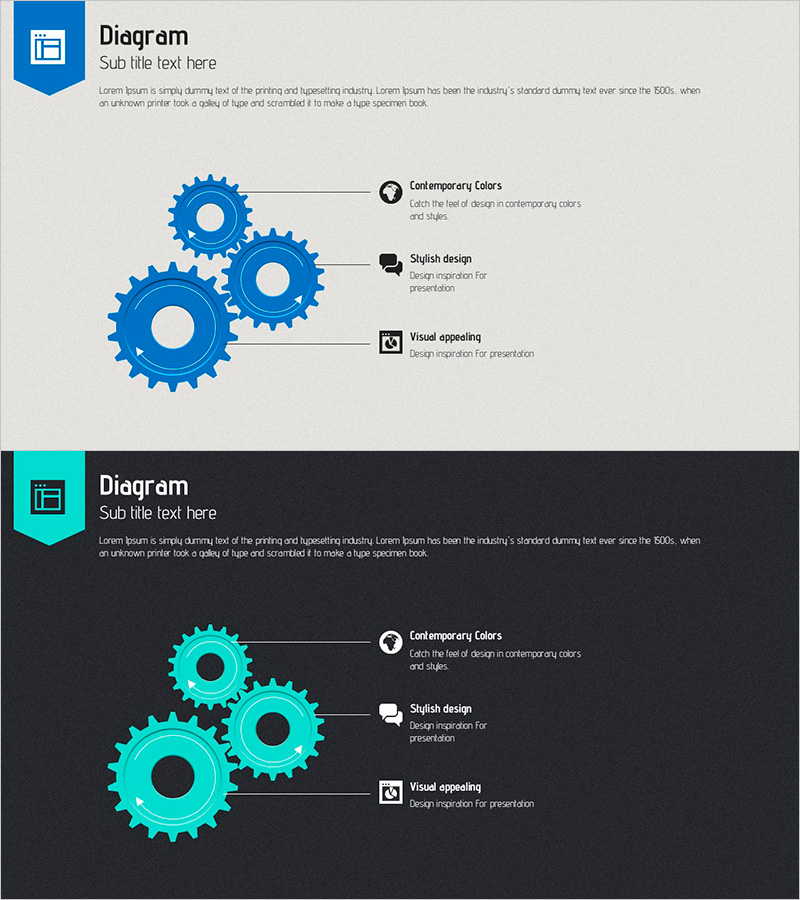
A visually compelling PowerPoint slide for presenting service architecture and system composition using a gear diagram design. Three interlocking gears of varying sizes create a hierarchical structure, with three text explanation areas positioned on the right side. The light gray background contrasts with blue gears and black icons, ensuring excellent readability and visual clarity. This presentation slide is ready for immediate use in service development, system architecture, and technology briefings. Provided in 2-slide PPTX format with 16:9 aspect ratio.
Usage Points
-
Main Usage
Designed to explain service development phases, system architecture, and technical frameworks to audiences in a clear and intuitive manner. The gear mechanism effectively represents interconnected service elements, emphasizing system reliability and integration capabilities.
-
How to Use
Customize the three text areas to the right of the gear diagram with your key service components or technical elements. Use this slide in technology briefings, investor presentations, and internal strategy meetings to illustrate system composition and technical workflows.
-
Recommended For
Technology leaders, development team managers, solution architects, and IT consultants presenting technical proposals, product explanations, and system implementation plans. Particularly effective for B2B technology presentations and internal technical review meetings.
-
Slide Structure
The slide features a left-side gear diagram with three hierarchically sized interlocking gears and a right-side text section containing three labeled items with icons and descriptive text. This layout clearly separates visual representation from textual information, making complex technical concepts accessible.
Related Products
-
Mobile Mockup and Convenience – Design Innovation
#Technical Approach #Other #Service Components
-
Introduction of Front and Rear View System Functions – Innovative Vehicle Safety Technology
#Product/Service Introduction #Technical Approach #Product/Service Introduction
-
Visual Diagram Slide for Cooperative Systems
#Product/Service Introduction #Business Vision and Strategy #Technical Approach
-
Housing Management Services Slide Template – Business Strategy and Technical Understanding
#Business Vision and Strategy #Technical Approach #Diagram
